


kevman0922
Members
-
Joined
-
Last visited
Everything posted by kevman0922
-
All sorted now, took five attempts but got there in the end.
-
I have tried to update open IV but for some reason it will not down load, have turned off my firewall but still will not update. Went for a fresh approach and reinstalled but will not down load at all. Its a real pain as its been working perfectly even when other people could not use Open IV. Has anyone else had any problems with updating or fresh install
-
no worries mate
-
Script hook has updated for your info
-
-
-
Thanks mate worked great,
-
Hi Guys for some reason my game crashed twice today, not sure whats going on played ok yesterday. RPH log attached RagePluginHook.log
-
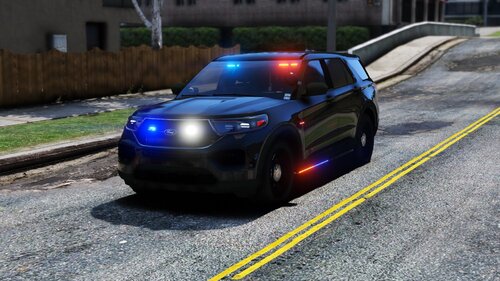 Just added photos in my review of FPIS body disappearing . Great pack mate keep it up
- 89 comments
- 16 reviews
-
-

- 1
-
-
Think this is a great pack, like everything about it, one small point the FPIS body disappears from about 20 feet the other vehicles are all ok.
- 89 comments
- 16 reviews
-
-
- 1
-
-
-
-
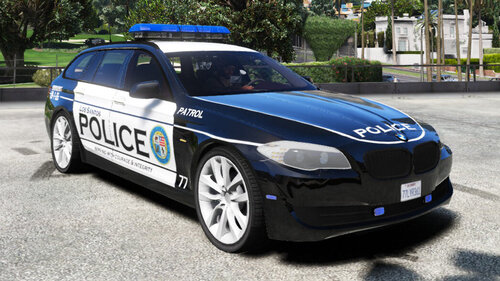 No worries mate thanks for the update, looking forward to seeing it
 -
Any news on the X5 as my 5 Series are getting a bit lonely😁😁😁
-
like it, really good ,are you also thinking doing the Sheriff in the saloon version
-
Great can't wait .
-
The BMW Estate is great, are you thinking of other European models, such as X5 or 3 series.
-
Hi guys wonder if someone could help me, had to do a full re install yesterday everything is working great apart from my vehicles are a lot slower, i have tried upgrading via veh menu at the police garage and using the trainer . before the reinstall my vehicles were a lot faster and now they appear to be a lot slower. has anyone else had the same problem
-
Hi I was wondering if someone could give me some help/guidance, I have successfully installed LSPD 0.4.4 which is loading fine with all my plugins. However over the last few weeks even before 0.4.4 came out, I have a what I would call a freeze frame whilst playing, Its like a millisecond but is noticeable whilst playing. Even more so when ELS is activated as the lights will slightly freeze up again for a millisecond. I have tried changing settings in graphics, etc but still does it. taken all plugins out without any luck. I then tried to play GTA V and again did the same thing. I was wondering if any other people have had the same or similar happen to them and what they did to rectify it.
-
Thanks mate have downloaded 0.4.4 and you are right working ok, again thanks for the help
-
I am currently able to play 0.4.3, I have had nothing re update on new GTA V launcher, so my question is if I update will it screw my LSPD up, as I am still using the old Launcher through rage. Also do I need to copy all 0.4.4 files if I do update. apprecicate any help
-
Hi Guys I was just woundering if anyone has a problem downloading the new RPH update. I have been on to the website to download the new one, but am unable to for some unknown reason. Its not a major problem as I am still able to play LSPD as it has not updated.
-
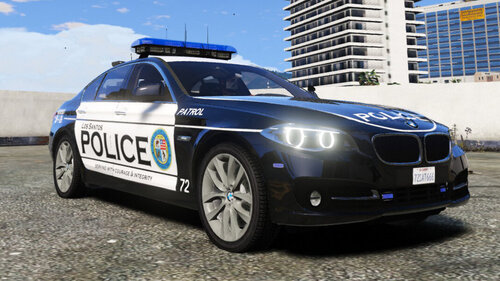 Thanks mate thats really good, I like the way you have given LSPD European models vehicles with american liveries
 -
you have done a cracking job, really like it, is it poss to do a 530 estate version please keep it up mate
-
I did the same switched my browser and it works so thanks mate much appreciated
