




XBR410
Members
-
Joined
-
Last visited
Everything posted by XBR410
-
yeah I did the model where the ladder is darker is the back up save however whenever I export that it gets messed up so if I find out how to fix it.. it can be done without having to do it all over again (hope the truck looks nearly finished to you)
-
yeah none of that worked unfortunately
-
what's up! thanks for reading this first off I'm having a bit of an issue that's extremely unfortunate since I was about 90% done with it (with no errors before this) anyway.. After checking it in game a few times I noticed that the template seemed to be off centered but it still had the correct lined up template on it as well I probably didn't word that correctly so just to be safe here's a picture of what I'm talking about HOW ITS SUPPOSED TO LOOK HOW IT LOOKS IN GAME At first I ignored it and just went on with light placements and little things like that after I finished placing the last light I go into game to test it and the lights don't show up (Just like how it looks when you have els on, on a car that's turned off... not flashing but still there) then when I exported the model and imported it again into zmod this is how it looks.. HOW ITS SUPPOSED TO LOOK HOW IT LOOKS WHEN I IMPORT So you can tell there's a huge difference between the two.. can someone tell me what the hell I did wrong?? here's how I exported and imported.. EXPORTED: IMPORTED: Thanks to anyone that takes the time to help! I really appreciate it
-
-
im currently working on the Brantford cvpi actually with the D&R Prowler.. I cant do the odyssey unfortunately since that uses EPM
-
its coming in my Canadian Pack look at my WIP thread (bottom link in the signature)
-
please don't offer to pay for mods.. and what are you looking for.. custom cars I assume??
-
Welcome to America! "the greatest country in the world" :D ...
-
-
im on becks side with this also may I note the fact that there are already sooo many FHP Packs that are highly realistic?
- 5 comments
- 8 reviews
-
too bad you mucked the stripe up on the cvpi.. i'd use that prince Frederick skin I used to live there! :D if u fix it ill give you a 5
- 7 comments
- 7 reviews
-
-
very decent skin! im not a fan of the Minnesota state troopers scheme but still 5/5*
- 10 comments
- 7 reviews
-
read the manual dude!! it tells you everything.. trust me I looked as well it tells you every different type of light for every mode (Wig wags.. Primary and secondary) such a LEDs.. DRCT (Directional bar) HALO etc etc NOTE That HALO falls under WRNL (Wig Wags) so changing it to HALO Wont do anything if you want a Halogen feel change your primary's to ROTA as seen under
-
were you able to fix it?
-
that sir.. is extremely true. but back on topic.. the extra_8 thing should fix it I know that if I use any thing with secondary's I have to have extra's 7, 8, and 9 even if im only using 7 and 9 im pretty sure I told you that a few days ago on teamviewer though reboot..
-
well all im saying is im able to run my cvpi models just fine and everyone else that uses them says the same thing no RC20's
-
I noticed you don't have an extra_8 in there.. that could be it try that all I use is the schaefft model and I've never found an RC20 error I couldn't fix so its definitely not the car model also make sure you map the bumper trim to the car paint because the trim ruins most cars.. just a suggestion though the good modders do it haha
-
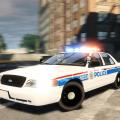 call me a hater but why do all of your releases have the Voltex ultra on them??? you're doing Departments that don't even use that lightbar..
- 30 comments
- 11 reviews
-
-

- 1
-
agreed.

