




XBR410
Members
-
Joined
-
Last visited
Everything posted by XBR410
-
-
just select the poly's of the black strip in polygon mode go to submesh and click on detach.. then click on the selected poly's and it will detach then assign it to the paint material and then after that go to surface.. Edit UV.. it will give you a large box go to generate new and select the paint material.. click ok and map it to where the bumpers are and boom black trim is gone
-
well to take the black trim off you need zmodeler so if you have downloaded a car with that black trim it was most likely someone's early work who doesn't know how to map it to the template.. keep in mind if you want to learn how to do it yourself, you need to be familiar with Detaching.. Polygon Mode.. Basic Material Editing and UV mapping.
-
yeah dude happy birthday I need to finish your Tahoe now lmao
-
you need a hug.. and a English class or two lol
-
-
lol you need to map a template In zmodeler which means you would have to have it unlocked im assuming this helicopter is locked so im afraid you sir are SOL on this particular model..
-
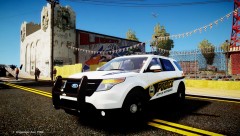 thank god!
 -
you know cj never made an explorer right? lol and also its being released unlocked?
-
which ever one it is lol
-
uhhh what?? that made my brain hurt and by the way your using a 3 (or more) year old Light bar on a 2011-2012 charger.. might I suggest looking for a newer lightbar here?? http://www.gta-modding-chest.com/database/grand-theft-auto-iv/development-parts/49-emergency-lights/
-
oh that model needs some serious fixing then.. that part where the cab meets the bed really screws that skin up.. its unfortunate..
-
its the NFS explorer isn't it. nice work that cvpi rambar isn't working out though..
-
yeah i'll give it that haha
-
oh lol i have no idea what game that was.. or if it even was a game.. lol
-
definitely should have played some MJ music behind that
-
Michael Jackson Moon Climb I guess lol
-
move citadel security a bit more towards the front and you have yourself a 5-star skin my friend.. and yes happy labor day!
-
well that's a minute and eleven seconds i'll never get back..
-
![CHP [WIP]](//s3-gallery.int-cdn.lcpdfrusercontent.com/gallery/album_2124/sml_gallery_45963_2124_50745.jpg) because a CHP cvpi has never been made before lol
because a CHP cvpi has never been made before lol -
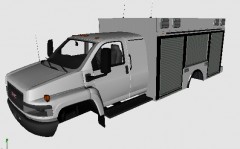 I like that truck too bad this model is a different year that one looks a bit older..
 -
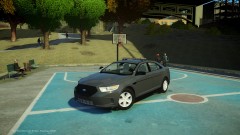 oh mercy that enb is mighty fine!!
 -
-
-
the trucks have been on hold after a error in zmodeler which resulted in a remapping of the template and possibly more work.. and also with the new additions of the 2013 Taurus interceptor and possibly the 2012 Explorer, not even mentioning a GMC Topkick ESU Truck in the works. the trucks will get done though


![CHP [WIP]](http://s3-gallery.int-cdn.lcpdfrusercontent.com/gallery/album_2124/sml_gallery_45963_2124_50745.jpg)
