




XBR410
Members
-
Joined
-
Last visited
Everything posted by XBR410
-
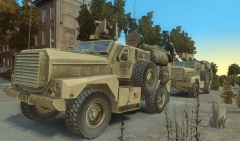 Arma needs this soooooooooooooooooo badly :(
 -
definitely looks like you accidentally moved a few vertex's, either find the ones that are out of place and move them back (which it only looks like 1 or 2 are misplaced) or just recreate that box and delete the messed up one. good start so far though
-
sure
-
yeah car options>add car components
-
![[Ingame/WIP] 3D Interior for DSF CVPI.](//s3-gallery.int-cdn.lcpdfrusercontent.com/gallery/album_1575/sml_gallery_20324_1575_546478.png) That is pretty epic dude awesome job
That is pretty epic dude awesome job -
sooo sexy!
-
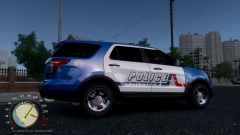 love that Arlington PD Skin, gotta love them Rangers
 -
let him rot in prison for the rest of his life hopefully he will find a man that will make him happy (lol)
-
architects are making something from it in real life, not in a video game similar but different, either way they are not able to physically touch it in a video game also im not quite sure what you are talking about architects are paid for coming up with ideas on building designs and make it in real life when they find something they like, they don't just buy ideas from websites (at least the good ones don't)
-
they could be bringing the Groups page back but I don't know, only time will tell
-
people that spend 300$ on something they cant physically touch are insane. especially something like a vehicle model for a video game..
-
nice!, but those wigwags in the taillights of the chargers are SUPER unrealistic, and kills the whole model for me..
- 22 comments
- 6 reviews
-
Turn off store textures when you export models it should never be on
-
the New shock trauma helicopter? it would be pretty awesome to see that for GTA I don't really have the time to model one that would take a good long while, plus my computer is acting up at the moment but if I can find a model I can use I will definitely convert it
-
^ Nope you gave him the wrong siren the one you sent him the wail goes up to a higher pitch than that Tahoe ever does, '?do=embed' frameborder='0' data-embedContent>> It sounded familiar to me because my local PD uses it as well. hope that helpssorry I would but I just don't have the time with all of the stuff im doing maybe once what I need to do is done if no one else has made a guide I willdetailed... LOLI Already have one made it will be released once I get some textures (Was going to make them myself but I just flat out don't have the time anymore)its because the BxBugs CVPI uses a emerglights file which the liberty uses aswell but the liberty's emerglights file is different in what it has in it, there are 2 solutions, delete the protective guard in Polygon mode OR rename the texture the liberty uses to Emerglights2 And the materials the Liberty uses in the materials editor to use the emerglights2 file thus taking away the "all black" texture..they are "Around" but are apparently test vehicles, they just recently bought a ton of new explorer's and Taurus's from fords south side plant in Chicago so I don't think they decided to stay with the chargers.. (though they are some around I suppose probably like 20-30)
- 12 comments
- 1 review
-
-

- 1
-
You're missing textures in the .wtdThe Newer LVMPD Taurus's use the SLR actually so do their new LVMPD Explorer's I actually planned on doing the newer Explorer's when I get the time which will be soon New Explorer with New LVMPD Skin: https://www.google.com/search?q=lvmpd+police+interceptor&source=lnms&tbm=isch&sa=X&ei=u3LXUpGZB-eysQSy9IGIDg&ved=0CAcQ_AUoAQ&biw=1164&bih=568#facrc=_&imgdii=_&imgrc=PG681AbXrXsqFM%3A%3BFHKKx7IV1YH4IM%3Bhttp%3A%2F%2Fwww.policemag.com%2F_Images%2Fphotogallery%2FL-LVMPD-Ford-PI-Utility-1.jpg%3Bhttp%3A%2F%2Fwww.policemag.com%2Fphotogallery%2Fphotos%2F205%2Fin-service-cop-cars-ford-police-interceptor-utility%2F2088.aspx%3B720%3B500 (Sorry for the giant link) New Taurus: '' target='_blank'>> I Personally love the change I don't like the valors either @ Chris wharley

![[Ingame/WIP] 3D Interior for DSF CVPI.](http://s3-gallery.int-cdn.lcpdfrusercontent.com/gallery/album_1575/sml_gallery_20324_1575_546478.png)
