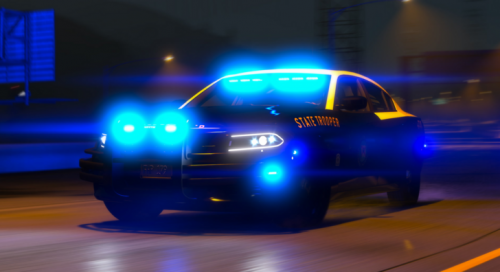
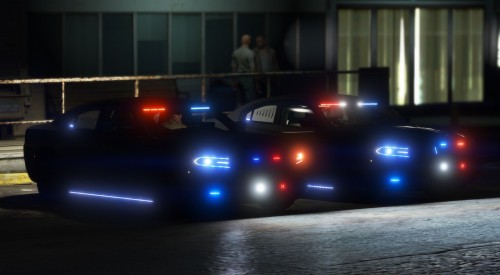
.png.b604bc3f4fea7ca5619ea4c8187952b2.png)
.png.f4372758c1e05ded335dce83115478d8.png)
Trooper D.
Members
-
Joined
-
Last visited
Everything posted by Trooper D.
-
.thumb.png.6a3bd121b5c76bdc0ab40c0222617534.png) I think he is talking about Fort Myers, I know what he is talking about lol, we don't got much police around here expect for Lee County and Fort Myers Police, other than that, we don't got any other departments. FHP rarely comes around either.
I think he is talking about Fort Myers, I know what he is talking about lol, we don't got much police around here expect for Lee County and Fort Myers Police, other than that, we don't got any other departments. FHP rarely comes around either. -
Sorry man, Im a part of the Non ELS Gang. I don't like modeling ELS anymore, but ill include an update for a single player replace.
-
Similar to the real world counterpart of the Lee County Sheriff's Office, the vehicle has been covered with lights and up to 8 extra's, allowing for full customization. A pushbar has also been added even though the real world LCSO Expedition does not include rambars on any of their vehicles. However I didn't include time to model the interior, and I will eventually add it in the future. Showcase Video: https://www.instagram.com/tv/CDfzuNrHosS/?utm_source=ig_web_copy_link Join My Discord For the Ford Explorer, Releasing On August 21st! https://discord.gg/dENpzJJ
-
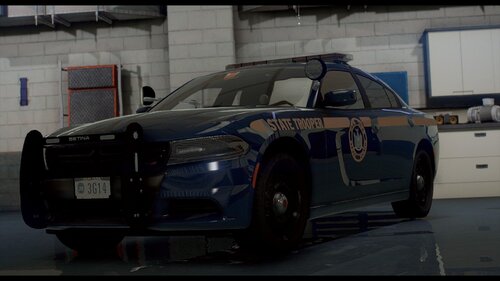 Hi I need a Non ELS Rambar @HP Deskjet lmfao Great work nontheless love the chargers!
- 21 comments
- 8 reviews
-
-

- 1
-
-
-
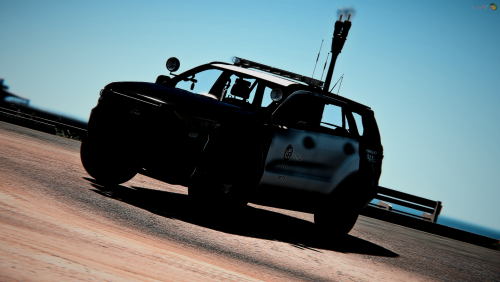 While an Australian vehicle and used in parts of Europe and Asia, I decided to have some fun with this vehicle. There are 4 versions, all Five M ready, I did not really intend the vehicle for single player and I am unsure if it even works in SP. But it works perfectly in my Five M server and should work perfect in yours. Here is how it goes down. Here is the Youtube video for it, it also has all of my work on there so check out my channel dammit! Marked (Same Extra's for the EMR version): Extra 1: Side Runners Extra 2: Setina Pushbar Extra 3: Traffic Advisor Extra 4: Disables Halogen Flash and Yellow Flash In lightbar Extra 5: Disables all front Lightbar lighting (For traffic stops) Extra 6: Cruise Lights Extra 7: ALPR Extra 8: Antenna's Extra 9: Spotlights Slicktop Version Extra's Extra 1: Side Runners Extra 2: Setina Pushbar Extra 3: ALPR Extra 4: Antennas Extra 5: Spotlights Extra 6: Dashlights Extra 7: Antennas again Join My Discord, Where I am selling Non ELS Vehicles like this: https://discord.gg/wsvMv9w https://gyazo.com/f957e5f46a8c4393e1318cee7541b6a6 https://gyazo.com/f46166fdee7b0ffe522df513041deafc https://gyazo.com/4ef7fb5d72f9afce1e00c5ad224f25fe
- 13 comments
- 2 reviews
-
-
- 3
-
-
-
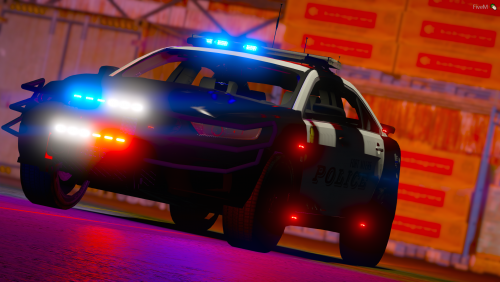 Might be because your resource lua does not read the metas which allow it to spawn. Check to make sure it reads all the metas provided.
- 10 comments
- 1 review
-
Thank you! You are able to install on your Five M server, no problem with that, ill look into taillights not working at night, I patrol in that every night on a RP server and have not noticed that, it could be a issue on your end, but it may depend. Either way Ill update you when I can, thank you for downloading the model!
- 10 comments
- 1 review
-
The meta's installation may be a problem. I will see about creating a dlc.rpf easy to install file for SP. The meta's may be in the wrong place or not registered by the content.xml or setup.xml. Look in those to see what they show. Sorry, I had no clue it would do this!
- 10 comments
- 1 review
-
First off I want to say that this vehicle is a tribute and dedicated to Officer Daniel Stark Of the Fort Myers Police Department, Who had passed away when another officer responding to a high speed chase hit his vehicle. He was transported to the hospital but succumbed to his injuries. This is for him, I had used his car number, 311, and put his name on the trunk and his E.O.W. (End Of Watch) Date on the vehicle. This vehicle (at this time) is not in the FMPD fleet, but they are soon replacing the old CVPI's with the new Taurus, and I was inspired to make one that looked like what FMPD will use. Enjoy. Want to get vehicles like this? https://gyazo.com/3a53de7fb516dab711e4736941dfd915 Join my discord down below, and YES! They are all non els! https://discord.gg/wsvMv9w https://www.youtube.com/watch?v=LVDV8qLzKmk&feature=youtu.be
- 10 comments
- 1 review
-
-
- 2
-
-
-
-
-
-
 Mostly for FiveM, possibly because they want a challenge, it is a challenge for me but it is also fun. Anyway just about to update this with some texture fixes.
- 93 comments
- 17 reviews
-
Hey guys, gonna address a few things. I’ll get a meta file for this as soon as I can ASAP, if anyone here knows metas well try using the sand king handling line, but either way I will come out with an update, big surprise, a NON ELS version within the month
- 93 comments
- 17 reviews
-
-
- 1
-
-
-
Oi thank you! Cannot wait to see it updated, the people probably cannot wait to see another version!
- 93 comments
- 17 reviews
-
-
Looking at the photos, it does rear wheel looks a little off, I’ll fix it and post the fix in the next patch, other than that, I am glad you enjoy the model
- 93 comments
- 17 reviews
-
-
- 1
-
-
-
It is your window tint, you must turn it down to see the lights, or you have not put in the xml correctly.
- 93 comments
- 17 reviews
-
Umm, updated version is lifted. Also stop arguing about the vehicle being "unmarked", it is not. It is "undercover" as said in the title. Please stop arguing.
- 93 comments
- 17 reviews
-
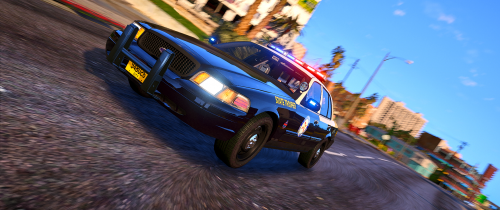 Hmm, it is definitely your side because everyone else can use it fine, the rear tail-light on the charger will be fixed and incorporated with 2-5 new cars on Monday.
- 58 comments
- 8 reviews
-
-
- 1
-
.thumb.png.45c8e895bd9c9cb0c422f6f0f0611977.png)
.thumb.png.6a3bd121b5c76bdc0ab40c0222617534.png)