
Iceknight
Members
-
Joined
-
Last visited
Everything posted by Iceknight
-
 I went through several different visual mods before I found this one. The deal breaker is the fact that the lights are bright enough to enjoy daytime patrols, but not super blinding at night. I use this with Visual V and it is a fantastic combination!
- 110 comments
- 23 reviews
-
Try going into Task Manager and force ending Steam Client Bootstrapper task, and any GTA 5 processes as well. Load up Steam again, verify the game files, and then try to launch.
-
Plugins do need to be optimized like any program, and chances are you are using a plugin that is either A. Old and not optimized for the current version of LSPDFR, or B. Something in a recent update changed how the plugin is run in-game.
-
I have run LSPDFR at 60 FPS before with all of my mods and that only happened with my old i7 8700k overclocked to 5 ghz. Like I said in my original post, the more plugins and scripts you use, the more processing power it will require to run. Hence the fact your framerate drops when on duty.
-
The amount of plugins and mods you run with LSPDFR will affect your framerate. They require a lot of processing power. You can combat the FPS drop by overclocking your CPU, as that is what usually is responsible for the performance hit in the first place.
-
Albo has made a majority of his scripts open source since he has somewhat retired from making mods, so don't expect an update on it unless someone else does it. I'm still running LSPDFR+ for the traffic stop menu but the citations part is broken for me and no longer shows charges, which is where Computer+ comes in.
-
Try running GTA through the launcher and immediately after, run RPH (like less than 1 second after). So RPH is running even before the game window launches. It should initiate its "hooking" of the game as the game window comes up and goes to full screen.
-
Setting the plugin timeout in RPH settings to 50,000 is what worked for me. Also, not allowing plugins to load on startup and loading them once in game. Everything works as it should.
-
Another thing you can try, which I have had to do a couple times in the past, is completely re-install all of your plugins. Back up your current plugins folder obviously beforehand, delete the contents of plugins/lspdfr, and then install them one by one. To narrow things down even further, test your game out after each plugin is installed. It is very time consuming, but it can help rule out any issues. Also, verify that RPH and Rage native UI are up to date. I would assume you have already done that, but never hurts to check.
-
You probably don't need that folder honestly, looks like a duplicate of some of the files. I use many of the plugins you have and don't have that at all.
-
What is in the Plugins folder within your plugins/lspdfr folder?
-
Check in your plugins folder (wherever yours is installed on your PC, this is mine, for example: D:\Program Files\Grand Theft Auto V\plugins\LSPDFR) and see if there are any traces of that plugin installed. Have you ever used that plugin before? It's official title is Vehicle Search v2.1.7, so maybe expand your search perimeters to include that.
-
Looks like something in the plugin Vehicle search is causing LSPDFR to crash. That plugin is outdated, and even listed as obsolete on its download page. Try removing it and seeing if the crash goes away.
-
I'm not sure then. Never had any issue like that before. I did take a look at your crash report file, and it looks like you are running an older version of GTA (v1493) as well as an older version of Rage plugin hook. Both of those are from 2018, and I don't know if you are running those versions or if you are up to date on everything, but that could be a potential cause of it crashing. The log timestamps also show 2018, so I don't know if that is an old log or whatnot.
-
Was it an OpenIV install, a DLC pack, or just the ytf/ytd files? The reason why I ask is most of the vehicle packs that are 'Easy install' through OpenIV will modify other files in addition to just the vehicle files.
-
Did you change any meta files, such as vehicles.meta or carvariations.meta? If you simply replaced models only, and then put vanilla models back, it should not be crashing.
-
Try installing this and see if that helps.
-
I had this happen before, but I forgot what I did to fix it. Verify the vehicle files are installed correctly, XML files are in the pack_default folder (or whatever your ELS default is), uninstalling/reinstalling ASI loader and OpenIV ASI files (there are TWO of them, make sure you do both!), reinstall scripthookV. Those are some of the big things I would check. I think the ASI loader and OpenIV ASI method fixed it for me, but then again this was back in 0.3 and it has not happened since. I wish I could offer more help, but that's all I got at the moment. Good luck getting it fixed!
-
Do the vehicles you use in game use 4k textures or liveries? That will cause texture loss in game. There is a fix you can use to resize textures, but I don't remember what it is. I'm sure you can figure it out with some google searches. If you can figure it out, do it, because you technically don't *need* 4k textures/liveries. EDIT: Just read that you lowered car files sizes down. Disregard my post above if you have already done it.
-
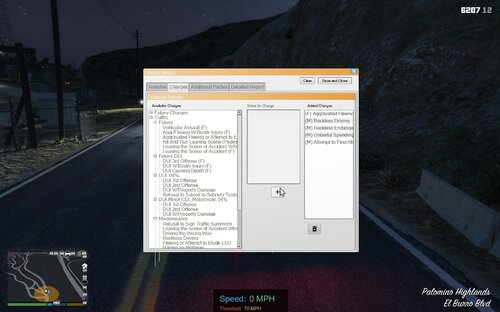 Definitely a must have mod for anyone who uses Computer+. As stated in several reviews it can take some time to get used to the new format, but it is worth it in the end.
- 72 comments
- 12 reviews
-
-

- 1
-
-
I was having the same issue, and I just recently went to BejoIjo's site and downloaded the most recent versions of the plugins that I use. I thought I had the most recent versions installed, but I didn't. My game is now working correctly and everything loads in. You should give that a shot and see if it helps you.
-
Can you hear the vehicle horn at all, or is it just the sirens not working? If you are using ELS, make sure your toggle key is not locked. If you cannot hear the sirens or the horn, chances are your vehicle audio file is too large. I think the game has a limit of 15.7 MB and anything over that it will mute certain vehicle sounds. At that point you will need to install a fresh copy of the vehicles.awc file into your mods folder (you can get this from the raw, unmodded game files), and then only install one siren mod. I have never been able to get separate sirens for each department (e.g fire, ambulance) as the file size usually goes over the limit and mutes everything.
-
I have the most up to date versions. It's looking more and more now like a majority of my plugins are not working. Only Albo's plugins load when going on duty. EDIT: It seems I did NOT have the most up to date versions of bejoIjo's plugins... I do now and everything is working as it should. Appreciate the suggestion @Pazzi
-
I am having the same issue, except it is with all of bejoIjo's plugins. Fresh install of the plugins has not helped. Have not changed a thing since I last jumped in game, and this starts. Gotta love LSPDFR mod consistency...
-
I was hesitant to go to 0.4 as well due to how I had 0.3 set up, but I backed up 0.3 and got 0.4 set up today. I'm extremely happy with it so far as well. There's actually ambient units patrolling around now, and I've even come across an AI unit on a traffic stop, which increases the realism of the game even more. I haven't even done much more than drive around and do proactive patrols, but there's probably new features that I have yet to discover.