


TJMann
Members
-
Joined
-
Last visited
Everything posted by TJMann
-
 yo @HANAKO your vests are amazing! I know you don't take texture requests but would you be able to add a new vest to the pack? I've been looking and I can't find a good border patrol vest anywhere.
- 552 comments
- 44 reviews
-
 Awesome!!! But I'd love it if someone invented an easy way to convert EUP Wardrobe configurations into LSPDFR Outfit configurations. I find myself using the EUP menu to make outfits, cos its way easier with the default uniforms already there, with minimal changes needed from that, and then having to go to a police station and finding the numbers for the LSPDRF outfits.xml file, which has different numbers for clothing items. Also a way to change voices with outfits would be good. Maybe this is an LSPDFR problem though.
- 2,346 comments
- 236 reviews
-
-
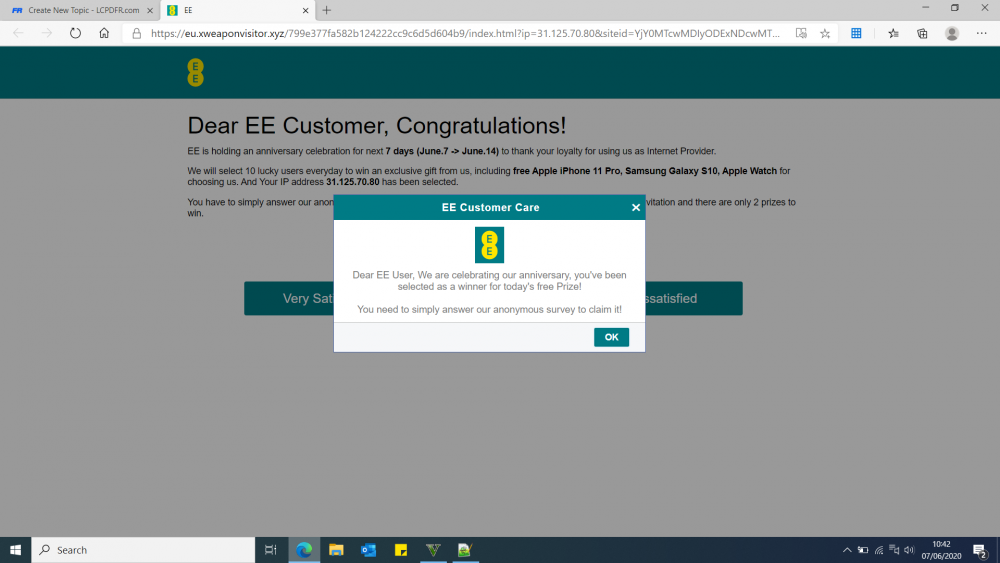
I keep getting a redirect (not a popup or a new tab) to a dodgy website on every LSPDFR website page I visit after about 10-30 seconds, a. The site is eu.xweaponvisitor.xyz The website has now become practically unusable. I'm pretty sure this is a problem on the website and not my PC
-
 Last idea - at the moment, you can only call code2/3/99 backup. It would be cool if you could specify the Agency and/or type (using backup.xml/agency.xml in native) Like 'Dispatch, requesting the FBI to my location' or 'Dispatch, requesting SWAT backup to my location'
- 1,360 comments
- 85 reviews
-
-

- 2
-
-
Cool. Maybe coastal callouts integration would be an idea, helicopters boats etc. But I can't seem to find any info on API though
- 1,360 comments
- 85 reviews
-
It would be great if you could have an action that calls LSPDFR itself to request a new call. Something like 'Dispatch, do you have any outstanding calls in my area'
- 1,360 comments
- 85 reviews
-
-
- 2
-
-
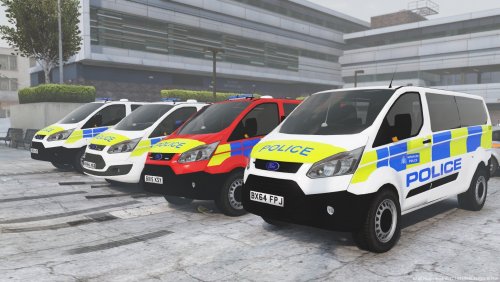 I'm getting red light coming off of the front lightbar... How can I change this to blue?
- 7 comments
- 3 reviews
-
Two things: At the port police station, I sometimes get sheriff and cg boats spawning... How can I avoid a sheriff boat spawning on the wrong side of San Andreas? Is there any chance of being able to close the heli doors after you've finished a winching mission. They seem to stay open...
-
Right, 16mb. I didn't find a log for that recent error. Will post another tomorrow.
-
Ok so I tried again with EUP and it seems to work. I can go on duty and select a vehicle, everything works... EXCEPT... after selecting a vehicle at the MAIN POLICE STATION in LS, LSPDFR crashes before it should put me in the car park in the vehicle (crashes on the black loading screen) This only happens in the MAIN LS STATION. Unfortunately there's no log, but it referenced ' Error in PoliceStationInterior' Any more ideas? Also, how do I know if a vehicle is high poly?
-
GTA5 is crashing when I select 'go to garage' in the locker menu in the main LS police station... I go on duty, select agency and outfit, and then press go to garage. Before, I was having the FAILED ZLIB CALL error at this stage, so I had a look in my mods folder, as I recently added a few extra vests in here. I deleted the eup folder in mods/update/x64/dlcpacks/, and the error stopped. I then reinstalled fresh EUP .OIVs (both Law and Order, and Serve and rescue), and now the game goes black and then just quits when I select 'go to garage'. I've attached my RPH log, but I don't think there's anything in there.. Any ideas? UPDATE -- THIS ONLY HAPPENS SOMETIMES RagePluginHook_03022020_194525.log
-
Can you post the RPH log of when the crash occurs? You can find them in the 'logs' folder in your GTA directory.
-
What callouts are you using? It looks like some of your callouts are for older versions of LSPDFR?
-
Hi, Sorry I wasn't able to send my log - I've been so busy... I found that the error was caused by a mistake in my agency.xml Thanks
-
Hi, I'm having some trouble when going on duty in LSPDFR... When I go to a station and go on duty, I select my agency and outfit, and then exit the station to play. However, as soon as I leave the station menu, and 'walk out' of the station, the game freezes for a couple seconds, and then I cannot use any of the LSPDFR buttons, except the interaction menu - default key 'M'. I get callouts, but pressing Y does nothing. I can't open the backup menu, can't pull vehicles over, etc... This only seems to happen when I go on duty with a particular agency. I've looked through my RAGE log, but I can't see anything odd... I only have Coastal Callouts installed at the moment, but I'm pretty sure that's not to blame because I've had the same problem when I had other callouts installed without coastal callouts... Could someone help? 😐
-
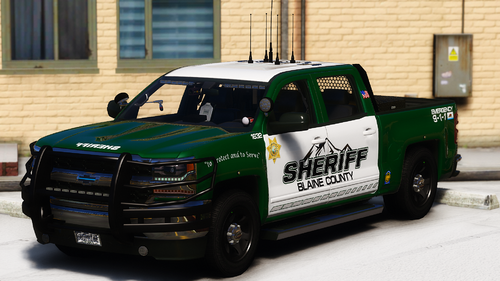 @sergeantFrank could you include the rescue truck featured on your profile header image?
- 71 comments
- 17 reviews
-
-
-
I was just thinking that yesterday... Then victims can be transported to (either a nearby road or) the nearest base, to a waiting ambulance...?
-
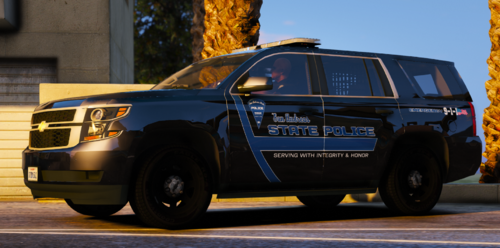 Great pack, will definitely be using it for a long time. Just one thing - the 'bell 407' skin is actually for the Bell 429 helicopter, I think: https://www.gta5-mods.com/vehicles/bell-429-swedish-police-air-wing
 -
-
Anyone know how long it usually takes for a plugin to be approved? Really excited for this mod... 😁
-
I was wondering if there was a spreadsheet or something somewhere that lists the various EUP items of clothing, and their location in OpenIV...? For example, it would have one column for the item - like 'Armour 16' - and the location of its texture - like .../eup_componentpeds.rpf/...
-
https://www.lcpdfr.com/files/file/22088-eup-outfit-settings-for-lspdfr-04/


