


CallamDavies
Members
-
Joined
-
Last visited
Everything posted by CallamDavies
-
Was playing maybe an hour ago, hopped off for a work call and came back to RPH not supported version 3337.0, have i missed an update or am i being stupid? was working on 3323.0 an hour or so ago. Edit - After a quick google there has been a patch this morning, making RPH unloadable currently 😕
-
-
 Where abouts in the eup agency xml does it go? all installed fine, checked the files but get a bad texture when I get it out. think its the xml.
- 36 comments
- 3 reviews
-
-
Legend! been bothering me for ages, just spent the last hour swapping out skins, could do all except 2 and it runs perfectly! Cheers.
-
Just loaded it all up and it seems this hasn’t been fixed yet 😕
-
 Got it all working but when I get my stun gun out with cop holster it changes my duty belt ??
- 124 comments
- 37 reviews
-
-
-
-
-
-
-
.thumb.jpg.182dedb1a55dea252c1853d35d4d1e3c.jpg) How do I get this for Peds to wear?? I looked in the outfit xml to change it but the components and textures are very confusing and don’t seem to match Eup vanilla so I can’t figure out which is what? Any help?
How do I get this for Peds to wear?? I looked in the outfit xml to change it but the components and textures are very confusing and don’t seem to match Eup vanilla so I can’t figure out which is what? Any help?- 256 comments
- 29 reviews
-
No problem
-
It’s relatively easy really, go into lspdfr in the gta v directory and go into data and find agency.xml, scroll down and find fib or LSSD(whichever agency you want to add to) keep note fbi agency doesn’t ambiently spawn, lspd will and LSSD use these if you want too see the vehicles driving around and as backup. Where is says <vehicle>model</vehicle> Just copy this line right underneath and set it as police old. Should look like this: <vehicles> <vehicle>FBI</vehicle <vehicle>policeold1</vehicle> <vehicle>policeold2</vehicle> </vehicle> Also so if you have EUP go into custom inside the data folder and change the same line in the agency_eup xml. if your adding to an agency backup.xml will not need to be changed. this should ambiently spawn the vehicles around the map and allow them as backup, aslong as the agency ambiently spawns anyway. I.e lspd & lssd edit: you can add <flag>SpawnsAmbiently</flag> To the flags if You want fib to spawn like police Callam.
-
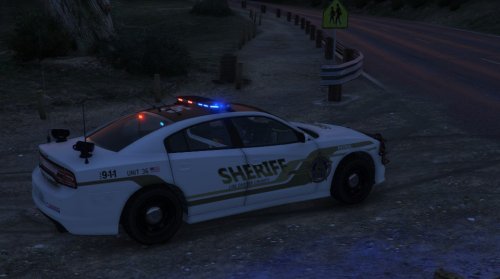 I love this car, I know this is an older file but I always use it, I recently changed a texture file so the non light bar lights showed yellow, however I get the red/blue reflection flare so I thought I’d open it up and try to change the glass etc but the ytf/ytd file seems to be locked even though the page says unlocked, any help ?
- 46 comments
- 14 reviews



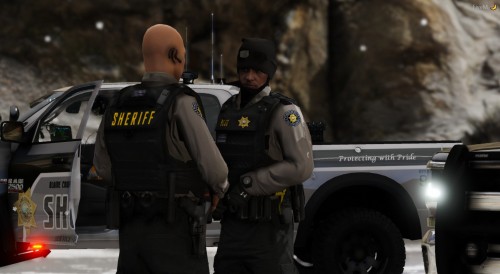
.thumb.jpg.182dedb1a55dea252c1853d35d4d1e3c.jpg)


