


Jetty Bot
Members
-
Joined
-
Last visited
Everything posted by Jetty Bot
-
This is caused by a new feature that makes it so you can encounter previously escaped suspects. If you you want to disable it go into your lspdfr.ini, inside the lspd folder, you can add the following lines to change the previous suspect encounters. (Don't include he "quotation marks") "Ambient.DisableEscapedSuspectEncounter = True" -This will disable the encounters all together "Ambient.EscapedSuspectEncounterInterval = 45000" -This changes how often you will encounter a previous suspect in milliseconds. So the default 45000 is 45 seconds.
-
Installing Radiance V is an easy fix. How to install: In OpenIV go to "mods/update/update.rpf/common/data" and drop the new visualsettings.dat
-
If you go into your lspdfr.ini, inside the lspd folder, you can add the following lines to change the previous suspect encounters. (Don't include he "quotation marks") "Ambient.DisableEscapedSuspectEncounter = True" -This will disable the encounters all together "Ambient.EscapedSuspectEncounterInterval = 45000" -This changes how often you will encounter a previous suspect in milliseconds. So the default 45000 is 45 seconds.
-
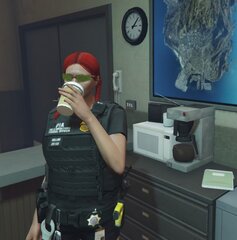 Didn't know the Wendy's mascot got into policing 😄
 -
You do realize the log is what helps identify the problem right? That's why it gets asked for. Because it usually shows what caused the crash.
-
Don't quote me on this but I assume that since ELS uses these as keybinds: https://docs.microsoft.com/en-us/dotnet/api/system.windows.forms.keys?redirectedfrom=MSDN&view=netframework-4.8 It doesn't recognize the macro buttons unless they're just duplicates of normal keyboard buttons.
-
So to answer your first question it depends. If you want to make sheriff2 be fbi2 then renaming it will be fine but it you make it a name of a car that doesn't exist in GTA normally it won't work. And to answer your second question the vehicles.meta affects how vehicles handle and I think LOD's and stuff. Glad you could figure it out 😄 if you ever need more 1 on 1 help feel free to join our discord 👇
-
I would get ultimate backup if you don't have it: https://bejoijo256.wixsite.com/bejoijo You can change the types of responding units in the DefaultRegions found here: plugins/LSPDFR/UltimateBackup
-
I don't know if there's a mod to organize your plugin hotkeys but if you dislike the current keybindings you can always change them in the .ini files.
-
If you don't have Hanko's pack you're doing a disservice to yourself:
-
-
When standing next to the back of your car press your menu key (The one you use to do FST's: Default is T) and there will be a store evidence options. Once you have stored evidence it will say, depending on what you stored, that tests a available.
-
Try making you PluginTimeoutThreshold 60,000
-
This is the the Crash Report referred to above:

-
I would use Enhanced Native Trainer. It has an option to make it so the hud only shows while in a vehicle. It's what I use to hide the map when out of a vehicle. https://www.gta5-mods.com/scripts/enhanced-native-trainer-zemanez-and-others
-
Reinstall EUP Law & Order: Also I think the original files you linked aren't EUP. They replace the base game cop models.
-
This may not apply to you and if it doesn't then ignore this. But make sure your mods folder is named "mods" and not "_mods". When it has a underscore before it, it disables the folder. This is usually used as a way to see if something in the mods folder is causing the game to crash.
-
Please attach your RagePluginHookLog located here:

-
Super Callouts includes "some" SWAT callouts:
-
Awesome! Can't wait to see what you have to say!
-
You right Must have miss-typed 😄
-
I mean more like being able to use the app, on lcpdfr.com, to have the same functionality as the in game police computer. But when you search for someones info it doesn't disappear until you close it out.
-
I can confirm that both work as I have and use them. Make sure that you have the required files such as: NativeUI ScriptHookVDotNet Also make sure that you have the mods within a "scripts" folder. If you do not have a "scripts" folder all you need to do is make a new folder named "scripts".
-
Make sure you have all the dependencies for traffic policer: I would also recommend checking out Bejo's mods which can be found here: https://bejoijo256.wixsite.com/bejoijo
-
From what I've experienced LSPDFR is more stable than ever in its current version. Just if you do decide to put together a mods list make sure everything is up to date and supports LSPDFR 4.0. Also if you haven't already I would sub out Albo's mods for Bejo's. Not saying that Albo's mods are bad they are just starting to become more and more outdated. If you do decide to use Bejo's you can find them here: https://bejoijo256.wixsite.com/bejoijo



