Creators: Due to background reprocessing of files, approvals and file security checks may be delayed. Thanks for your patience.


Jetty Bot
Members
-
Joined
-
Last visited
Everything posted by Jetty Bot
-
Howdy friend, Normally the popup will come up saying that you need C++2015 so I would make sure you are getting the correct version of it: https://www.microsoft.com/en-us/download/details.aspx?id=52685
-
Hello my friend, Make sure that when you are installing addons you have the necessary requirements so that your game does not crash: https://www.gta5-mods.com/misc/gta-5-gameconfig-300-cars https://www.gta5-mods.com/tools/heap-limit-adjuster-600-mb-of-heap https://www.gta5-mods.com/tools/packfile-limit-adjuster Hope this helps!
-
Hello my friend, Couple of thing I want you to try. Launch Rage Plugin Hook and hold shift. When the settings window appears change your plugin timeout threshold to 60000. Once you've done that save and launch. It is probably going to crash again. If it does then try to launch GTA without rage so through Steam. Once you've loaded into the game Alt+Tab out and launch Rage Plugin Hook. If it still crashes then do the same steps as before launch Rage, hold shift, this time when the settings window appears go to the Plugins tab and set plugins to not load on start (if they currently are) and now load the game without Rage again Alt+Tabbbing out and launching Rage once loaded. After Rage has loaded press F4 and type "reloadallplugins" with no quotations. Hopefully something here helps you get on to enjoying LSPDFR Haben Sie einen guten Tag!
-
-
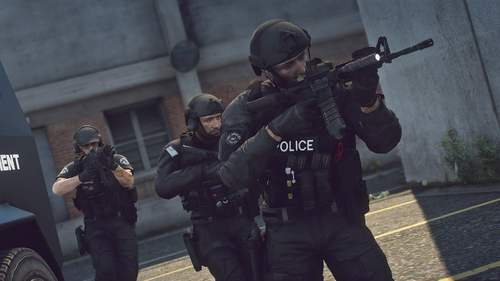 Can't have enough of these great vest and belt models! Keep up the great work!
- 45 comments
- 3 reviews
-
Idk if this is the cause of your problem but make sure your gta folder is named "Grand Theft Auto V"
-
Make sure you have the newest version of ScriptHookV installed as it is needed for ELS to function.
-
 I don't think many people understand what this mod is saying "You just ripped Albo's stuff" even though he made his stuff Open Source for a reason 🤦♂️ Anyways I digress. This is a nice and simple mod that takes the best feature of TrafficPolicer and puts it into it's own mod without all the other annoying keys and whatnot from the outdated TrafficPolicer. I personally am going to continue using TrafficPolicer as I need it for PSR but for people who just want to be able to tell pulled over cars where to go when they stop in the middle of the road this is definitely a great mod. 😄 Nice Work! 👍
- 112 comments
- 21 reviews
-
-

- 2
-
-
- lspdfr plugin
- legacy
- lore
- non-lore
-
Tagged with:
-
 Yes you need Traffic Policer for Police Smart Radio but you can just make it so it has no functionality in game and it'll just act as a dependency
- 1,743 comments
- 172 reviews
-
I would just switch to using Compulite as it is fully compatible with STP and UB and doesn't have any dependencies
- 1,743 comments
- 172 reviews
-
If you mean that you made a second copy of the game. You have to make sure the the one you want to play is named "Grand Theft Auto V" this way it will be recognized as the real game directory
-
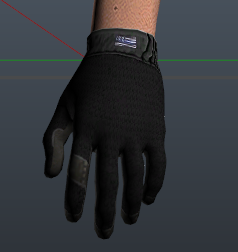 Yes please!
 -
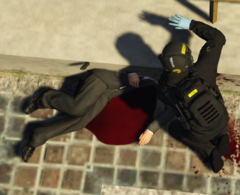 Oh dear god we need a medic! It seems the concrete set around this mans head!
 -
If you want to disable it actually make it: Ambient.DisableEscapedSuspectEncounter = true
-
If it is one of Bejo's plugins they were moved to his own website: https://bejoijo256.wixsite.com/bejoijo
-
I think what Matteov was trying to say is you need the newest version of Rage Plugin Hook Oh and that's Italian lol 😄
-
-
Well technically yes. You could lower the textures to an unreadable level 😄 also some authors do included lower quality texture with their downloads but it's really up to the individual author to if they want to or not.
-
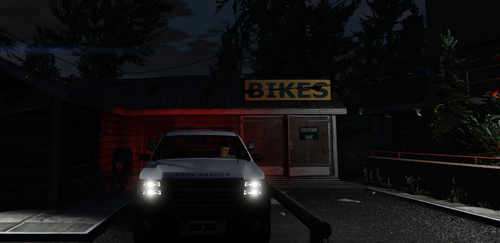 A station in Grapeseed would be pretty nifty 🙂
 -
Install Ultimate Backup and you can edit the defaultregions.xml under Plugins/lspsdfr/UltimateBackup Install EUP L&O, EUP Menu, and EUP Configurations Please elaborate If you are asking about vehicles I would recommend going to the "Vehicles Models" tab on the downloads page and sorting by most downloaded as there is far too many amazing models to recommend just one. Also what I think looks good is probably different from you so I recommend just exploring and finding something you like. With that being said TickleMeElmo's Pack. If you are looking for plugins then Bejo Ijo, the same author of the aforementioned Ultimate Backup, creates and frequently updates his plugins. For lots of people myself included his plugins are an absolute must have. I hope this somewhat answers your questions but if you would like me to explain in more detail just ask. 😄
-
Also make sure the vehicle isn't ELS as ELS vehicles require a separate plugin for the lights to work properly.
-
If you want to disable it just add: Ambient.DisableEscapedSuspectEncounter = True
-
I would try running the OpenIV package installer again. First run the L&O and then the S&R. (If you use both) Then install the EUP Configurations
-
Have you tried verifying the game files through Steam?
-
Update your LSPDFR to version 4.7