


Creators: Due to background reprocessing of files, approvals and file security checks may be delayed. Thanks for your patience.


Jetty Bot
Members
-
Joined
-
Last visited
Everything posted by Jetty Bot
-
Well in that case 😄 https://bejoijo256.wixsite.com/bejoijo
-
I think LSPDFR just causes a performance hit. Not like a bug just that's what it requires
-
Smart Alec Answer: Yes it's very easy to install you just drag and drop it! Real Answer: It isn't possible to get the download for 4.2 anymore, so unless you have it downloaded already you're sadly out of luck.
-
I don't think I'm allowed to post a link but search "bejoijo256 mods" in google and you should find his website. Benjoijo moved all of his mods to his own website so you can find them all in one place.
-
Glad you figured it out! Good luck in your modding endeavors! 😄
-
Try launching the game normally through Steam (I assume you have the steam version) Once/if the game loads go all the way into single player alt+tab out of the game and launch RagePluginHook
-
-
Glad to potentially help 😄
-
First things first the "Menyoo SP" Trainer isn't the best for LSPDFR and causes problems for lots of people. I recommend using the "Enhanced Native Trainer". Also I would bump the PluginTimeoutThreshold to 60,000. Also this is the log file, it's easier to read and less of a pain to upload

-
The file you attached isn't the right crash log. Please post the text file named "RagePluginHook"

-
Your log is gonna be in your main directory and will be titled "RagePluginHook" and it will be a text file.
-
I was just about to start typing the same thing! Beat me to it lol.
-
Have you added cars through OpenIV? If the answer is yes try renaming your mods folder to _mods This will make it so edits you've made to the game through OpenIV won't load If the game runs after renaming your mods folder this means there is something you replaced that's causing a problem
-
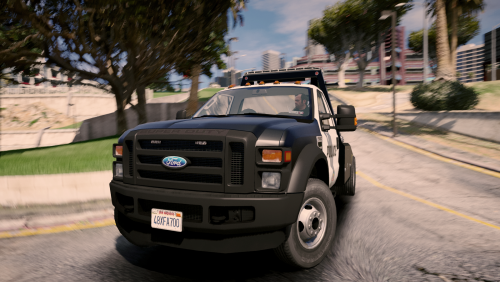
.thumb.png.7077fe28b2e70f02de2f08f22d609d5f.png) Really cool looking duty belt! For sure gonna try this one out. Keep up the good work!
Really cool looking duty belt! For sure gonna try this one out. Keep up the good work!- 20 comments
- 5 reviews
-
I've been using all of Albos mods and it's been working fine. It yells at you and says "THIS IS FOR 4.2 SO IF SOMETHING IS BROKE IT ISNT MY FAULT. COOL? COOL." paraphrasing of course. But besides that I haven't had problems with using older mods.
-
If you want to change your keybindings for LSPDFR follow these steps: First go to your GTA V directory Go into the "lspdfr" folder In the folder there should be a keys.ini. This allows you to change your in game keybinds and controlled binds
-
Hey Dominik! In the future try to post in the correct thread to receive help faster. Can you link me to the German Uniforms you are trying to install?
-
Make sure that your mods are up to date. I think your Computer+ is out of date.
-
Please make your own post to ask for help. It will be received better
-
I think it's against the website rules to post links to other websites. But go to gta5-mods.com to find scripts you need to make your game work.
-
I would go through and remove them one by one starting with the older ones that may not be compatible with lspdfr 4.4 Also if the search warrant is what I remember I don't think you need it in addition to stop the ped considering it has a build in Pat down option
-
Under the "Account Settings > Discord" it says "To claim your Discord roles, you must first be a member of the Discord server. Please first follow the instructions to join the Discord server." How though?
-
Did you make sure to add the ".xml" that was included with the car pack to "ELS > pack_default"
-
I figured it out. It was caused by the FOV mod I had. Thank you for replying though. :^)
-
Im no expert. But a lot of my problems with ELS in the past have been fixed by a simple computer restart


.thumb.png.7077fe28b2e70f02de2f08f22d609d5f.png)