SawyerJW
Members
-
Joined
-
Last visited
Everything posted by SawyerJW
-
-
-
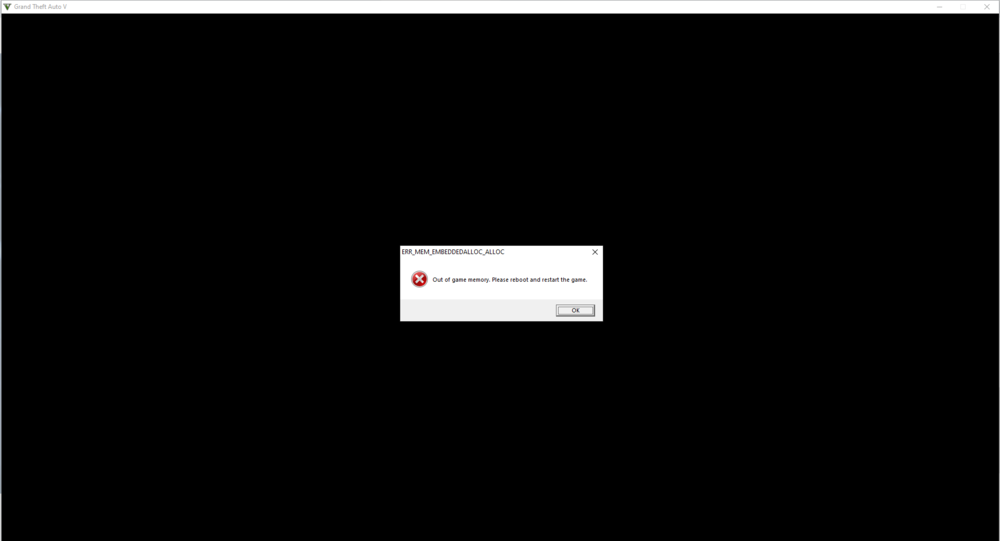
Hello, I am experiencing an issue where the mod does not load into my game at all, and when I play for a little bit it says "Out of memory, please reboot and restart your game." I have installed everything correctly. What were you doing when the crash/bug occurred? Going on duty, this always happens when I go on duty. Did the game crash to desktop or did the plugin crash? Crashed to desktop, with a warning that says "Out of memory, please reboot and restart your game." Does the same crash or bug happen consistently? If so, describe the steps to reproduce the issue. My ped is usually on duty upon loading into the game, and since that's the case, it crashes upon loading up due to already being on duty. Or, if my ped is off duty, I can attempt to go on duty and the game will crash in the same way. Upload a copy of RagePluginHook.log from your main GTA V folder. A file will be attached. Upload any relevant in-game screenshots. RagePluginHook.log
-
 I am having the same problems as most people, however it may be caused because of the place I put my folder. I can't open the computer and RAGE doesn't detect the plugin. My folder is shown, and for whatever reason I don't have an LSPDFR folder. Edit: I also use windows 7 ultimate.
- 1,743 comments
- 172 reviews