


logunnadastunna
Members
-
Joined
-
Last visited
-
-
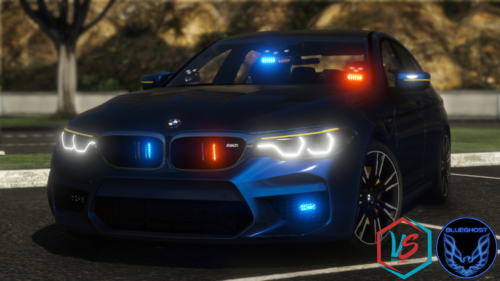 Sick model! I love rolling undercover in it. It would be nice if it had more than one light stage, though.
- 36 comments
- 8 reviews
-
 For some reason this doesn't work for me. It says the plugin loads successfully and I can open the menu but no one ever tries to bribe me. I've had this installed for a few days and completely forgot because no one tries to bribe. I've even lowered the numbers in the settings to increase my chances but it didn't do anything.
- 69 comments
- 16 reviews
-
Actually that's a tackle script from Arrest Manager. By default it's mapped to the A button on a controller (which is the sprint button) You can disable that in the ini file.
-
 logunnadastunna reacted to a post in a topic:
Any way to stop suspects from tripping over nothing during foot chases?
logunnadastunna reacted to a post in a topic:
Any way to stop suspects from tripping over nothing during foot chases?
-
Not to mention they get stuck in traffic which kills the pacing of the pursuit.
-
logunnadastunna reacted to a post in a topic:
Any way to stop suspects from tripping over nothing during foot chases?
-
Kifflommer reacted to a post in a topic:
Any way to stop suspects from tripping over nothing during foot chases?
-
It happens way too often I think. Plus I'm usually able to keep up with the suspects.
-
I've never had a good foot chase because they always fall over after 5 yards. I've even let them get up and keep running to make it interesting and they run two feet and fall over again. NOTE: Before anyone suggests it, I've disabled the tackling script so it's not that.
