
Emergency112
Members
-
Joined
-
Last visited
Everything posted by Emergency112
-
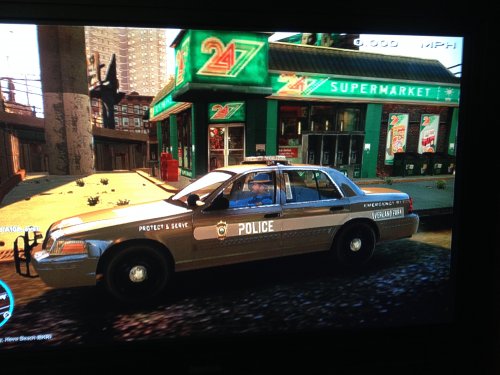 Yeah it was, use FRAPS or whatsoever. Pretty sure it'll work.
 -
High quality images dude! Thats a brand new screen capture software you got there man, download link?
-
 This, hahahaha.
 -
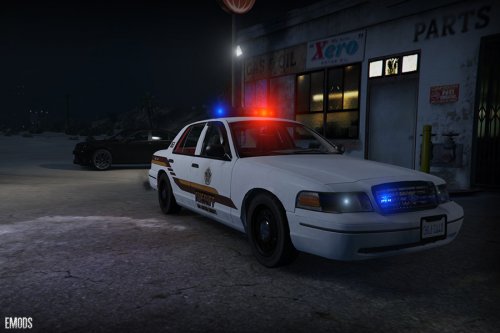 ========================== 1999 Los Santos County Sheriff CVPI ========================== - Model: Driver San Francisco/NFSMW (gamemodels.ru). - Converted to Grand Theft Auto: V by YCA-RE. - Template by YCA-RE. - Textured by Emergency112. - Model edits by Emergency112. Model features: - Multi livery supported (up to 8 liveries). - High quality interior. - Decent quality ford rims. - A template for custom liveries. - Randomly spawns with or without lightbar. ~ Install notes ~ Use OpenIV and locate "x64e.rpf/levels/gta5/vehicles.rpf" and hit "edit mode" and drag the files of the "Files" folder into OpenIV. ~ Notes ~ This file only includes the version without pushbar. ___ Known bugs: Front wheels and back wheels are different sized. Still looking into this issue. *Suggestions are welcome*
- 4 comments
- 1 review
-
-

- 5
-
-
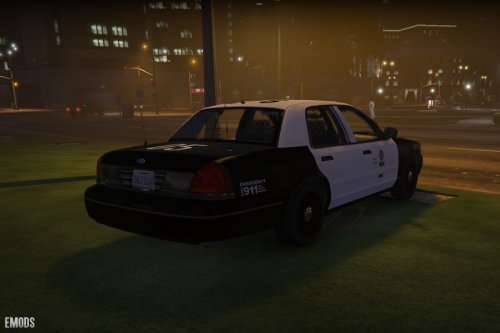 Hi mate, cool screenshot! I know YCA-RE made the reflections a silver look-a-like. And the pushbar probably assigned the same material with it. I'll look into it, also, tonight I'll release a version with a lightbar. And it really suits Los Santos County, cheers.
- 20 comments
- 3 reviews
-
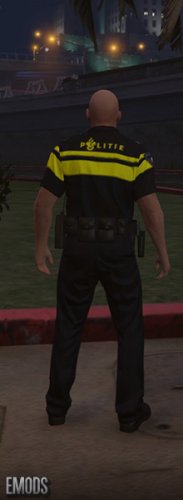 ================ POLITIE PED SKIN ================ A dutch politie ped skin with 3 different rankings; - Surveillant. \ - Agent. / Officer/Deputy - Hoofd agent. > Sergeant IMPORTANT NOTE: (Please backup your componentspeds_s_m_y.rpf incase it damages your game). How to Install: - Open "OpenIV" and locate > x64e.rpf > models > cdimages > "componentspeds_s_m_y.rpf - Hit "Edit Mode' in OpenIV. - Replace the file in the "Files" folder with the file within OpenIV. Mods you may want to install aswell: Dutch Politie BMW 525D. http://www.lcpdfr.com/files/file/8546-politie-bmw525d/
 -
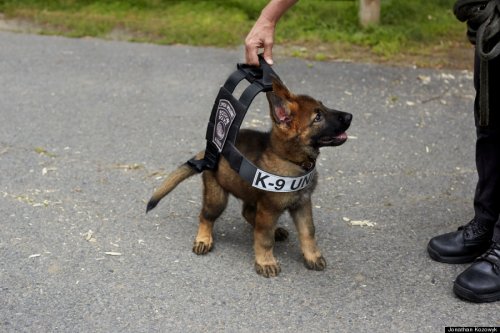 As you say in the "About this" .. there's no German Shepherd model yet in GTA V. But still.. you did a terrific job! Its almost a copy of my dog. I own a shepherd aswell.. great loyal animals they are. Great, great, great job Mercuri!
- 14 comments
- 3 reviews
-
-
- 1
-
-
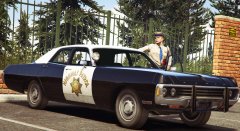 Thats an amazing screenshot of an awesome car. Well done Lundy.
 -
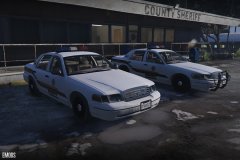 Los Santos County Sheriffs welcomes their new fleet of patrol cars.
© Emergency112
-
Look at Xandiar's reply. But I'll make more versions of this vehicle and I'll try to make different ones even with lightbars.
- 20 comments
- 3 reviews
-
-
- 2
-
-
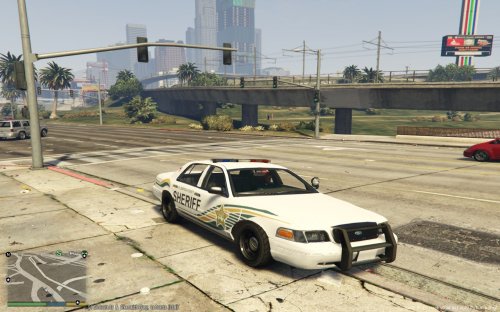 Fantastic texture on a great car.
 -
THIS MOD HAS BEEN UPLOADED WITH ALLOWANCE OF ITS AUTHOR. (YCA-RE) I am not held responsible for any damage this mod causes to your game. ====================================== 1999 Ford Crown Victoria Slicktop LSPD ====================================== - Model: Driver San Francisco/NFSMW (gamemodels.ru). - Converted to Grand Theft Auto: V by YCA-RE. - Template by YCA-RE. - Textured by Emergency112. - Model edits by Emergency112. Model features: - Multi livery supported (up to 8 liveries). - High quality interior. - Decent quality ford rims. - A template for custom liveries. - Randomly spawns with or without pushbar/interior lightbar. ~ Install notes ~ Use OpenIV and locate "x64e.rpf/levels/gta5/vehicles.rpf" and hit "edit mode" and drag the files of the "Files" folder into OpenIV.
- 20 comments
- 3 reviews
-
-
- 9
-
-
.thumb.png.b69cedc0d1245c6577c6d74b3d924eeb.png) Thanks Ragnrok, And I've no clue. I guess the standards of liveries are way different then like in America.
Thanks Ragnrok, And I've no clue. I guess the standards of liveries are way different then like in America. -
Beg me a pardon, you're totally right, anyways, This vehicle is for the regular police one.
-
What map? Because I'm pretty sure it wasn't.
-
The usual one. Open OPENIV. x64e.rpf > gta5 > vehicles.rpf (and hit the edit mode) and drag the files of the download into openIV.
-
First ever dutch police modification for Grand Theft Auto: V. A big thanks to Double Doppler for allowing me to release this modification. I am not held responsible for any damage this mod causes to your game. ================ POLITIE BMW 525D ================ -------------------- Model Credits -------------------- - Model (arkviz) - Converted to GTA V (Double Doppler) - Materials, mapping, template and fixes (Double Doppler) - Skins by Emergency112 - Model edits by Emergency112 -------------------- Components Used -------------------- - Premier Hazard Sovereign (Double Doppler) - LED lights (Double Doppler) - Police light mapping (Double Doppler ft. a lot of patience) - Caravan Mirror (Double Doppler) - Boot Divider (Double Doppler) - Watch Guard (BxBugs123) - MDT store (Double Doppler)
-
-
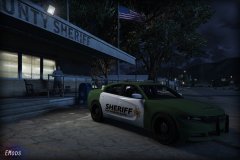 I pretty much based it off this information: http://gta.wikia.com/wiki/State_of_San_Andreas_(HD_Universe) . There's a slight chance I'll possible change it to blaine or whatsoever.
 -
N/A
© Emergency112
-
Yeah, but its based of FORD. Just like Rockstar does with every brand in game. Its based of something, right? But thanks for the headsup.
-
Oh you gotta be kidding me, o_o
-
City of Los Santos Police Vapid (Ford) How to install: -Please back up files, I will not be held responsible for any damage to your game. -Use Open IV and locate: "x64e.rpf/levels/gta5/vehicles.rpf" Please replace the file with the file you wish to replace. How to change skins (for custom skins): -Use OpenIV and locate "x64e.rpf/levels/gta5/vehicles.rpf" open any .ytd you replaced with and replace the "stanier_sign_x" within the file with your custom texture. Original Model: -Rockstar Games -Standard Template by LtCaine -mapped by MattJeter (Big thanks for this guy as it represent the beginning of modding!) -model edits and texture by Emergency112 Notes: -Replaced the Vapid logo with a ford logo to add a bit more realism. -Multi livery supported. City of Los Santos VAPID (Ford).rar

.thumb.png.b69cedc0d1245c6577c6d74b3d924eeb.png)