




GTAIVCode3
Friends of LSPDFR
-
Joined
-
Last visited
Everything posted by GTAIVCode3
-
Here is the main http://www.xbox.com/en-US/LIVE/PC/DownloadClient Here is an update http://www.rockstarg.../PC/GFWLupdate/
-
-
Make sure you have games for windows live and your signed in.
-
This is what i would do FBI: Unmarked dodge charger Noose: any unmarked car with lights Police: Marked crown vic Police2: Marked dodge charger PolPat: Any type of truck/SUV
-
yup, it will be a breeze once you start producing more videos. It will be a piece of cake.
-
You have to have an unlocked vehicle and a program called Zmodeler. Zmodeler costs money.
-
Very nice video, I like the selection of different games for videos
-
-
-
Very Nice! ^
-
Login into the ACP and do the following Look & Feel > Manage Skin Sets & Templates > (select a skin) > Edit Replacement Variables
-
-
Well if someone has the graphics for it, it can be changed easily
-
That might help
-
Make sure you using the latest hazard x scripthook
-
It's fine
-
Very nice
-
Look here
-
It's very awesome to see that someone is giving back to the GTA community like this! I have always wanted to run enb, but I can not afford it.
-
-
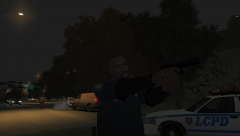
From the album: LCPD
-
-
It's ok
-
http://gtapolicemods.com/downloads.php?do=file&id=440
-
Who remembers this?


