




GTAIVCode3
Friends of LSPDFR
-
Joined
-
Last visited
Everything posted by GTAIVCode3
-
Did you disable the trainer keys? That is in the options. I think it is on the first page on the right hand column. Then go to the second page on the right hand side and save settings to trainer.ini
-
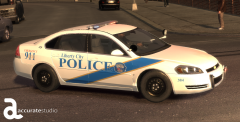 Very nice work!
 -
I'm in SAMLAND. lol
-
Very nice! Would like to see more!
-
We know he has an els car because he said when he gets out of the car with the siren on the lights come on
-
1. Try using alt-F11 to force spawn callouts. 2. make sure you are hitting shift behind the car. 3. I do not know why it is doing that.
-
Are you using simple native trainer?
-
I was just about to link that. Glad that you fixed it and it works! Have fun playing!
-
This is cool!
-
I sticking with Sam. I trust him
-
Well we do not know if we can even mod V yet and if it is coming out for pc and when that will be. This is not EA sports thank god!
-
I think it is because of that.
-
Take a look on the programs website and see if you can.
-
I think it is because the cars are to high poly and can not handle them. Try installing something else and see if it gives you the error
-
You need to download it then import it.
-
What are your specs? It's probably because your graphics/computer can not handle it
-
Take a look here
-
I think it is because you do not have the textures in for it
-
If you have a backup of the handling line you should put that back in. Handling line are really easy to mess up
-
take a look here
-
Take a look here http://www.lcpdfr.com/topic/6717-how-to-fix-installation-component-lcpdfrmodels-errord-video/
-
Just follow the readme and the instructions on the installer. Also, i think the fault is that you do not have enough memory to run the game
-
You should use LaunchGTAIV. Did you install lcpdfr?
-
It could be that your graphics card is not strong enough to run the game
-
Very nice bro

