


Sethy1124
Members
-
Joined
-
Last visited
Everything posted by Sethy1124
-
While cool, that would be very unpractical as it requires you to have a plate in your vest at all times. LEOs in IRL don't carry plates in their vests unless they have a need to drop one in.
-
-
-
-
-
-
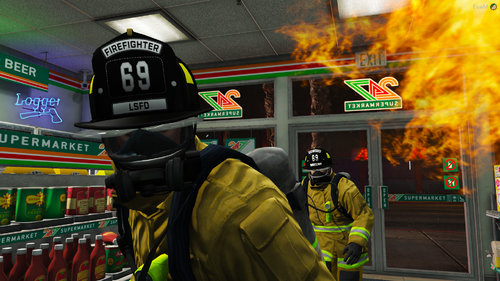 The colors will stay how they are, but the texture setup is pretty simple, feel free to rexture them yourself.
- 26 comments
- 3 reviews
-
A replacement Traditionally Styled Fire Helmet for both Male and Female. Requirements - EUP Law & Order 8.3 - EUP Search & Rescue 1.5 Installation - Drag & Drop the OIV into OpenIV Known Bugs - None, Please report any bugs that you find To stay up-to-date on updates and future modifications be sure to join my Discord Do not re-upload or upload any modification of textures or models on any site without permission from me.
- 26 comments
- 3 reviews
-
-

- 2
-
-
 I love you, but the bar seems to big, prob just me tho
 -
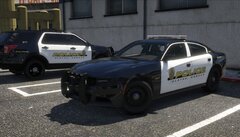 mega hot
 -
 YAY, you found the lightbar... now gib CVPI
 -
-
-
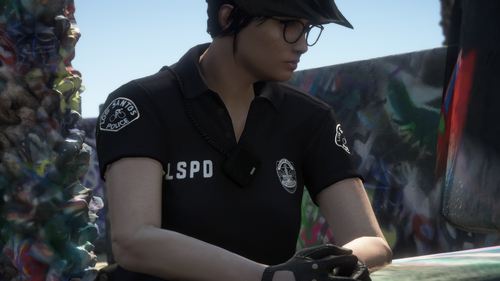 Terrible as that animation reaches for the left shoulder and not the middle of the chest You can, you would have to find it in the files then change the name of my files and replace them
- 25 comments
- 3 reviews
-
-
- 1
-
-
-
-
WARNING: This mod is obsolete and support will no longer be provided A simple Lore-Friendly over the shoulder radio that fits with all EUP Duty Belts. The Male Radio is Number 36 under Accessory2 with Simple Trainer The Female Radio is Number 16 under Accessory2 with Simple Trainer Requirements - EUP Law & Order 8.1 - EUP Search & Rescue 1.3 Installation - Drag & Drop the OIV into OpenIV Note: If you had Version 1.0 Installed then Install the Update.oiv Planned Updates - More Model Options Known Bugs - Looks very out of place on Female Peds when wearing anything besides a uniform shirt - Slight stretching on Female Peds right shoulder - Incompatible with Coastal Callouts To stay up-to-date on updates and future modifications be sure to join my Discord Do not re-upload or upload any modification of textures or models on any site without permission from me
- 25 comments
- 3 reviews
-
-
- 6
-
-
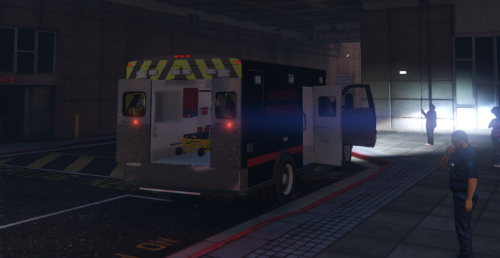 The lights are broken, you rotated them the wrong way https://gyazo.com/8d427e12b55e5f6c9d7cb621e7150187 Very obviously rushed Take your time and do it right.
- 17 comments
- 4 reviews
-
 Any ETA on releasing any of this Kansas stuff?
 -
-
Very Nice script! it is very useful when you are creating carcols for vehicles, especially from scratch. I do have to take a star off though as you can't export or save them in any way.
-
Sequencers are just an Unsigned Int, here is a converter http://www.binaryconvert.com/convert_unsigned_int.html
-
I think that I understand what you are trying to say and no, the ID specifics the sirensetting you would use for the carvariations. If you are wanting the headlights to flash you would do something like this. <Item> <id value="1"/> <name>Name</name> <timeMultiplier value="1.00000000"/> <lightFalloffMax value="200.00000000"/> <lightFalloffExponent value="200.00000000"/> <lightInnerConeAngle value="2.29061000"/> <lightOuterConeAngle value="70.00000000"/> <lightOffset value="0.00000000"/> <textureName>VehicleLight_sirenlight</textureName> <sequencerBpm value="200"/> <leftHeadLight> <sequencer value="0"/><!--change this to your sequence--> </leftHeadLight> <rightHeadLight> <sequencer value="0"/><!--change this to your sequence--> </rightHeadLight> <leftTailLight> <sequencer value="0"/> </leftTailLight> <rightTailLight> <sequencer value="0"/> </rightTailLight> <leftHeadLightMultiples value="1"/> <rightHeadLightMultiples value="1"/> <leftTailLightMultiples value="1"/> <rightTailLightMultiples value="1"/> <useRealLights value="true"/> <sirens> ... </sirens> </Item> Hope this helps.
-
Where are the edited carcols saved, I am trying to export them.
-
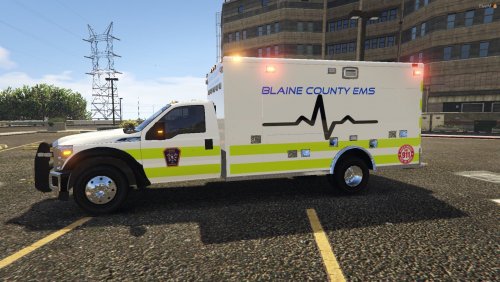 I don't know what Medact you were lookin at

.thumb.png.ef3282e07e49adbaa7feccf9dd148723.png)

