KINGVICC
Members
-
Joined
-
Last visited
Everything posted by KINGVICC
-
-
 STILL CRASHES. SAYS THE LSPDFR FILE IS NOT FORMATTED FOR THE VERSION. YET I HAVE 4.2 AND YOUR LATEST UPDATE. AND ALL YOUR UPDATED MODS. NEED HELP.
- 1,178 comments
- 137 reviews
-
Trouble shooter no longer works when i try to run the new traffic policer on new lspdfr 4.2.... crashes when loading lspdfr 4.2.... whats going on .
-
Same here, when i start game it crashes loading lspdfr. Or when i go on duty. only mods i have is ELS, All essential mods like LSPDFR+, and EUP. We need a update to fix. Or help.
-
 i followed the video on how to use this however when i am using it it say i have to close other applications to work and it is still not working.
- 379 comments
- 113 reviews
-
@Sam
-
will we be able to add state police to the new game? i saw something about territories where you can put what law enforcement to cover which. I wanted to know if we can expand and make state police or will the update include that
-
-
-
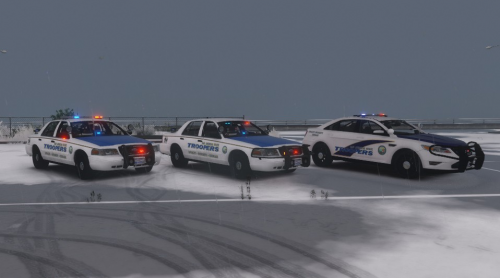 all i have to do is download your file mov einto openiv and it works or i have to download the models used as well?
- 6 comments
- 2 reviews
-
-
 i need help. I got it downloaded, now how do i get these customs skins? For MP and Park Ranger so i can install. Please Private Message me assistance...
- 85 comments
- 40 reviews