
Officerporci
Members
-
Joined
-
Last visited
Everything posted by Officerporci
-
.thumb.png.ff841cafa1514a07e96da98da12ecc78.png) let me now , i'am available for oder explainations
let me now , i'am available for oder explainations -
Not the 100% of streets, but the 90% yes and it depends by the callout you recive... it's more probable (95% of the times) that the street is specified for a built in(default lspdfr) callout
-
i ensure that mine works, but you can test it your self
-
i have already download that but it doesn't work properly for the 100% of the roads cause the name of some location files are incomplete (example: STREET_ABATTOIR_AVE.wav should be STREET_ABATTOIR_AVENUE.wav but it isn't) , test it your self
-
Those audio files were taken directly from the x64/audio/sfx/Police_Scanner folder of gta v and renamed by my self to be read by the lspdfr dispatch system. Now the dispatch will specify the street/highway/freeway/boulevard communicating the exact location of the crime scene instead areas only, for an immersive gameplay. example ----- the dispatch will say : "We have a Grand Theft Auto on... (name of the road/street/way) ...units responds code 3" or "Officer reports a PC... on... (name of the street)" WHEN U CALL FOR BACKUP DURING PURSUITS THE DISPATCH NOW WILL SAY THE NAME OF THE STREET INSTEAD THE AREA ONLY Recomended: >>>it's possible that for some developed callouts (NOT built in lspdfr callouts) the street won't be specified at all , so only the area will be specified (it does not depends by me, but from the callout u are using) <<< HOW TO INSTALL: delete the old STREET folder in audio/scanner folder and just drag and drop in GTAV main folder. Showcase videos: If you want you can use it in your videos i just wanna serve the comunity and improve the LSPDFR gameplay for every user, nothing else.
-
Wonderful and right answer , that's exactly what I meant, I fully agree.
-
Add an own lspdfr roadblock system feature, available during pursuits to avoid to install Ultimate Backup
-
possibility to choose or recruit a partner with the default lspdfr for each agency to avoid to install Ultimate Backup, ensure compatibility and reduce dependencies, in order to create a more immersive gameplay for any user.
-
-
follow this tutorial @Gijsjuh it works fine
-
ROSCKSTAR SUCKS THIS VIDEO WILL SHOW YOU HOW TO DOWNGRADE GTA 4 TO PATCH 1.0.7.0, WORKS FOR ALL VERSIONS (STEAM AND NOT), SO YOU REINSTALL LCPDFR 1.1 AND IT FULLY WORKING WITH ALL FEATURES
-
this is the last log (the right log) i post, i promise RagePluginHook.log
-
ah ok... only sigh reactions
-
i tried to call police transport without STP and UB but nothing happened RagePluginHook_17072020_142236.log
-
RagePluginHook_17072020_131501.log *
-
i use STP and UB but when i call for the coroner lspdfr crash and when i coll for back up, nothing happeens, it's not spawned and when i call transport the suspect randomly disappear without spawning p.transport
-
-
-
@Sam @LMS
-
 "STOLEN EMERGENCY VEHICLE" DISPATCH AUDIO MISSING!!!! TEST IT IF U DON' T BELIEVE ME
- 635 comments
- 53 reviews
-
@Sam
-
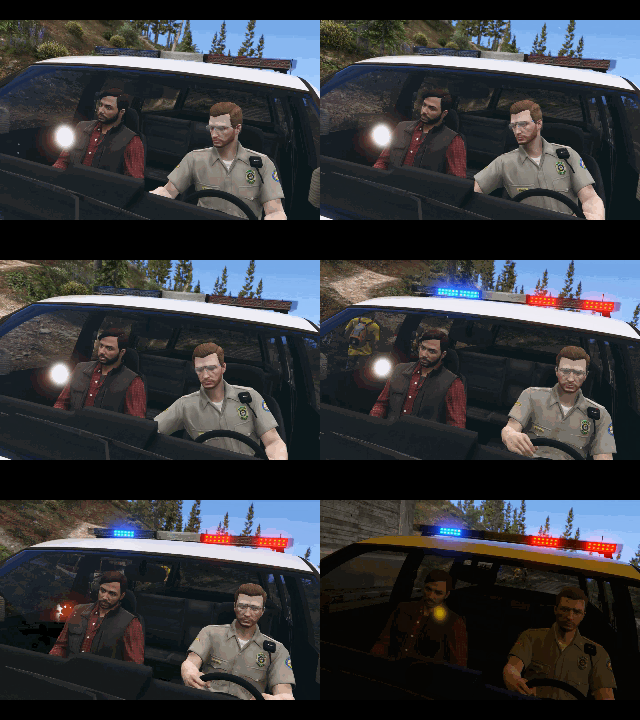 ...just love it
 -
-
NO POSSIBILITY TO DOWNGRADE GTA IV VERSION NO POSSIBILTY TO PLAY LCPDFR (CALLOUTS CRASH, NO TRAFFIC STOPS, NO ANPR , WRONG KEYS IN HELP BOXES AND OTHER BASIC FUNCTIONALITIES...) LCPDFR NOT PLAYABLE PLEASE CONSIDER US, WE WANT TO RELIVE YOUR AWESOME ORIGINAL CLASSIC
-
I have the same problem too! Please we need help!
-
I have this (and other) problems too!! LCPDfr is not the same after this update, i hope developers can fix all main problems to give the immerdive LCPDfr back to the comunity.

.thumb.png.ff841cafa1514a07e96da98da12ecc78.png)