SAS994
Members
-
Joined
-
Last visited
-
-
-
-
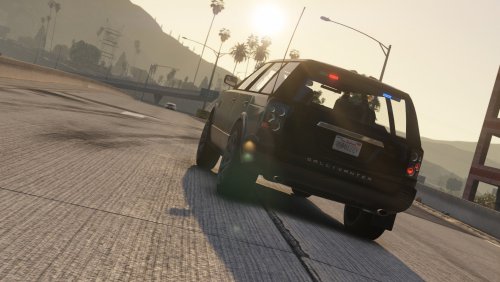
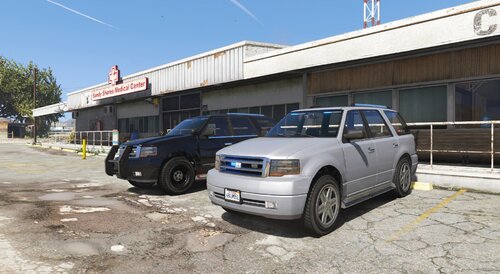 This car was built to meet the needs of some people in the community. It just added some emergency lights to the model of IlayArye. ( https://www.gta5-mods.com/vehicles/dundreary-landroamer-add-on-template ) Installation: 1. Copy the 'umkroamer' folder to the file path "mods/update/x64/dlcpacks/" 2. Navigate to 'dlclist.xml' in mods/update/update.rpf/common/data/. Add "<Item>dlcpacks:/umkroamer/</Item>" Spawn Name: umkroamer,umkroamer2 CREDITS: Original vehicle: Rockstar Games - original vehicle model. IlayArye - parts converting and vehicle editing, UV mapping and templating. Tall70 - Dundreary Landstalker 2.0 Eddlm - custom handling. Monky - custom soundbank. GhostRiderPT - front and rear bumpers,tuning parts. Deadman23 - headlights model. Lt.Caine - Boot model (L1)AlexanderLB - Landroamer badges. Nachtfliege - Headlight textures. Emergency Lights: Jacobmaate If your siren doesn't work, please change the sirens ID
 -
SAS994 changed their profile photo
-
-
-
-
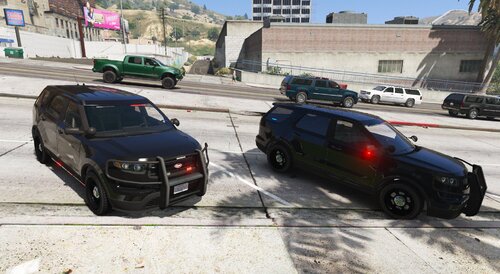 This car is not based on any real vehicle,and i didn't creat anything Installation:1. Copy the 'umkscout' folder to the file path "mods/update/x64/dlcpacks/" 2. Navigate to 'dlclist.xml' in mods/update/update.rpf/common/data/. Add "<Item>dlcpacks:/umkscout/</Item>" Spawn Name:umkscout,umkscout2 Credits: - Rockstar Games - Original Car Model, Textures, and Vehicle Parts - GCT - NFS:MW Model Conversion to GTA IV - Dani02 - Conversion to GTA V - Vx5 Voltage - Centre Dashboard Console,Scout Police Model and Improvements - Voit Turyv, Vx5 Voltage, Skitty - Interior Equipment and Textures. - 11John11, llayArye - Mapped Vapid Scout - Nachtfliege, Voit Turyv - Pushbar - Jacobmaate - Emergency light - Velactor - Emergency light for reversinglights If your siren doesn't work, please change the sirens ID Please report any bugs you find.
- 1 comment
- 1 review
-
-

- 1
-
-
-
-
-
-
-
-
-
-
-
-
-
-
-
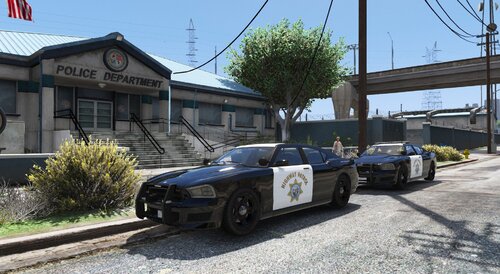 I didn't create anything. I just assembled the parts together with the permission of original authors.(The LSPD version simply replaces the headlights and wheels of the Bravo-1-charile model https://www.gta5-mods.com/vehicles/lspd-14-bravado-buffalo-s-add-on ) Installation: 1. Copy the 'buffals' folder to the file path "mods/update/x64/dlcpacks" 2. Navigate to 'dlclist.xml' in mods/update/update.rpf/common/data/. Add "<Item>dlcpacks:/buffals/</Item>" Spawn Name: hwaybuffals,hwaybuffals2,polbuffals,umkbuffals,umkbuffals2,umkbuffals3 Credits: original model Rockstar Games stock Buffalo S Dani02 black Grille Bravo-One-Charlie mapping TheF3nt0n SAHP's white and black livery IlayArye SAHP's all white livery Goodbye Reallife wheels,loudspeaker,SAHP's pushbar,lightbar,dashcam Voit Turyv speed radar 11John11 Unmarked's pushbar Nachtfliege lore arjent Jacobmaate redesign of Buffalo's headlight LamboFreak buffalo badges,Wiwang Emergency Lighting System texture AlexanderLB If your sirens don't work as well as the screenshot, please change the sirens ID
- 11 comments
- 1 review
-
-
- 7
-
-
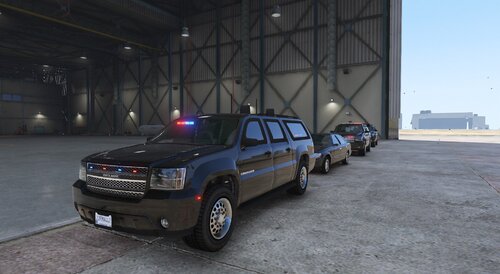 I'm sorry I can't make an ELS yet, and basically all vanilla vehicles aren't ELS.
 -
My model now has problems with LODs, so it needs to be fixed. If you want to replace it, I recommend you use this.https://www.gta5-mods.com/vehicles/updated-fib-granger-replace
-
I made a version of the Secret Service for Granger. Please report any bugs you find. Function: Bulletproof glass Bulletproof tire Armored to withstand one explosion Spawn Name: usss,usss2,usss3 Credits: Original model-Rockstar GamesImproved Granger model-Glennoconnell Lightbars-Jacobmaate Push bar-Nachtfliege
-
-
-
-
-
Yes, it's useless to just shout through megaphone, but this plug-in can really help the target stop by shouting. But I'm not sure if it working with 0.4.1. I haven't tried yet.
-
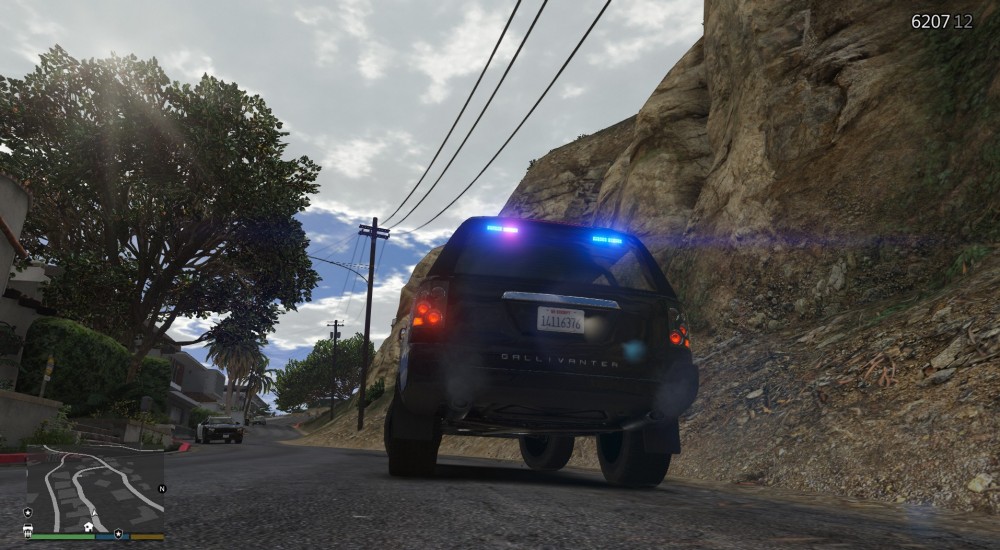
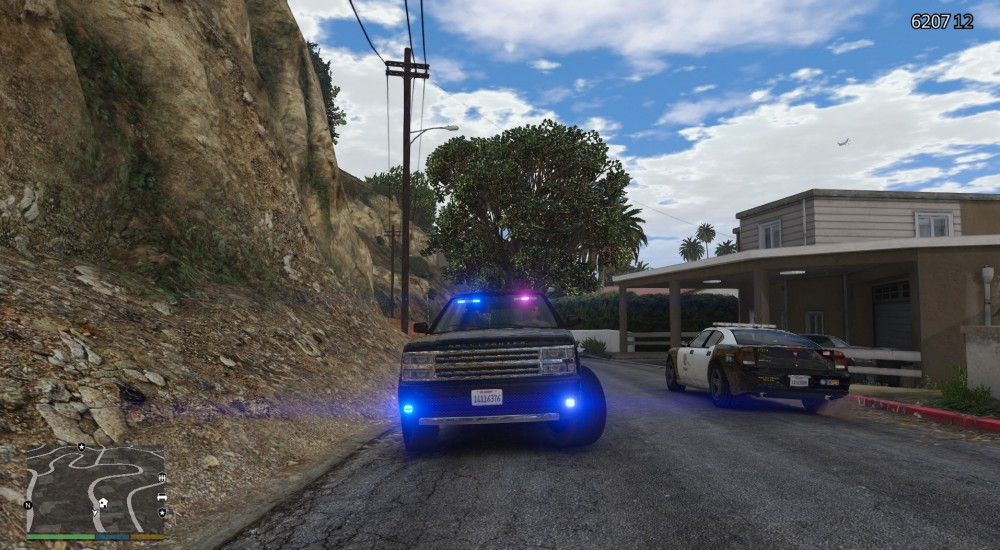
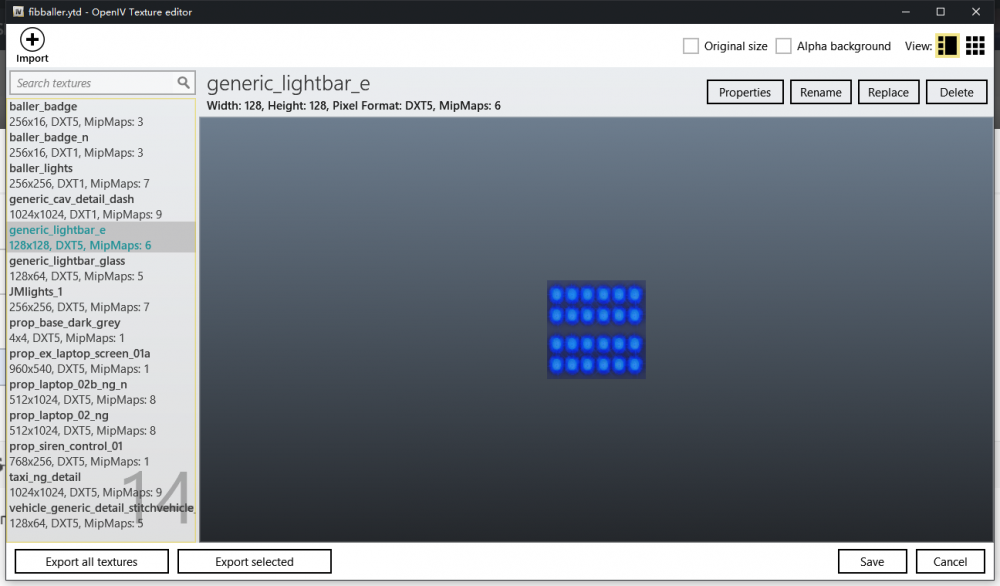
When I replace generic_lightbar_e with all blue, it looks like a superposition of red and blue Where should I change my data?
-
 Could you make a blue version of all the lights, so it looks more British😉 When I replace generic_lightbar_e with all blue, it looks like a superposition of red and blue😞
- 6 comments
- 1 review
-
No, I mean, when the police chase, they yell "stop the vehicle" through the megaphone (it only sounds more powerful) instead of letting the NPC really stop by the warning light, but this function has returned in 0.4.1. Thank you for your reply.