


0taku
Friends of LSPDFR
-
Joined
Everything posted by 0taku
-
Windows 8 is made mostly for touch sreen based games and programs, down grade to win 7
-
ok so it has been a few hours and it looks like we have a winner, the CVPI with the whelen ION (i did a coin between it and the avenger) This car will be featured in my upcoming pack
-
http://lmgtfy.com/?q=gta+iv+03+impalas
-
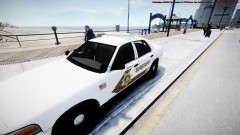 is that A clear Arjent lightbar
 -
Yeah I need your help guys, I have moddler Block and I cant decide and what to but in to a deceive car Links to light Flip light http://www.code3pse.com/products/product_info/Police/Interior_Lighting/C_VFP Deckblaster http://www.code3pse.com/products/product_info/Police/Interior_Lighting/C_80 Xt6 Window http://www.code3pse.com/products/product_info/Police/Interior_Lighting/C_XT6IL Avenger http://www.whelen.com/_AUTOMOTIVE/details_prod.php?head_id=8&cat_id=64&prod_id=412 Dominator http://www.whelen.com/_AUTOMOTIVE/details_prod.php?head_id=8&cat_id=64&prod_id=433 INO http://www.whelen.com/_AUTOMOTIVE/details_prod.php?head_id=8&cat_id=64&prod_id=478 Note these are for these interior lights
-
I say before people should hate on other people , they should be willing to try what they do. I.E before people hate cops they should try to be one. In short all im saying is they should be in the other persons shoes for a day
-
I looks like a really good first car. But yes as hilth0 is right. by what the tilte suggest is that you scratch made stuff.so the only thing wrong is the title. this is very good compare to the peace of shit my fisr car was
-
Nope it was bought out for city zoning, which is way my granddad had to sell it
-
only thing my Grandfather did was he had one of the largest Sugar can farms about 60 or years ago he sold it when my dad was in his teens though
-
wow he really severed his country, I say good job
-
how many year was he in service for?
-
This is just stupid, we all knew it would be comeing to PC, but now that someone has leaked it, People going to be bitching to R* to tell us the release date for it at which they will make a very bad port and the only people that could be blamed are those that rushed the game
-
crown vic all the way @Sharp thoses cars the we use are just ugly for police cars
-
it could be the fact the you have 7.87 GB usable of 8
-
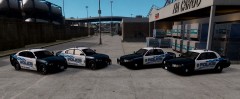 looking nice their tim, but are thoses the older or the newer chargers
 -
I bet it will be a mission.
-
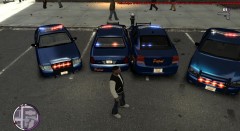 Its know as a Winglux and it offers 360° lighting.
 -
I would do the new Charger and the Taruses but I dont have access to Police versions
-
are you talking the post or the thread?
-
From the album: teasers
This is a pack im working on, it will have has the following 2 CVPI (marked and uncover) 2 Chargers (marked and uncover) 2 Suburbans (marked and uncover) 1 Impala (marked) 1 police bike -
As long as they have the bike and that in their can the answer is No. because the Clan I'm with use a bike and this is how I added it
-
sorry but the only car you can do the Pull over with are police-police4 polpatriot noose Nstock Pstock and policeb, also note that if you Add police3/4 and policeb to you IV you will not have a police computer.
-
Nokia 2220 Slider '> I dont care much for all the tech a phone dose, also lone as I can make calls and send texts im happy
-
If you watched one of NB youtube videos, I think he siad that they wouldbe going right to 1.0 with the next update
-
I dont live the US, But that dosen't I cant wish the US a happy Birthday, Right?...any way Happy birthday


