



OfficerFriendlyy
Members
-
Joined
-
Last visited
Everything posted by OfficerFriendlyy
-
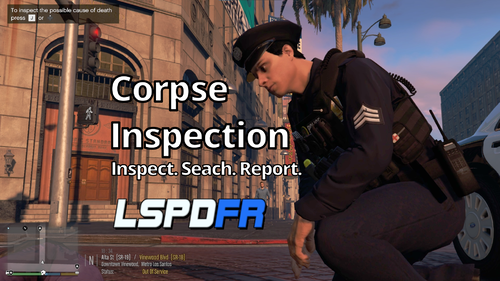 Mod works but sometimes my when the animation begins, my character starts sprinting in place over the dead body for 5-7 seconds. Any fix for this?
 -
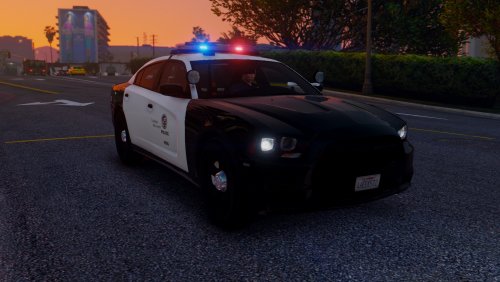 4.5/5 The model looks perfect but lights aren't that bright during daytime (Using Radiance V)
- 56 comments
- 22 reviews
-
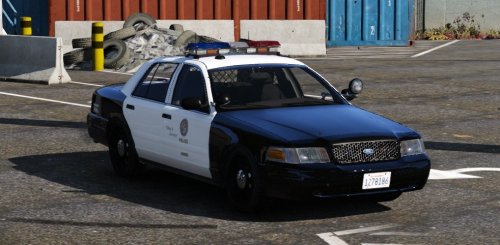 The best model in my opinion, I love how to tail lights look a lot more realistic than most models. The only problem is the super bright dashboard... anyone have a fix for that?
- 49 comments
- 19 reviews
-
-

- 1
-
-
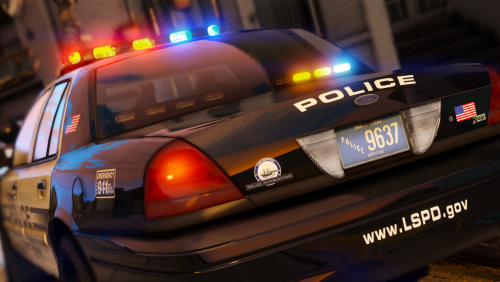 Has anyone created a skin yet? Has anyone created a skin yet? Has anyone created a skin yet?
- 32 comments
- 34 reviews
-
Release date??
-
-
.thumb.png.61e88eb45d5fff62b38920c23ae440c6.png) frontend.ytd goes to: mods --> update --> update.rpf --> x64 --> textures rockstar_logos.bik goes to: mods --> update --> update.rpf --> x64 --> movies scaleform_frontend.rpf & scaleform_platform_pc.rpf goes to: mods --> update --> update.rpf --> x64 ---> data --> cdimages Enjoy :)
frontend.ytd goes to: mods --> update --> update.rpf --> x64 --> textures rockstar_logos.bik goes to: mods --> update --> update.rpf --> x64 --> movies scaleform_frontend.rpf & scaleform_platform_pc.rpf goes to: mods --> update --> update.rpf --> x64 ---> data --> cdimages Enjoy :)- 1 comment
- 2 reviews
-
-
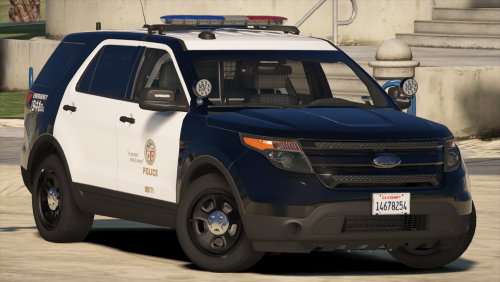 The best looking FPIU out there... however is there any way you could make the lights brighter during daytime, they look way too dim. (I use Radiance V)
- 563 comments
- 116 reviews
-
 @verony28066 To install add RagePluginHook,exe (LSPDFR Launcher) as a non-steam game in the steam library. Once that's done go into the game properties and look for change icon aka steam overlay and you should be good.
 -
Yeah it's for the steam overlay
-
Created using Adobe Photoshop

.thumb.png.61e88eb45d5fff62b38920c23ae440c6.png)
.thumb.jpg.54f04afcd6ae69e17f1388b62a696d8b.jpg)
