


Rich Sobilo
Members
-
Joined
-
Last visited
Everything posted by Rich Sobilo
-
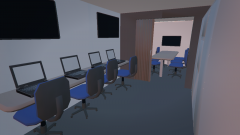 glory hole waiting room?
 -
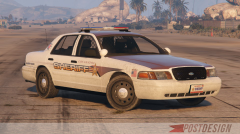 very clean! Good Job!
 -
-
-
-
-
-
-
-
-
You do have els 8.5 correct? Make sure the vehicle is in the slot control ini with the correct els ini file as I gave you above! If they are not in the slot control it will not work! And check the model you have, sgt kanyo updated the car, so make its the correct one! If it continues, we can set a day and time, if you have teamviewer and see what the problem is if its not working still!
-
No problem! If you need anything else let us know!
-
Yes, make a folder called scripts in the root directory and add the rescue mod stuff to that! Make sure you have script hook and all the requirements to run it!
-
i dont want anything.... it dont go in your plugins..... it goes in your scripts folder and F6 to start the mod!
-
That car does work, ive had it in game before! Try this ini for your els NYPD_HWY.ini
-
what car are you using? link
-
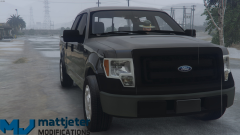 well im requesting the author, he must display credits i would like to know whos model it is! otherwise to me its a bit fishy and will be reported for proper credits not posted!
 -
whos truck model is that?
-
what do you mean?
-
In zmod
-
its the gta iv model.... the org fire truck is unlocked
-
.thumb.png.e88f1892e13ddb98db35e668d465c34b.png) Its ok, however the speaker is to big, amateur move! Model is nice... Ill stick with Voodoos
Its ok, however the speaker is to big, amateur move! Model is nice... Ill stick with Voodoos- 182 comments
- 44 reviews
-
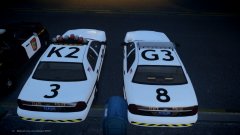 Vector should be red blue white red white red blue and the liberty is dual color red blue with two ambers in the rear
 -
np
-
I have my 2016 Ill allow someone to convert and release for V! But its hard to find someone to trust...,. Cause I dont want it released out unlocked or to anyone, or any models made for GTA IV.... :/


.thumb.png.e88f1892e13ddb98db35e668d465c34b.png)
