


Pengi
Members
-
Joined
Everything posted by Pengi
-
Keep in mind he also ambushed non-LAPD officers. This guy should be killed. He will not stop if police give him any room. He will continue to kill. Info about other officers: taken from here: http://www.sbsun.com/breakingnews/ci_22541409/key-events-hunt-ex-lapd-cop-suspected-killer
-
Yea Im right south of LA and majority of the stations near me are on full alert(sheriff offices) TONS of cops everywhere.
-
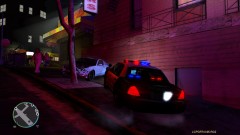 I love that vic!! Nice pic. What ENB are you using?
 -
I feel like this is something more towards console gtaiv role-play(where I came from) rather than the gtaiv lcpdfr version of roleplay...
-
I dont want to seem rude but I am sure that abraxas already has a bucketload of requests for scripts and probably has two bucketloads of script ideas he has for when LCPDFR becomes compatible with scripting.
-
I feel like wag would look weird though. I am planning on making a marked and slicktop cvpi with head and brake lights wigwag. Reverser strobes. (will prob take a while for me to make as I am going to make sure this model is pefect xD
-
I bowled a little bit when I wsa young. Went bowling next to these old people once when I was like 7 and the bowling ball kept going into their lane cuz I wasnt "professional" at the time. They got pissed and called management. Myself and my mom got moved to the far corner of the bowling place where I could only hit the wall and a bumper on the other line... :( The best part was that I apparently asked my mom "why that grandma was so grumpy" as we walked past them to the new lane." Safe to say I dont bowl....
-
Hey man, so I put it in and all but it doesnt look anywhere near the pics you have showing it!!!!
- 22 comments
- 11 reviews
-
What software did you use? Because the file is quite messy, scratched up and well, just like fairly dirty.
- 7 comments
- 11 reviews
-
-
Yea in MP its best to avoid the red circle. My clan has nicknamed it the "red circle of death" lol If both your pc's are top of the line, and you mainly crash at the PD, then that should solve it. IF you crash other times, then I would recommend lowering settings and/or using lower poly vehicles. Anyways, as always andrew, your videos are great!
-
1) Does your computer suck? 2) You NEVER EVER EVER EVRR EVER go to the police station. You use SNT to select your ped and weapons. Then use Altp and then ctrlp to go on duty/force duty and then use the command console(~) and type in "spawn (vehicle name)" (without quotes). Should fix your problems. If not, then you need to upgrade pcs
-
Majority of mods do not cause texture loss. Its mainly pc problems, and a select few mods(traffic flow and such). So the options given by Tim and Compeast werent wrong. In fact, they are probably the best options.
-
How frame intensive is it?? Cuz Fraps takes like 15 so I dont really like using ENB's that take a lot of frames!
- 22 comments
- 11 reviews
-
TBH, with seeing both possible replacements for ELS, I am rather disappointed as they kind of look very similar to non-els. For myself and other members of my clan, we all seem to be wanting to stick with ELS at this point. Hope the ELS form RMC was talking about will impress me more
-
You need to go on duty using LCPDFR and activate pursuits through LCPDFR(taking a pursuit callout or traffic stops). Its when the Red Dot appears on the HUD. Then AI police will respond to assist. It is built into the mod itself so not sure what other mod youre looking for.
-
The LCPDFR Mod... Other mods such as Bravehearts dont have backup units but they offer MUCH more diversity with calls!
-
I had this issue and just created the Launch GTAIV.exe shortcut, pulled to desktop, right clicked>properties>Compatability>Always Run as Admin and Windows Vista Service Pack 2 Compatablitity(People recommend XP but this runs better for me) Good Luck
-
1)Did you install LCPDFR? 2)Did you update your game? 3)Did you install all the needed things for LCPDFR? If yes, try running the G17 Media Diagnostics tool and it should shed some more lights on the problem at hand :D
-
Its in fullscreen mode. I am going to try and adjust the resolution slightly to see if that helps!! I have used Sony Vegas, Windows Movie Maker and Cyberlink power firector
-
To make FPS faster, you need a better PC!
-
Hello Everyone!! I have been uploading videos quite often lately and have noticed my videos are not full screen. Meaning, there are black running vertical along each side. I asked around and a lot of people said it was the way I was rendering with my bitrate. However, I checked out the videos in Windows Media Player and found the bars are on there aswell. So I believe it is with the way I am recording. With that in mind, I checked with a friend and had him set my FRAPS recording settings exactly how he has them(his videos are full screen) and I still have the bars!!!!!!!!!! Im at my wits end lol. Could it be my in game video mode? Cuz I turned it down a bit to get some more frames. Check my videos(link in signature) if you dont understand my dilemma! Thanks everyone for you support! Beckugan1
-
Uninstall LCPDFR and reinstall it(it should reset your dsound). Also, never ever ever install everything the first few times you mod your game. Always put a mod in, check your gme, next mod, check game and so on. Makes it easier to pin point problems when your game crashes with out any error codes.
-
Another issue is the 2 gig of ram. My old PC barely ran GTA with 4 gigs.
-
Sgt. Kanyos Realistic Time Cycle.
