



Amaerius
Members
-
Joined
-
Last visited
Everything posted by Amaerius
-
That did it, thanks!
-
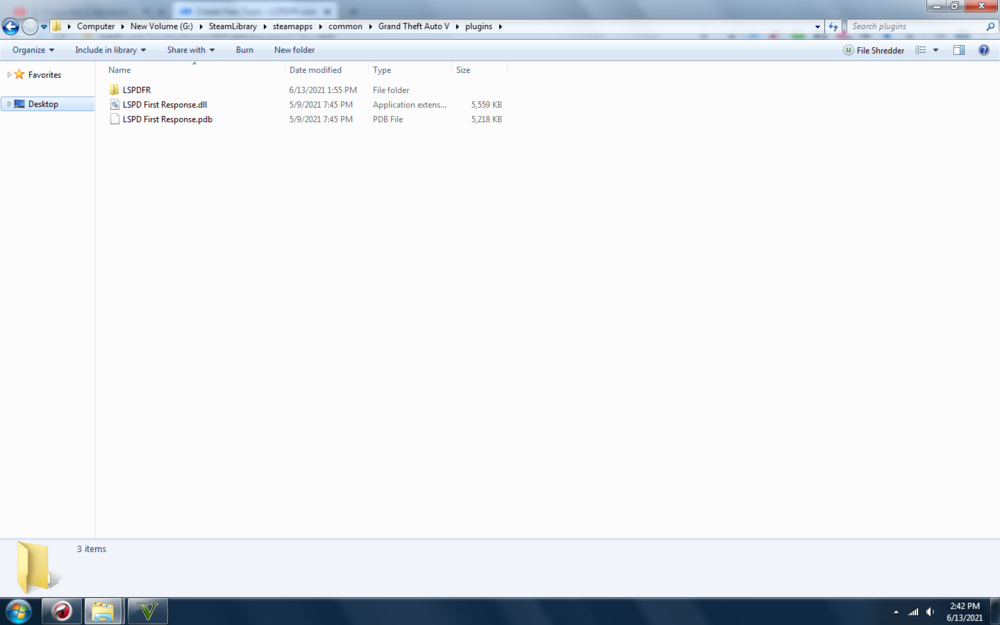
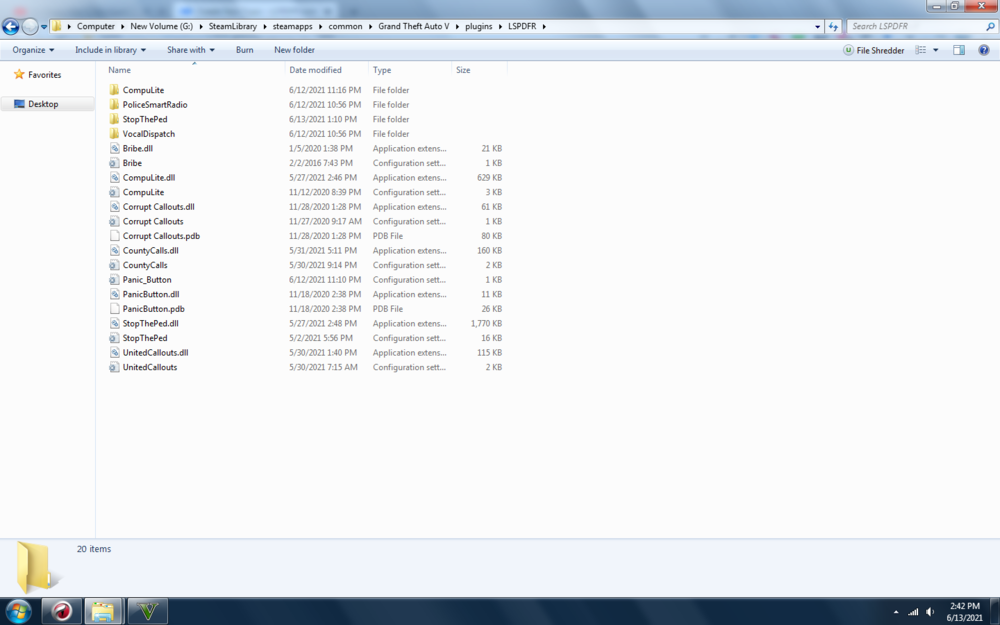
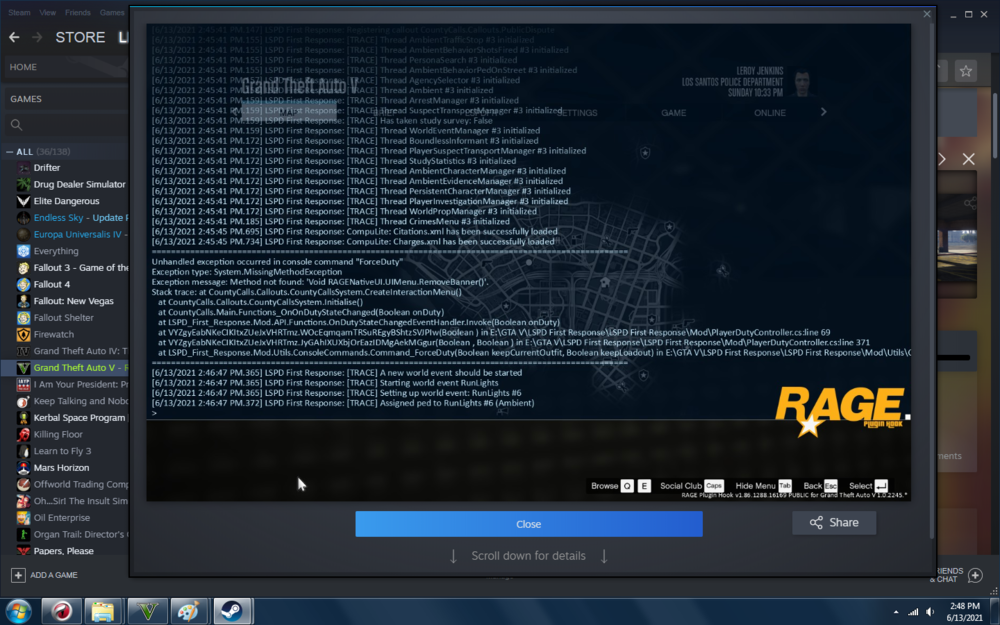
I just reinstalled LSPDFR after being away from it for about a year (love the new updates!) and was trying to get StopThePed working as well, but it seems like every time I load LSPDFR something crashes. If I try to go on duty in the LSPD locker room, the whole LSPDFR plugin crashes and I have to reload the game. If I use the forceduty command, I get the following error message. I'm about 90% positive it's related to StopThePed, as the rest of my plugins load without trouble. Anyone have a possible solution for this? I've attached screenshots of my plugins folders and the console error message. The game can be played after the error is displayed, and I appear to be on duty and able to perform traffic stops, but the callouts are extremely limited and I can only use the plugins CompuLite, Bribe, UnitedCallouts, and County Calls. (Sorry if this is in the wrong section, I think I clicked the wrong one when I used the "Create" button)
-
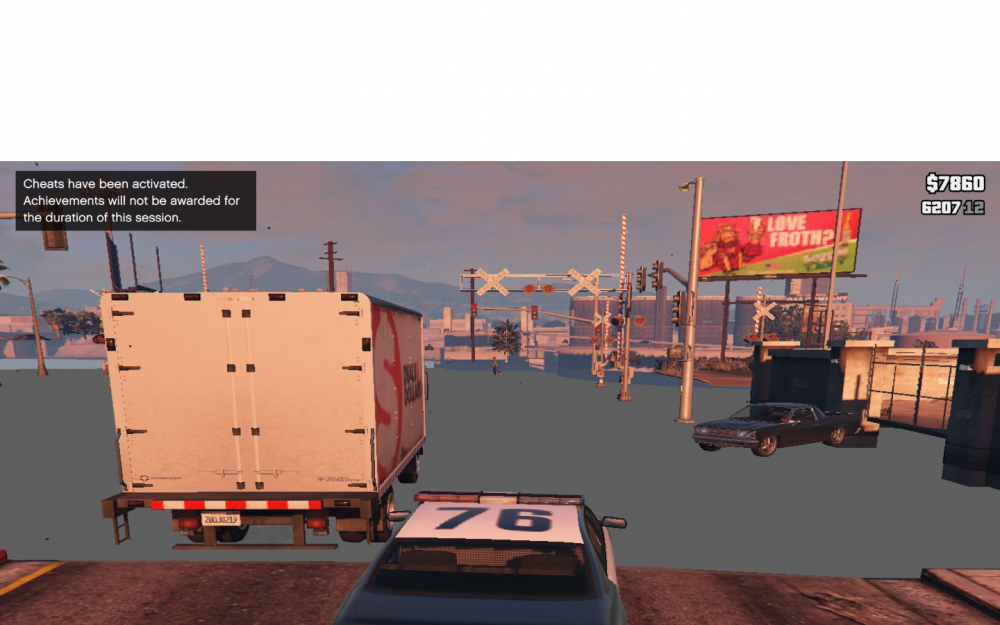
Hi guys, I haven't played in a few months and just picked it back up (had to update a few things in the process) and now parts of the map are "lost" - I can still drive and the road still appears in the mini-map, but there's no textures or visual indication of the road or nearby scenery objects. This only seems to affect parts of the City of LS, I haven't noticed it anywhere in the County area. I've attached a screenshot for reference. Anyone else having similar problems or know how to fix it?
-
 It's a known issue, they're working on it. As of yet there is no fix for it. You can still scroll to the case and see the details, just DO NOT hit enter.
- 1,178 comments
- 137 reviews
-
This might be a stupid n00b question, but is there any way to change the default audio when asking for ID on a traffic stop? I want to put in a clip of Farva from Super Troopers ("License and registration, chickenf***er!") but can't seem to find the default audio file to swap it out.


