
gta.michigan
Members
-
Joined
-
Last visited
Everything posted by gta.michigan
-
-
-
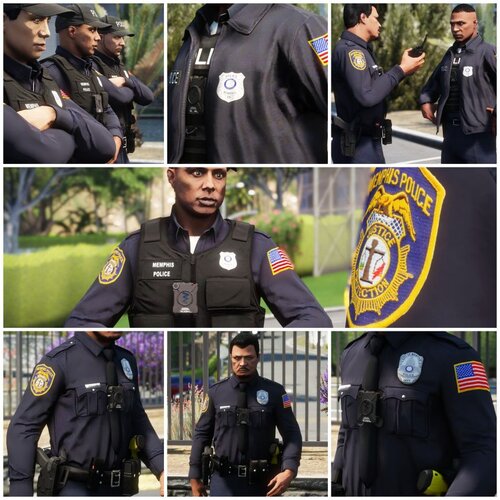 Your comment is not purposeless however I have stopped texturing for some time now. Thank you for bringing this to my attention, I just released an update correcting this. The class C uniform should be Memphis and not Dearborn now. Thank you!
 -
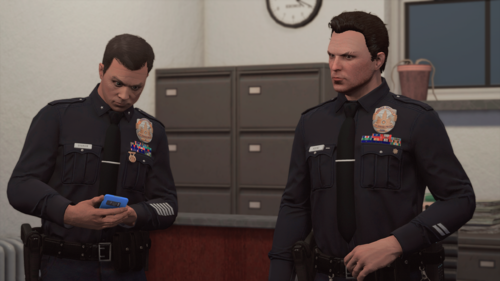 This adds depth to customization and storytelling. The attention to detail is impressive. Now I can live out my fantasy of a decorated police chief!
 -
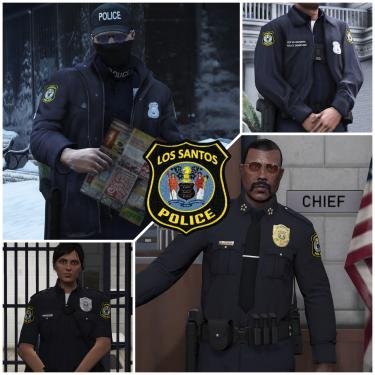 I don't have any plans on remodeling SAHP as of now.
 -
Both. EUP 9.4 at the minimal. EUP menu is you want easy uniform selections which I highly recommend.
-
I did and no, the characters are not included, that's a separate release.
-
Decals in the EUP menu.
-
I made the file based off of version 9.4, however 9.3 should work, just don't install the plugins folder that I've included or you might have issues with the EUP menu since the one I'm using uses version 9.4.
-
Uniform patch was inspired by Bloomfield New Jersey Police, however many departments all around the world use this same patch design. So any car pack can work, but if you wanna rock Bloomfield Police Los Santos style, here's a link to some vehicle textures by Trooper 18
-
You most likely installed it incorrectly. Make sure you have EUP 9.4 or above before installing as anything below 9.4 can cause issues like missing outfits and textures.
-
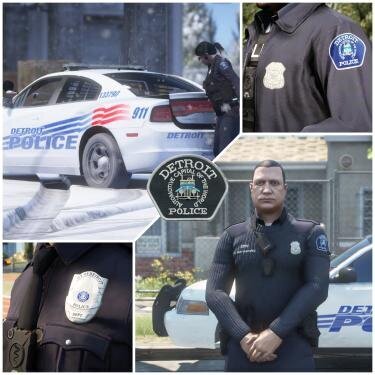 From here - https://forum.cfx.re/t/release-eup-detective-holster-updated-female-holster/989795
- 9 comments
- 1 review
-
I was going through my old deleted files from February 2021, and there was a car pack that I wanted to reinstall that you had uploaded. It was "ELS Los Santos PD Mega Pack Pawnee IN." I would love to reinstall that if you are able to repost it or have it saved somewhere.
-
Some stuff will work, some stuff will not as this was made using EUP 9.4.
-
Yes.
-
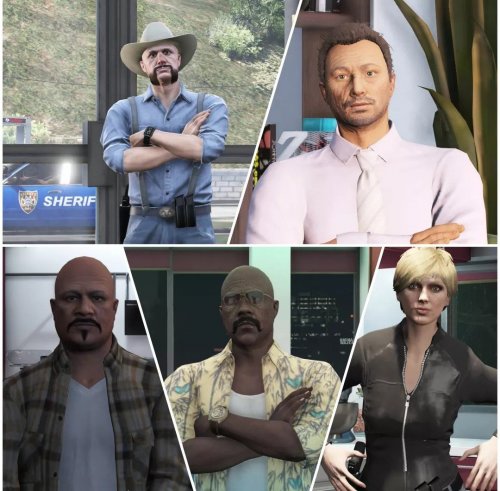 Custom made characters for you to play! You can access these characters using your EUP menu and clicking on characters. REQUIRED TO USE:
 -
NOTE: There are 2 versions of this EUP. The LSPD only version and the all All Los Santos Departments version. LSPD Only Version includes Retextures for only LSPD. All Los Santos Departments Version includes LSPD Retextures replaces LSPD, RHPD, LSPP, DPPD, and LSIAPD with the same uniform. So if you use 9.4 ultimate backup configurations, you will see only these uniforms responding. Officer - Sergeant now wear complete silver shields Lieutenant - Chief now wear complete gold shields. In order to access the Crime Area Target Team as well as other units, go into your EUP menu and click on LSPD, and they will be listed! How to install: Drag and drop all the EUP files into eup_componentpeds.rpf Replace presetoutfits.ini with the one I provided. If you don't know where that is, I've included the paths in the ReadMe. Just drag and drop all the files to those locations location. Backstory After many years of servicing the City of Los Santos, majority feel that the police department is becoming useless with very slow response times, and extremely high crime rates that are now plaguing the city. The current Chief of Police hasn't made any efforts in combatting high crime rates and he was in fact caught at the strip club partying while his officers are all busy and over 50 pending police calls... In response, the Mayor of Los Santos has appointed Raphael Washington as Chief of Police, effective immediately. Raphael Washington, formerly the Assistant Chief of the Liberty City Police Department, has just moved to Los Santos. Many changes are coming for the LSPD, and Raphael is now reshaping the department one area at a time. Raphael promises to give the community the proper policing that they deserve. Recommended Raphael Washington Included! Terms And Conditions • Do not upload my files to other websites • Do not claim as your own.
-
-
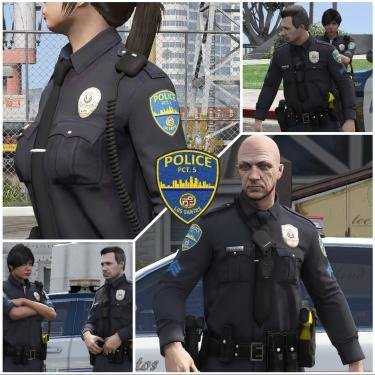 Radio and bodycam is from Code 4 mods.
 -
 Callouts are very detailed in depth. Each callout actually has a story behind it and dialogue. Definitely the most realistic callout pack I've ever played on here.
- 66 comments
- 16 reviews
-
Yes
-
Ultimate Backup allows you to spawn a partner, and even decide what they wear You can download it here https://www.bejoijo.com/post/ultimate-backup
-
What does this replace? -Class A, B, C - LSPD Precinct 1 - Downtown Los Santos -Class A, B, C - LSPD Precinct 2 - Rockford Hills -Class A, B, C - LSPD Precinct 3 - Del Perro -Class A, B, C - LSPD Precinct 4 - Los Santos AIrport -Class A, B, C - LSPD Precinct 5 - Los Santos Port -Retextured all badges, for LSPD, RHPD, DPPD, LSPP, and LSIA PD, and remade them into precinct badges with custom nameplates. -Retextured all LSPD rank insignias and made them blue. Compatible with EUP 8.2+ How to install: Drag and drop all the EUP files into eup_componentpeds.rpf If you don't know where that is, I've included the OpenIV path in the ReadMe. Just drag and drop all the files to that location. Terms And Conditions • You can use my files for LSPDFR and FiveM servers if needed. • Do not upload my files to other websites!
-
 Every callout has an actual story leading up to the moment, this is what I look for in callouts, not just random scenarios with no reason behind them. Keep up the good work!
 -
Love these callouts, please keep making more!