
AtlasUpfitters
Members
-
Joined
-
Last visited
Everything posted by AtlasUpfitters
-
These are just pics for the RP community.
-
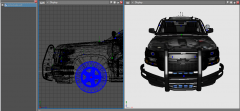
From the album: MRP Dev
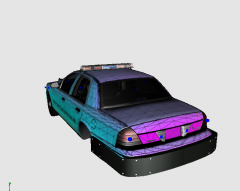
This is one of the unmarked MRP cars. The final pack will not be all blues. -
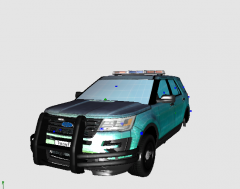
From the album: MRP Dev
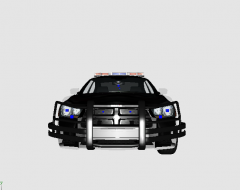
These are the Academy Vehicles -
From the album: MRP Dev
These are the Academy Vehicles -
From the album: MRP Dev
These are the Academy Vehicles -
From the album: Georgia Project
Isn't she sexy???? -
From the album: Georgia Project
New Wraps coming to Yohnny Models near you! LOLL Now I can actually make some accurate packs. I've been holding off because I had to use scraps to make the other ones. -
From the album: Georgia Project
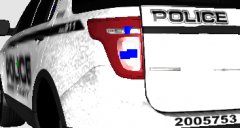
It's a WIP but it's almost ready -
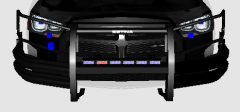 Ye I'm gonna start building into more Georgia Law cars. I am in love with GSP and MCCD so yall are going to see some of those and then I just finished an APD Ford Explorer. The APD FPIU will probably be released soon I just need a skin for it so I am waiting to make the skin.
 -
Yessir! LOL Yeah. I just moved to Gwinnett County last year from Suffolk County NY and I will say these cars are amazing. I just finished building the GCSO pack but I have to tweak the 14 charger but the rest of it is AMAZING. I saw my first set of all blue legs last year. So for 14 years of my life I only saw all reds cause that's what we have in Suffolk. Sorry for the mini life story LMAO
-
From the album: Georgia Project
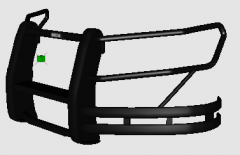
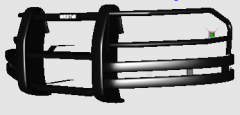
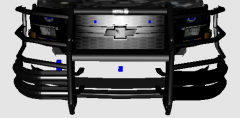
This wrap is modeled directly off the -- Sheriff's Office's tahoes. The model of these wraps do exist but the version of zmod that I use does not allow me to use those models so that's why I have to custom build all the assets on vehicles. -
From the album: Georgia Project
This is a deputy's vehicle out of a certain county that is pretty well known in the state of Georgia as Atlanta's little brother. That single red light should give it away like nothing else. -
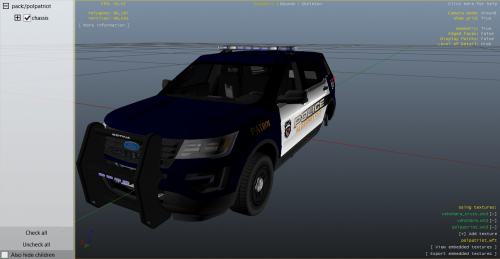 Thank you. I will have to write on a sticky not to remember the thing I have to do with that explorer but I hope I continue to supply yall with more models and packs for GTA IV since that is like my "mission" right now. Just to make mods available.
 -
I know exactly what happened. When I open a saved file before I export it I have to put all the assets on the cleared model if that makes any sense and I forgot to and that's why it's broken like that. I've made like 5 packs that I've had to throw away because I forgot to do that. But future mods are soon to come. I think I may do a states project possibly.
-
Yeah I'll have to take a look into it but IDK if I will get around to editing it.
-
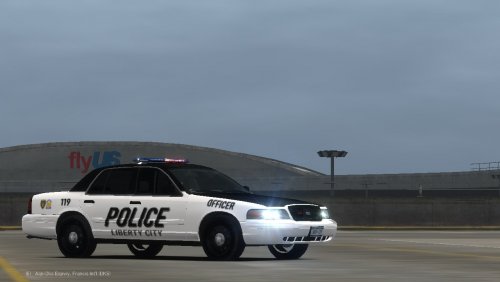
Alderney City Police I would say does not only patrol Alderney City just North Alderney in general. A mega pack is in the making so I hope yall are ready for that. The original pack was supposed to be red and blues like Oregon lights or like Washington lights but the Whelen Liberty model I have is stuck with all blues only. If anyone could send me a DEV liberty that would be amazing cause I had to take the one I have off another vehicle.
-
 I have no idea because I've never even touched the new version. I think you may but like I said, I have no idea.
 -
I don't think there is any difference I think they all work the same but that's just me and I don't use the newer version cause I'm just waiting to update my PC so I have no idea. But from what I've seen, I think it's all the same.
-
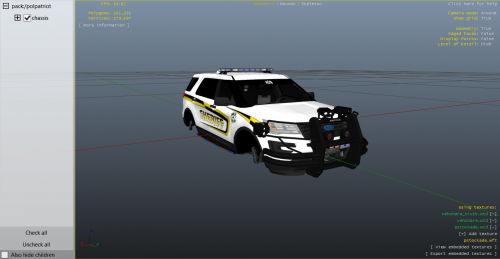 And sorry I had to custom build those wrap arounds because I couldn't find the updated charger wrap or the FPIU wrap so when i made them, I know the fender wraps on the explorer are updated cause I made two different wraps for the explorer so that wrap is good but the Charger's wrap has a reflection on it which I hate which makes it look stupid but on the next pack they will be fixed
 -
These are some dump files from the mega pack. Instead of throwing them away I wanted to release them so yall just had them. The charger isn't actually that big of a file but the explorer is kinda big but yeah. For me, they ran fine in game but yeah. A mega pack is on it's way to this website so I hope yall will like it. Also, Gwinnett County Police is almost finished. I think the FPIU has a bug in the lighting but I think that was just because I had the wrong ELS file in. I know the lighting is kinda weird on the FPIU because it has an all blue lightbar but yeah
-
I swear TO GOD I was in school when that whole thing dropped and we had a whole class on it and everyone was on the same comedian level as you. LOL Also thanks for trying the pack. This is the first I am saying it but I am building a mega pack soon for yall to see.
-
Anyone know where I could find a wrap around for a Dodge Charger fit for GTA IV? I am building a mega pack right now but I need a 2015+ Dodge Charger Wrap Around.
-
If you couldn't tell, my computer's quality sucks but if you have your texture quality above anything but minimum, it should look better lol.
-
This is just me being bored. The textures are ugly because like said, I am just a bored quaren'teen (see what I did there? I'm a comedian). But yeah. IDK take it or leave it I guess.
-