


rabbit1988
Members
-
Joined
-
Last visited
Everything posted by rabbit1988
-
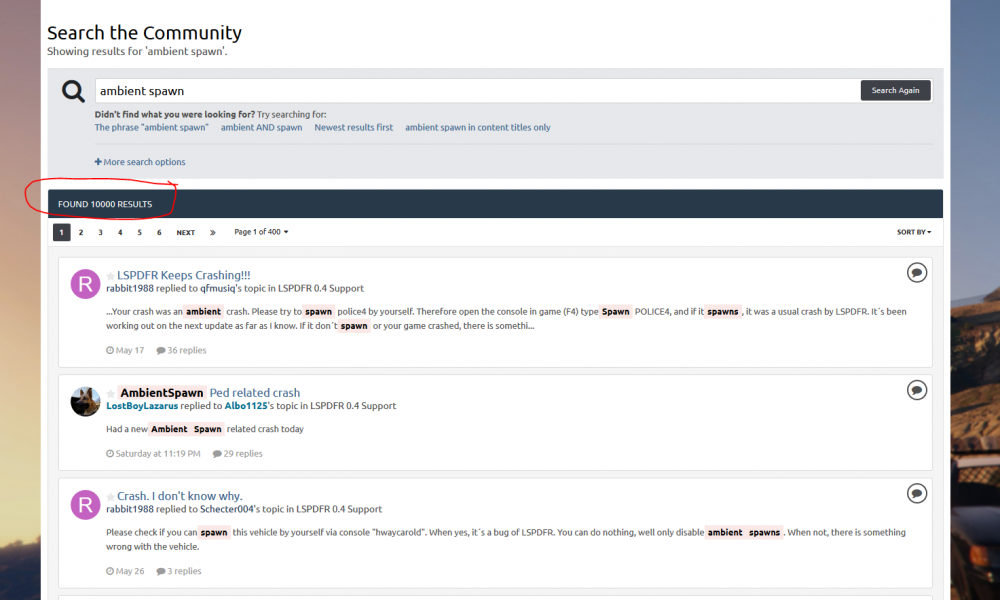
@icufly99 Well...just a few more 😉 These all have a solution and answers https://www.lcpdfr.com/forums/topic/93388-lspdfr-keeps-crashing/?tab=comments#comment-596167 https://www.lcpdfr.com/forums/topic/93641-crash-i-dont-know-why/?tab=comments#comment-597134 https://www.lcpdfr.com/forums/topic/93429-lspdfr-ambient-spawn-crash-issue/?tab=comments#comment-597136 https://www.lcpdfr.com/forums/topic/93660-how-to-disable-ai-pull-over-spawn/?tab=comments#comment-597235 https://www.lcpdfr.com/forums/topic/93443-lspdfr-terminates-almost-immediately-after-game-starts/?tab=comments#comment-596356 https://www.lcpdfr.com/forums/topic/93712-random-crashes-in-lspdfr-04/?tab=comments#comment-597999
-
Please post your logfile
-
Moment. Hast du Windows 10? Wenn nicht hilft mir die Windows-Defender-Anzeige nicht 😄 Du müsstest mal in die Systemsteuerung gehen, da auf System & Sicherheit, da auf Sicherheit & Wartung und dort dann den Sicherheitstab aufklappen. Und davon nen Screenshot machen. Dafür ist es egal welche Win-Version du hast.
-
You use plugins never been updated for 0.4. You should delete them to prevent errors. Also you have invalid vehicles and invalid liverys in your custom agency.xml. This can cause problems. But first I would delete all plugins don´t be updated for 0.4
-
Please post the RPH-log.
-
Well than it is the wrong topic. Try to disable your antivirus.
-
Do a exception in your firewall for RPH and GTA.
-
First of all, the actual logfile is ALWAYS in the GTA folder, no subfolder. Same Name but without time and date. Next please only post this one. For your problem: Please do a bit own research next time as this error is posted frequently. Always with a solution by someone. And it´s also written in the Common Issue topic, which you should read first 😉 Set your PluginTimeoutThreshold in RPH-Settings to 60000
-
Mach trotzdem bitte noch den Screenshot vom Windows-Defender Start Tab. Ausserdem mache mal nen Screenshot von den Eigenschaften/Kompatibiliätstab der RPH.exe Hmm auf dem Bildern sieht es immer noch so aus als die Benutzerkontensteuerung eingeschaltet ist. Ausserdem ist die common.rpf 2 mal vorhanden. Warum? Wie bist du denn vorgegangen? Auf den Bildern sind ja wieder Mods (z.B ELS) installiert. Du solltest erstmal gucken das du nur RPH ans laufen bekommst. Irgendwas blockiert es ja.
-
Ebenfalls hallo. Wir haben alle ein Reallife was vorgeht. Und nicht unbegrenzt Zeit die wir hier im Forum nutzen. Also bitte mal ein bisschen Geduld mitbringen 😉 Sowas muss nicht sein Ist es derselbe Fehler? Wenn ja, poste bitte nochmal einen Screenshot vom GTA-Ordner und ebenfalls von der Startseite des Windows-Defenders
-
Well I never played GTA 4 on PC. But your PC specs are very low, some of them are under the minimal specs for GTA 4. So probably your Notebook isn´t good enough to play GTA 4 with mods.
-
Do you talk about LCPDFR or LSPDFR?
-
There is no reason for a crash in your log. Well there isn´t even a crash. Whats your PC-specs?
-
Please post your RPH-Log
-
Please post the full log
-
Please disable your antivirus and try again.
-
Please post your logfile.
-
How should we know why your game is crashing? (Little tip: Post your Logfile)
-
Yes. Set it to false
-
There isn´t any update folder. You must have delete it mistakenly. Please reinstall GTA
-
https://www.lcpdfr.com/forums/topic/89691-read-will-save-your-time-common-issues-fixes-and-bugs/
-
Wenn das Backup ohne irgendwelche Zusatzdateien ist, dann müsste es gehen.
-
Reinstall LSDPFR and all plugins
-
There isnt´any audio-folder 😄 No wonder that the game crashed.
-
First of all, delete all plugins don´t be updated for 0.4. Will make your life easier and prevent crashes and strange behaviour. 2. Please look for yourself next time before posting as this error is posted so often, always with a solution. Also it´s in the Common Issue topic, which you should read BEFORE posting. Set your PluginTimeoutThreshold to 60000. 3. GTA 5 Social Club Launcher can cause problems when the game is install in another folder as Grand Theft Auto V. Just as an info, if the game won´t start anymore.

