Neon Skye
Members
-
Joined
-
Last visited
Everything posted by Neon Skye
-
 I'm not sure about the lag with this mod, but to fix the lag for the normal game I would use: Resolution: lowest acceptable resolution Texture Quality: Low or Medium (Low is as last resort) Reflection Resolution: Low Water Quality: Low Shadow Quality: Off Texture Filter Quality: Tri-Linear View Distance: 26 Detail Distance: 13 Vehicle Density: around 20-30 Definition: Off when you first load the game, when you get outside, turn it back on V-sync: Go to your GTA 4 settings in the video card control panel, if available, set to "adaptive". If you can't find the control panel, set it to off
 -
-
-
What kind of Zip Opener works for this? Do I have to use 7-Zip? *edit Yes I did have to use 7-zip
- 30 comments
- 16 reviews
-
will most likely do that once I get a good enough PC to run GTA V.
-
I agree with you on the siren, but most vehicle mods can cause a performance drop, especially for those of us with weak PCs. I'm just saying it would be nice to see gameplay either similar to our experience, or with just a little extra FPS.
-
I've searched all over YouTube, and the only ones I could find were of early versions of LSPDFR. I would very much like to see a few patrols using only stock vehicles. *Note that I am not creating LSPDFR YouTube content. This is for other YouTubers to see (Stevethegamer55 and Jeff Favignano, for example)
-
I might just be necrobumping right now, but could this possibly be made for GTA V?
- 19 comments
- 8 reviews
-
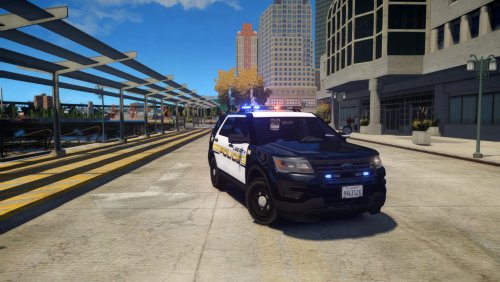
This is great, but still wish LCPD:FR would have been developed a little further. I can't seem to get the AI to shut off their sirens...
-
When the AI leaves their vehicle, the siren doesn't turn off. This happens even without ELS, and only when I call for backup or PT.
-
this happens to me even without els
-
Whenever i call for backup or prison transport, they arive with siren on, as usual. But, whenever they leave the vehicle, the siren stays on. i don't use els, and i have no vehicle mods.
-
-
-
-
-
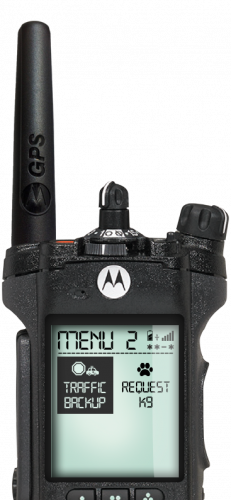 Guess I'll just have to go without the animations. They weren't what I was wanting from this mod anyway. With the radio itself (not the animation, I'm done trying to get that to work), I press enter on an option, and it does nothing.
- 222 comments
- 1 review
-
I don't use OpenIV. I use it's equivalent, SparkIV, and it won't let me add CopMod@Hwalk.wad or CopMod@Radio.wad
- 222 comments
- 1 review
-
Even when I am not using ELS, if i call backup (prison transport included), and they leave their vehicle, they never turn the siren off. It gets really annoying. Any way I could fix it? [Moderator note] In accordance with our inactivity rule, this topic has been locked. If you still require assistance, please make a new topic.