


Neon Skye
Members
-
Joined
-
Last visited
Everything posted by Neon Skye
-
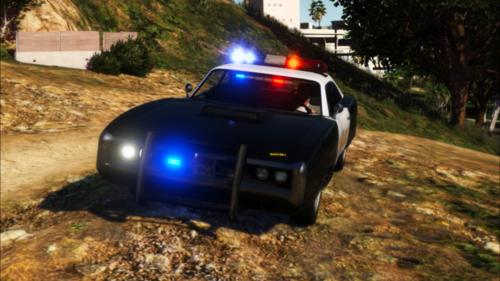 I have not made a config for dlsv2 If you want to use dlsv2, you'll need to build a new config, otherwise use dlsv1
 -
.thumb.png.4540b9b9fede04b38e291f7947dd0671.png) could've swore i fixed the LODs. i'm not working on modding right now but should I return I'll get to work on that. for now, you can change the LOD distances in vehicles.meta
could've swore i fixed the LODs. i'm not working on modding right now but should I return I'll get to work on that. for now, you can change the LOD distances in vehicles.meta -
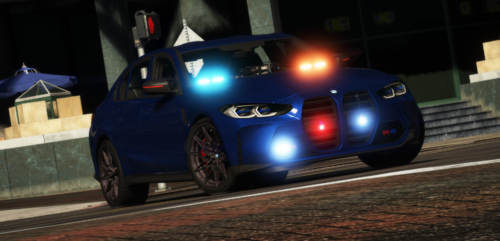 it was not in the readme my bad added to mod description
 -
.thumb.png.85ebab6eaa6192aa1f90095b096edb61.png) if you are using DLSv2 it will likely need a custom config, as it was released before DLSv2 and I've not had time to write up a config
if you are using DLSv2 it will likely need a custom config, as it was released before DLSv2 and I've not had time to write up a config -
.thumb.png.da021285949ac65d504db2d68fc84958.png) I do not remember what visuals i had installed for the screenshots but try radiance v
I do not remember what visuals i had installed for the screenshots but try radiance v -
It will work with DLSv2, but it will need a config, as I have not written one I might eventually, but I've fallen off of gta for the time being
-
model name should be included in the readme
-
The buffalo4 didn't really look right as a marked car in my eyes. I thought it fit better as an unmarked
-
It already is
-
I apologize for this oversight, and will get that fixed immediately
-
I can add it to the agenda for sure!
-
This is an addon vehicle and you will need to add it to your lspdfr data files or else use a trainer to spawn it, yes
-
Make sure you are *NOT* running the game in compatibility mode
-
no, you need to update RPH/LSPDFR/SHV and GTAV LSPDFR/RPH through the LSPDFR download page SHV from the SHV page. GTAV by deleting gta5.exe then verifying game integrity
-
LSPDFR, RPH, and SHV are all updated for v3274
-
currently you need to use patch2024_01 this won't always be the the case: in the future, to find out which patchday you need to use, open up your dlclist.xml from update\update.rpf\common\data\, and find whatever patch folder is closest to the bottom of the page (not including ones with the "_g9ec" suffix). That will be the patch you need to use.
-
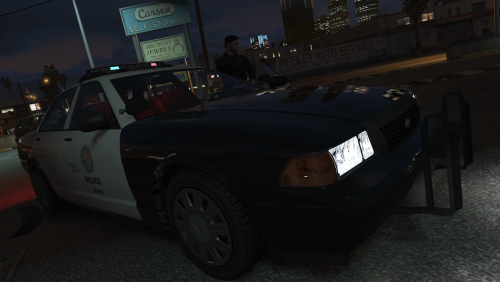 you need a custom config for DLSv2 DLSv1 will allow non-DLS (vanilla lighting) vehicles to be used with DLS so long as you have SirenControlNonDLS set to true.
- 282 comments
- 22 reviews
-
-

- 1
-
-
You need to be on DLSv1, and SirenControlNonDLS set to true
-
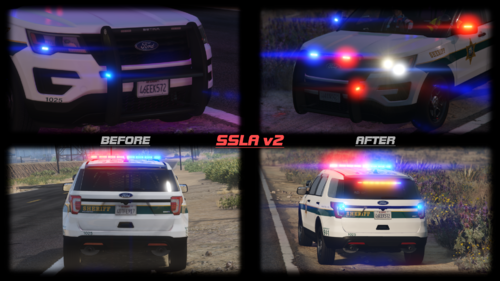 yes it does it's only not working for a couple of you, and odds are it has to do with something else installed in your game
- 342 comments
- 20 reviews
-
This might help
-
You might be able to get what you want from vehicles.meta by changing extra-related flags to FLAG_EXTRAS_TAXI (since that one cycles through extras 5-8 at random, but the only one of those that exist is extra 5, which I believe I've included in requiredExtras by default. I may do some testing later to confirm if this is the case if you've not done so by then.
-
extra_x="false" in either agency.xml or UBs xmls if that's what you're using
-
what are the modelnames of your addon vehicles?
-
You don't need to find a different patch for every vehicle, just put all your replace vehicles in the latest patch (patch2024_01)
-
Use the latest patchday (as of 8/15/2024 that is "patch2024_01") For the Chop Shop and Bottom Dollar police cars you will also want to go to their carvariations.meta and set their modkits to "0_default_modkit"

.thumb.png.4540b9b9fede04b38e291f7947dd0671.png)
.thumb.png.85ebab6eaa6192aa1f90095b096edb61.png)
.thumb.png.da021285949ac65d504db2d68fc84958.png)
