


Tactical Donut
-
Joined
Everything posted by Tactical Donut
-
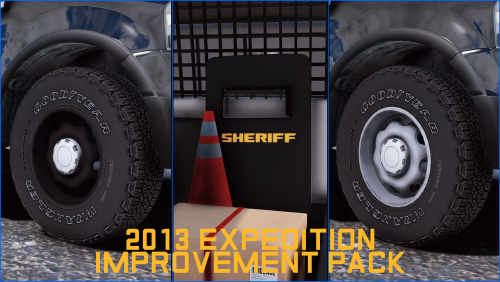 Hey there, I’m planning to include an Expedition in my next pack, and I was wondering if you’d be fine if I installed these textures into the YTD and released the pack with them included? I would obviously provide proper credits and I can link this page on the file description if you’d like.
 -
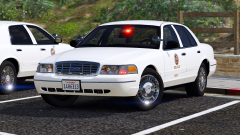
From the album: [WIP] Los Santos PD Mega-Pack (LAPD)
-
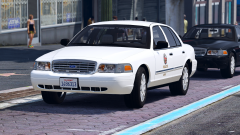 Rip, still looks pretty cool though.
 -
Looks pretty interesting, I think I’ll add that one as well (assuming it has the standard slicktop light setup)
-
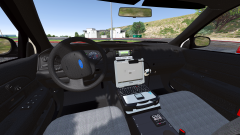
From the album: [WIP] Los Santos PD Mega-Pack (LAPD)
-
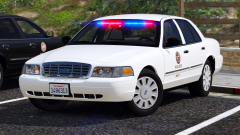
From the album: [WIP] Los Santos PD Mega-Pack (LAPD)
-
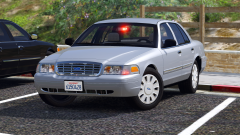
From the album: [WIP] Los Santos PD Mega-Pack (LAPD)
-
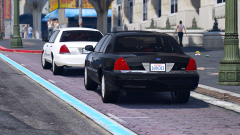
From the album: [WIP] Los Santos PD Mega-Pack (LAPD)
-
From the album: [WIP] Los Santos PD Mega-Pack (LAPD)
-
 Where did you get the 3/6 button FS controllers from? I'm been looking for those for a while since they're the controllers used in the LAPD detective CVPI.
- 161 comments
- 24 reviews
-
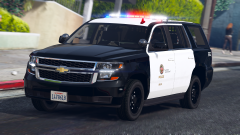
From the album: [WIP] Los Santos PD Mega-Pack (LAPD)
-
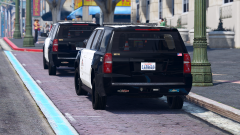
From the album: [WIP] Los Santos PD Mega-Pack (LAPD)
-
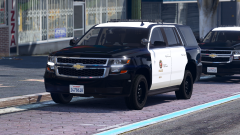
From the album: [WIP] Los Santos PD Mega-Pack (LAPD)
-
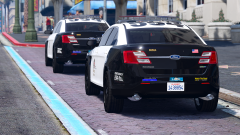
From the album: [WIP] Los Santos PD Mega-Pack (LAPD)
-
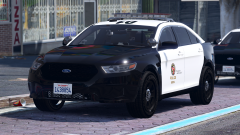
From the album: [WIP] Los Santos PD Mega-Pack (LAPD)
-
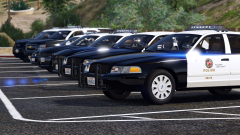 I’m not quite sure what you’re asking here. The vehicles use the FS Arjent (which I’m assuming is the “ugly” lightbar you’re referring to?) and the FS Valor.
 -
It is a fair question/request though. I'm not a fan of people that put pictures of models on this site but never release them or take an inordinate amount of time to release, seemingly only for the purpose of making people want something they can never have. I try not to do that, which is why I wanted to let you know that this pack will be released at the latest on August 1st, or earlier if Beren responds. I'm glad you're excited for the pack.
-
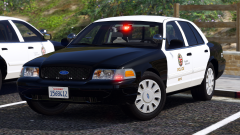
From the album: [WIP] Los Santos PD Mega-Pack (LAPD)
-
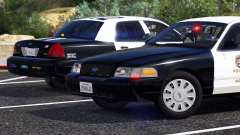
From the album: [WIP] Los Santos PD Mega-Pack (LAPD)
-
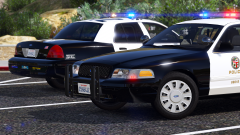
From the album: [WIP] Los Santos PD Mega-Pack (LAPD)
-
Huh didn’t know that. I’ll make the changes to the liveries. Does this also apply to the slicktop one or just the one with the Arjent? EDIT: Misread your comment/didn’t see the “if it has a pushbar” part. I’ll change the Arjent CVPI and remove the rambar from the slicktop one since that’s supposed to be the gang unit one anyway. Thanks for letting me know!
-
Waiting until August 1st is a cover-your-ass move for me. If Beren doesn't respond to my permission request because he is inactive I can say that I gave him a month to respond and therefore this pack should remain up. Basically wait now so that this can stay up indefinitely in the future. Not much else I can tell you.
-
From the album: [WIP] Los Santos PD Mega-Pack (LAPD)
-
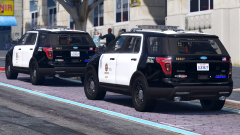 Yeppers
 -
From the album: [WIP] Los Santos PD Mega-Pack (LAPD)



