


Him1250
Members
-
Joined
Everything posted by Him1250
-
-
This Community has been really respectful. Every website has a few bad apples. The Admins for the site know what they are doing and are doing it well. They know how to shut people up ( Not In a bad way) when they say is not needed. The admins do everything in there power to make this site as friendly as possible. If that means not making someone happy so be it. Thanks Again Guys for all your effort into this great website!
-
-
I went with bandicam.
-
 Who Da Man? Yo Da Man!
 -
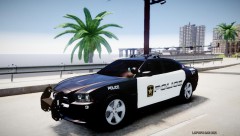 Hell Yeah!
 -
I am thinking about starting a "Let's Play" of GTA IV and I was wondering which is easiest to use bandicam or fraps. I have downloaded both, and cannot get fraps to work, but bandicam seems pretty strait forward. My question is Which one do you think is easiest to use? Also if someone could post a step by stem tutorial on how to use fraps, like getting it launched and everything. I looked on youtube and I found a video that wasn't very helpful. Thanks! -Him1250
-
I tried rebooting it, no luck. What else should I do? Edit: I reinstalled the patch and that worked.
-
No Problem! I'm glad I could help!
-
Okay Sounds Good!
-
Its Cool I was the same way. In the GTA IV Root folder you should see "LaunchGTAIV.exe" Right click on it and click Run as admin.
-
Run GTA IV as a admin.
-
I think you can go on LCPDFR and force duty. Though I never played the storyline.
-
Oh Yeah! I'm proud to be a member of LCPDFR!
-
Here's one that kind of looks like it.
-
-
-
I love end of watch! I am obsessed with that movie :D I always go on duty with a partner ( the only thing they are good for is protecting you from a granny with a uzi ) I always walk up with my MP5 or M4 out.
-
No, More Police Car Slots, meaning you can have more police cars without having to put them in regular car slots.
-
You mean like EFLC? Yeah It will work. I use TBoGT because of the extra Police Car Slots.
-
I would go with the steam copy, because its really easy to install (at least for me lol)
-
Nice! Cannot Wait!
-
I was able to get that graphics card at walmart for $200.
-
What are your PC specs?
-
I would like to see variety. But the thing is, there are only older chargers and CVPIs that have been released unlocked. Thanks to Dhruv ( I hope I spelled his name right) for releasing a 2011 Dodge Charger unlocked. Still when people create there own model out of that car, they have to modify it. I hope someone will convert and release newer Fords and Caprices (Likely Not) I like whats available right now because, you may be trying to "role-play" a department, and someone might release something that is like 90-95% close. Plus, many departments are still using the CVPI (At least in Albuquerque) Where I live we are switching to the Dodge Charger, but we still have 900+ Crown Vics in our fleet.


