


Him1250
Members
-
Joined
Everything posted by Him1250
-
This pack hasn't been ported over to ELS but it uses carcols.
-
-
-
-
ily
-
I work super fast.
-
Ding ding ding. It's a shame there's only like 11 of these in service. They've been replaced by these:
-
What's dis?
-
 Are you intentionally trying to make my eyes hurt?
 -
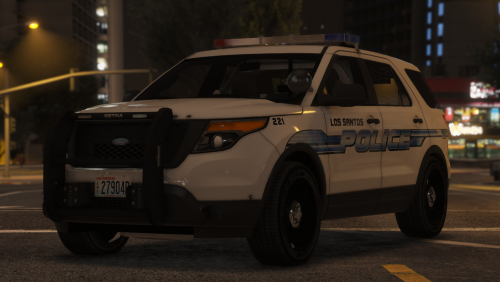
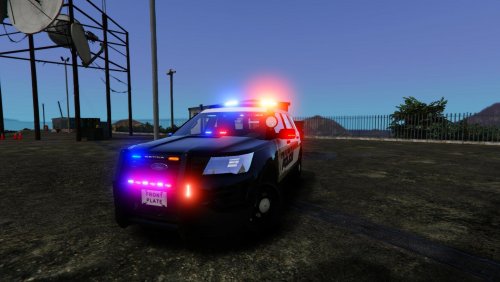
The FPIU needs to be updated (again) with a new lighting pattern. I guess they use the dual colored integrity whenever the siren's on. Not sure how I'm gonna have it play out but I'll probably have something optimized in the ELS VCF. Stay tuned.
-
Proper XT3's on the charger.
-
Some "new" images of the FPIU. I haven't had time to take actual new screens but this should satisfy you. http://imgur.com/a/QSBLb
-
-
Finished. 115k polys. Has optimized LOD's and all that good shit.The interior has been done for the last couple hours, just now getting around to posting it. I'd like to thank @Desmond98 for his center console and @Thehurk for the dash and the seats and his moral support. It's a little on the higher poly side at 112k but it's worth it. Trust me.
 Great work. You've come a long way in a short amount of time. I'm proud of you.
- 84 comments
- 28 reviews
-
-

- 2
-
Spent the last day and a half on this. It'll be featured in my APD pack. Don't mind the back door, I have yet to transfer the inside of the door to it.I haven't posted an update of the Albuquerque PD fleet but hey, here ya go.Someone say converting spree? How is the model over large? I mean, the file size is 8mb but if you want a realistic model, you need to have that detail. Go ahead and install some default bullshit and tell me how you like it..
- 427 comments
- 75 reviews
Most of the texturing is done.

Account
Navigation
Search
Configure browser push notifications
Chrome (Android)
- Tap the lock icon next to the address bar.
- Tap Permissions → Notifications.
- Adjust your preference.
Chrome (Desktop)
- Click the padlock icon in the address bar.
- Select Site settings.
- Find Notifications and adjust your preference.
Safari (iOS 16.4+)
- Ensure the site is installed via Add to Home Screen.
- Open Settings App → Notifications.
- Find your app name and adjust your preference.
Safari (macOS)
- Go to Safari → Preferences.
- Click the Websites tab.
- Select Notifications in the sidebar.
- Find this website and adjust your preference.
Edge (Android)
- Tap the lock icon next to the address bar.
- Tap Permissions.
- Find Notifications and adjust your preference.
Edge (Desktop)
- Click the padlock icon in the address bar.
- Click Permissions for this site.
- Find Notifications and adjust your preference.
Firefox (Android)
- Go to Settings → Site permissions.
- Tap Notifications.
- Find this site in the list and adjust your preference.
Firefox (Desktop)
- Open Firefox Settings.
- Search for Notifications.
- Find this site in the list and adjust your preference.