Him1250
Members
-
Joined
Everything posted by Him1250
-
 What is this bullshit?
 -
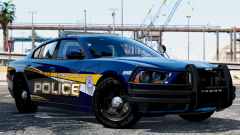
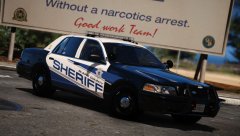
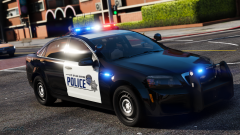
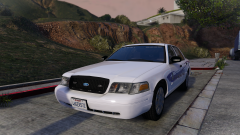
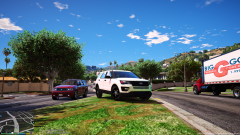
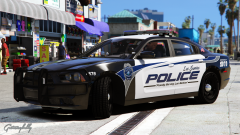
EXPAND YOUR GTA V FLEET WITH UPDATED ALBUQUERQUE POLICE CARS! GRAB THEM NOW!
-
 I like it a lot. Great work as usual.
 -
Holy shit, I just realized I haven't posted on here in like 9 days. Expect some new stuff coming soon aswell as updated cars getting released.
-
-
-
Remade 3 of the liveries:
-
 Right. This isn't the place to fight about this so if you wish to continue having a conversation about this then feel free to PM me.
 -
 Here.
Here. -
Exclusive to this topic:
-
They are though
-
I'd like to take the time to announce that this project is still being worked on heavily and a MASSIVE update to the cars should be coming out at the end of next week.
-
 Don't be a living meme
 -
 ily you too btw, do you have daddy issues?Latest convert:
 They're still capable of being used on non-ELS cars.
There isn't "ELS texture packs"...Thank you. Expect a big slowdown in projects but they will continue nonetheless.I've decided to take a step back from the GTA community and put real life things into priority. Long story short, I'll be still modding for V but it'll be on a much smaller scale compared to what it was. There's a lot of things in my personal life that I need to take care of for my future.Not sure what you want them for but here you go. Install them in mods/update/update.rpf/x64/textures graphics.ytd graphics_pc.ytdYou're making no sense.Umm, what?I'd like to quickly make an announcement regarding Albuquerque PD and future projects. I'm taking a brief break from modding V and anything Zmodeler related because I've been converting nonstop and it gets kinda boring after awhile. I'm stepping back from any projects for V until the week of the March 15th. In the mean time, I'll be playing some more games to just take a break from the stress of modeling. Hope y'all understand.
They're still capable of being used on non-ELS cars.
There isn't "ELS texture packs"...Thank you. Expect a big slowdown in projects but they will continue nonetheless.I've decided to take a step back from the GTA community and put real life things into priority. Long story short, I'll be still modding for V but it'll be on a much smaller scale compared to what it was. There's a lot of things in my personal life that I need to take care of for my future.Not sure what you want them for but here you go. Install them in mods/update/update.rpf/x64/textures graphics.ytd graphics_pc.ytdYou're making no sense.Umm, what?I'd like to quickly make an announcement regarding Albuquerque PD and future projects. I'm taking a brief break from modding V and anything Zmodeler related because I've been converting nonstop and it gets kinda boring after awhile. I'm stepping back from any projects for V until the week of the March 15th. In the mean time, I'll be playing some more games to just take a break from the stress of modeling. Hope y'all understand.