
Kreemerz
Members
-
Joined
-
Last visited
Everything posted by Kreemerz
-
 no video? if you're gonna make a video, post videos so we can see it in action. geez
- 14 comments
- 2 reviews
-
-
Yeah, I use a controller.
-
I have always been uncertain about the best order in which to install all the plugins, mods, callouts, etc.. Below is the list of the order in which I install everything. Is this okay? Or is there a better more efficient way? GTAV base game (from Steam) LSPDR Mod ScripthookV (latest) RagePluginHook (latest) Trainer Menu Modding DLC Pack V Albo Plugins: Arrest Manager; LSPDFR Plus; PoliceSmartRadio; Traffic Policer Callout Mods: Assorted Callouts; Agency Callouts; Code 3 Callouts; Wilderness Callouts; Tacco Callouts; PeterU Callouts APLR Lite; Better EMS; ELS; RadianceV; Stickywheels On Scene Backup HeroCop Albo1125.Common.dll RAGENativeUI.dll RAGENativeUI.XML B.D.A. Audio I highlighted the plugins that may have caused crashes or were being loaded when the game crashed to the desktop
-
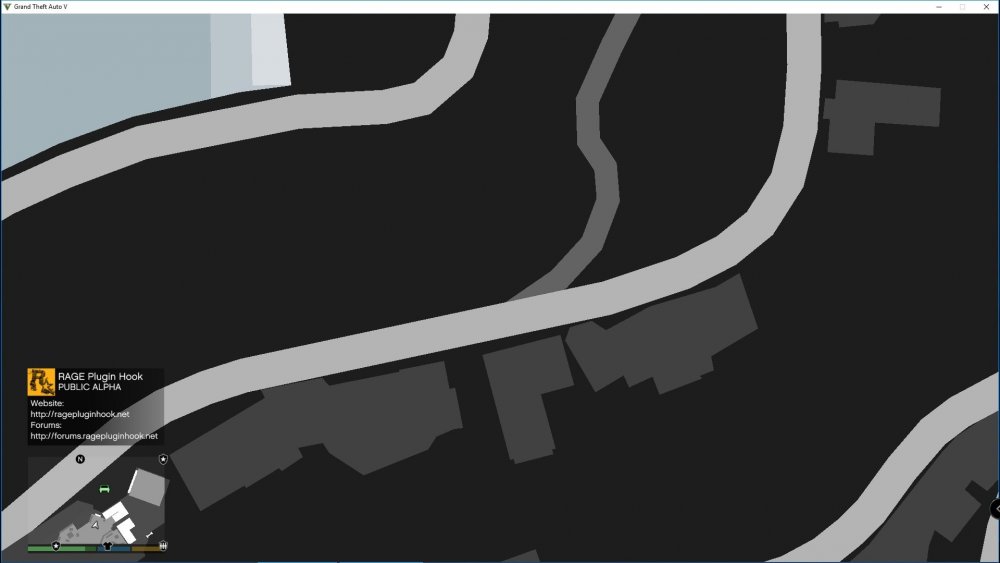
For some reason, every time I start the game, it opens with this view. The mouse works because I can rotate the screen around but I can't exit out of this view. It's like I have a stuck key but there are no stuck keys. Not sure why this happens. When I remove my 'Mods' folder, the issue goes away. Nothing in the log seems to explain why I open with this map view.
-
-
-
 I really hate how people don't include a clear list of instructions on how to get this working. 😑
- 542 comments
- 98 reviews
-
I've never understood why 'non els' ever existed. Seems like you have better controls and features in ELS.
- 37 comments
- 15 reviews
-
-
Where should this go? It would be nice if someone showed me where this goes.
-
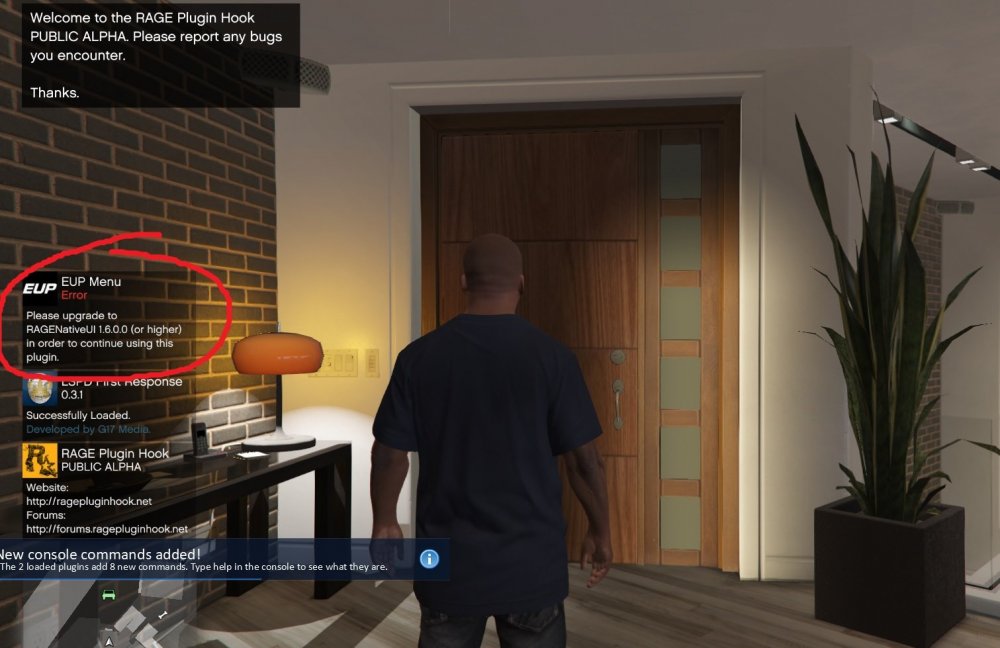
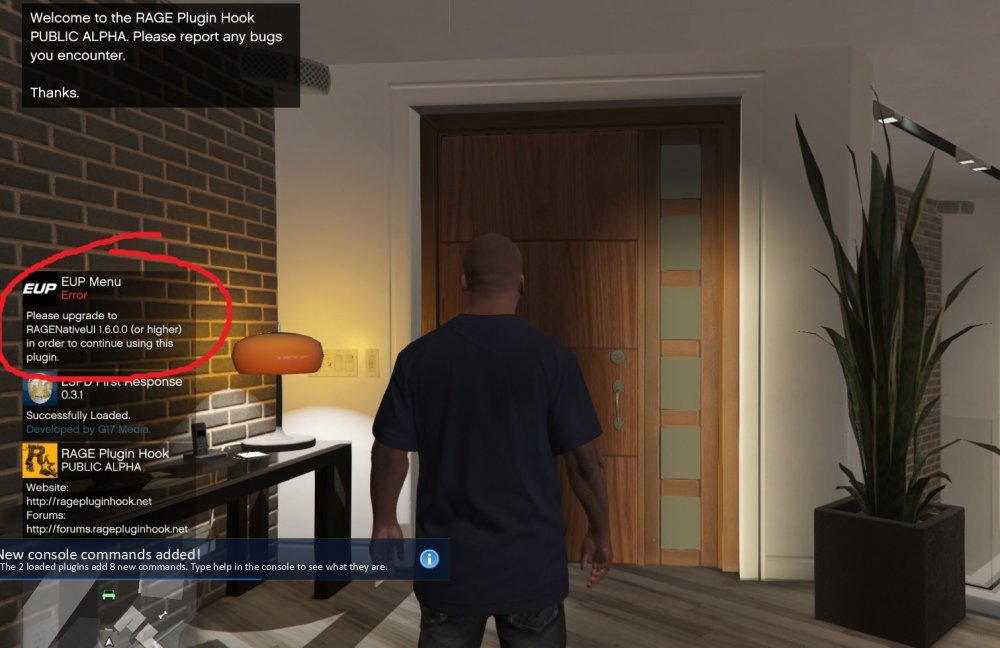
I have the latest ragenative file and EUP plugin. And yet, I'm unsure why this error started appearing...
-
Trying to find where this was moved to...
-
I have the latest ragenative file and EUP plugin. And yet, I'm unsure why this error started appearing...
-
Ah, kinda what I thought. Thanks for confirming.
-
I know that I can change the available the flash patterns in the ELS file. But can I actually create new flash patterns in the file? Reason I ask is that I have a vehicle where I love the model but don't like any of the flash patterns that are available (after I have cycled through all of them during gameplay). I was thinking I could copy over an ELS file that I like from another model and perhaps copy them over for the new model. Or are flash patterns created outside of the ELS file.
-
-
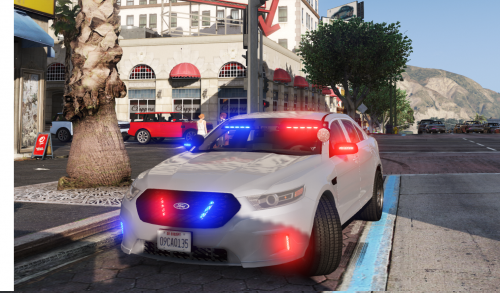 I know. Even though it has the usual YTD file, it doesn't have a texture file in their that can be edited. It only has the template file but no other file that one would normally use to edit the skin texture. I tried to change the color of the template file then replace it keeping the same name. That did not work.
- 47 comments
- 24 reviews
-
-
 I see both sides. Some can be demanding as customers can be sometimes. But I also see how 'developers' can come off a little arrogant and smug. It doesn't make for a friendly forum environment. That's just my observation anyway.
- 89 comments
- 45 reviews
-
I do too. We don't have Explorers out here without spotlights. Unfortunately, we can't put that in the review or it gets deleted (which seems to defeat the purpose of reviews). Lol.
- 89 comments
- 45 reviews
-
-

- 1
-
-
yes you have to edit the vehicles.meta to remove the tint. Also, that 'blue plate' does look weird but it's apparently a solar panel. I'd rather not have it there either
- 89 comments
- 45 reviews
-
-
- 1
-
-
-
Okay. I will check that later. Thanks Giordano
-
I added a set of rambars (extra_10) to a vehicle so that it spawned with them. I edited the vehicles.meta file for this to happen. I also wanted to add a set of antennas (extra_12) to the same vehicle. So I edited the vehicle.meta file with this line: <requiredExtras> EXTRA_10 EXTRA_12</ requiredExtras> But the antennas don't show up. Not sure why... ...any suggestions?