




Kreemerz
Members
-
Joined
-
Last visited
Everything posted by Kreemerz
-
-
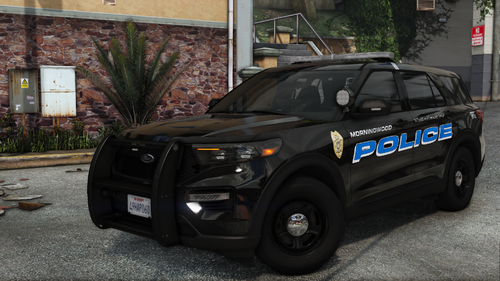 yes. sir. Glad to assist. Reason. I use the Modding DLC Pack folder to keep my vehicles organized and so I dont need to keep changing folders everytime there's an update and the patchday changes. With your package, there is an important limitation: Anyone who uses the ELS–Non-ELS hybrid vehicles approach, must understand that these are not traditional full ELS vehicles. ELS controls some functions, while much of the emergency lighting is handled by your non-ELS siren settings. Therefore, I wont get the normal Stage 1, Stage 2, and Stage 3 progression I would expect from a true ELS model. and since I use the Modding DLC Pack folder, adding your vehicle complicates the installation because of your non-traditional way of handling ELS. I would need to edit all the meta data files (vehicles, carvariations, carcols, handling, etc...) which I dont want to do. With normal ELS replacement vehicles, I could simply copy the models over to my Modding DLC folder, copy the correct XML file to ELS folder and be done with the installation. Yours requires a lot more steps that I mentioned. If it were replacement, regular ELS, I'd have no problem giving full 5 stars. But that's my reason, irrespective of whether you want to accept it or not. Didnt mean to hurt your feelings. again, it's my opinion.
- 20 comments
- 2 reviews
-
-
-
jeez, dude. dont throw a tantrum (...go make your own models) it's just my opinion. would rather the true ELS versions get created.
- 20 comments
- 2 reviews
-
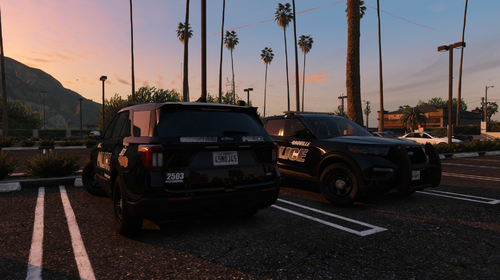 I’m not sharing republishing any files. Nor am I altering the files. I’m choosing a different installation path which does nothing to the files. I’m just trying to make it work for my installation of lspdfr. Unfortunately many new models are utilizing the hybrid ELS approach which does not work for me. I don’t use Fivem. I only use legacy. But if you’re really willing to help me with replacement version of your vehicle, I’ll be glad to join your discord.
 -
 These hybrid models never work on my system.
 -
I decided to use the included instructions, and install it as a second DLC folder like my 'modding folder' and it now crashes my game. So, I'm done with this model. Until a true ELS and replacement vehicle is created, I'll leave this model for the few others to tinker with. It was worth a shot.
-
That's what I did. And it spawns as 'police' and ELS activates (you can hear the activation) but no lights come on. Except for the spotlights. Can't get any of the emergency lights. Did you modify other things? Usually I can add 'addon' vehicles with no problem. but for some reason, your vehicles are not working...
-
Rename each vehicle in those 2 files? your files or mine?
-
The problem is that I use the Modding DLC Pack and I'm not sure how to handle adding your vehicles. I'm used to just adding Replacement vehicles to that folder. But yours are addons and not replacements. I tried renaming the files to 'police' and adding them to the Modding folder. I renamed the XML file and added it to the pack_default folder. It shows up fine. And the ELS activates fine. But the lights dont come on or are super dim... So I usually end up removing the vehicle altogether.
-
Why do people keep classifying vehicles as " HYBRID ELS" This is NOT true ELS nor is it even "hybrid"... you dont even get to have light stages.... There's a reason why we have Stage 1, 2, and 3 in our lighting programs. Hybrid does not allow for that.
-
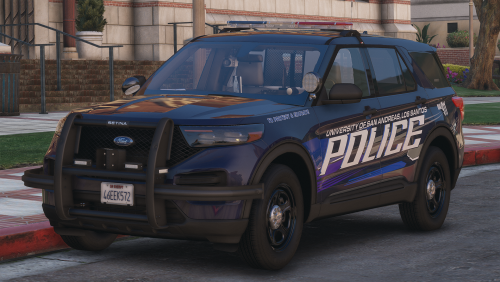 what happened to all lighting Stages? Stage 1? Stage 2 is just 2 lights on the lightbar
- 14 comments
- 4 reviews
-
Not really a true ELS vehicle since you dont get all the stages of lighting. And the only installation instructions left with this upload, is the hobbyist's instruction to for you to go to Youtube.
- 20 comments
- 2 reviews
-
Not exactly true ELS. So it wont have all the different stages of lighting. Not what I'm looking for but it may be useful to others.
- 20 comments
- 2 reviews
-
-
-
-
 funny, none of Patrol units in California have that weird wrap around bars on the front of the vehicle. just the main push bars. Must be southern thing or something. Our officers hate those wrap around bars... they tend to laugh at them
- 135 comments
- 14 reviews
-
 GrammarPolice wont load and says something is missing but not what is missing? I'm not sure what happened. I have reinstalled the entire game and even the Win11. this isnt my first time install GrammarPolice. never had any issues with it before. I have the correct RageNativeUI file. I have all 3 RageHookDotNet files. GrammarPolice.DLL file is in correct folder (plugins) It never loads when game starts, even though I have it checked in the Rage configuration. I try to reload it by hitting F4 and running reload grammarpolice but it says it cannot find it? See screenshots... but it doesnt say what file is missing.... Here are my plugins....
- 1,366 comments
- 87 reviews
-
 vehicle is missing out of this pack: I dont see this model in the pack. this model does not have LPR plate readers; nor does it have the wrap around grill bars. (like our units in California) But I dont see this in the pack
 -
-
-
 The only thing that crashes my game is EUP 9.11 (the one PURCHASED on the guy's patreon). I remove it and everything loads fine. Not sure what to do the RageNativeUI is the current one.
- 2,350 comments
- 238 reviews
-
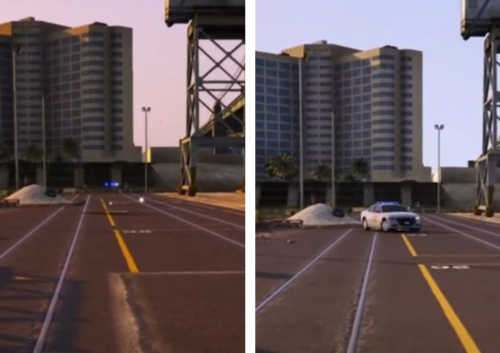 does this still work? also the instructions are a bit confusing: Istallation: 1) Download OpenIV from openiv.com 2) Setup it and select your operative sistem below Grand Theft Auto 5 3) Make sure you have a folder "mods" in your directory. If you don't have one, create one 4) Activate edit mode at the top right and go to \update\update.rpf\common\data\levels\gta5 5) Click "copy in mods folder" or "show in mods folder" in the red bar above 6) Copy and paste vehicles.meta from my archive to this folder The file does not contain a vehicles.meta file. the files are all gameconfig files...
- 4 comments
- 1 review

.thumb.png.80e597dac7931be3f5168ef9255c6a8b.png)





