
RCrw notik
Members
-
Joined
-
Last visited
Everything posted by RCrw notik
-
-
 wow, sacred list, this is a lot of mixed codes, if for you the best is to delete my mod to keep the fun of playing, I understand do not worry
- 366 comments
- 32 reviews
-
-

- 1
-
-
-
😆lol, this worries me, I search the reason for its problem by hoping that it does not come from my mod, if other users have this problem do not hesitate to tell me !
- 366 comments
- 32 reviews
-
-
- 2
-
-
omg ^^, Thank you for your video and the time you took to make it, can you test the same situation only with my script lua and without any other plugins, you can keep the plugin lspdfr I test my mod with and everything is fine
- 366 comments
- 32 reviews
-
I will try to test several scenarios and create panic in the game to observe behaviors ai, but it seems strange...
- 366 comments
- 32 reviews
-
lol ^^ , it's interesting, do you have other plugins or script on your game ?
- 366 comments
- 32 reviews
-
Hi, for the different mechanisms you can refer to this "https://docs.fivem.net/natives/", as far as vehicles impacted by the radius are concerned, the number depends on the traffic load that you have optimized or not in your game, the defined radius is supposed to impact the nearest vehicles around you.
- 366 comments
- 32 reviews
-
-
Thank you, yes you can change the button in the file ". lua" with Notepad++ or bloc-notes, to the line "CONTROLS.IS_CONTROL_JUST_PRESSED(2, 45)" - for the A button: 2, 18 - for X : 2, 22 - for Push stick right "horn" : 2, 28 - for Push stick left : 2, 29 - for LB : 2, 37 - for RB : 2, 44 - for d-pad : Left 2, 15 / Right 2, 74 / Up 2, 27 / Down 2, 19 - for Space Barre : 0, 22 ...
- 366 comments
- 32 reviews
-
-
-

- 2
-
-
Hello totem, Only the file vehiclehandlinginfo.meta yes, for the file vehicles.meta you can do the manipulation on your own file vehicles.meta in your folder mod by simply removing all the FLAG_BIG of the big vehicles, buses, trucks...etc, if you want them to clear your way by code3
- 366 comments
- 32 reviews
-
-
-
-
Thank you, yes I understand what you are saying and I try to prepare a version that corrects it or improves it
- 366 comments
- 32 reviews
-
Hi, yes it is possible, how much traffic do you have? x1? x3? x5? or normal? vehicles that don’t run fast enough are in a straight line or a curve ?
- 366 comments
- 32 reviews
-
Hi friend, I just deleted the FLAG_BIG from the <flag> lines of the vehicles.meta, if you know how to do it you can modify your own vehicles.meta file by deleting the FLAG_BIG from it, if you don’t know how to do it I can do it for you if you want... This modification simply makes it possible for large vehicles such as buses, trucks etc...to let you pass when you are in code 3 like other vehicles.
- 366 comments
- 32 reviews
-
-
-
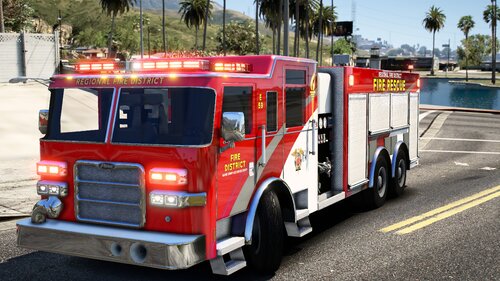 Very nice !
 -
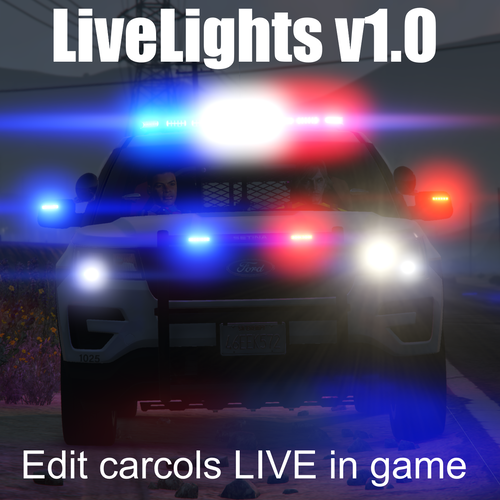 it’s a really good idea, thanks for this nice work, it makes it so much more pleasant to set its lights live, just perfect 👍
- 37 comments
- 4 reviews
-
-
- 1
-
-
- rph
- open source
- legacy
- rph
-
Tagged with:
-
sorry, I forgot to add this link: Gameconfig (1.0.2699) for Limitless Vehicles - GTA5-Mods.com sorry, I forgot to add this link: Gameconfig (1.0.2699) for Limitless Vehicles - GTA5-Mods.com
- 366 comments
- 32 reviews
-
dev? yes it is possible with a gameconfig modified and adapted to the last update of gtaV
- 366 comments
- 32 reviews
-
-
- 1
-
-
Frankly, I often ask myself this question as well as many other people.... but do this experiment, change for example just one line in this file as <MinBrakeDistance value="100.000000" /> and test the result, done the same for others MaxBrakeDistance, MaxSpeedAtBrakeDistance, AbsoluteMinSpeed and you will understand the importance of this small file . meta and what it can change.
- 366 comments
- 32 reviews
-
Sir, please...your intervention and warning are inappropriate and may confuse people in the installation instructions of this mod that works like this...this file is placed voluntarily in "update.rpf" to allow players to return to a clean and original installation during current updates of gtaV which only this "upadate.rpf" file is impacted. Nevertheless, you did not all wrong on the logical location to "common.rpf" and the mod will work the same way, the fact that the ".meta" file is placed in "update.rpf" will take the ascendant over the original one in the "common.rpf". Not all people have necessarily put a "common.rpf" file in their "mod" folder..... Also remember that the more elements you add to your "mod" folder, the more you will work on your system.
- 366 comments
- 32 reviews