


Easy
Members
-
Joined
-
Last visited
Everything posted by Easy
-
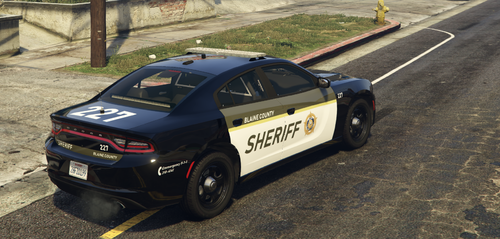 This is my first vehicle texture, open for criticism. It's based on the new Surete du Quebec livery (Quebec's provincial police). Enjoy! The screenshot were taken using KriptonicBCSO's charger. I put him in the credits. Anybody else I should credit (I'm a noob lol)?
 -
 Did you ever found the issue? I have the same problem, the menu loads but no outfit to select. I have installed EUP 8.1 and this menu of course.
- 635 comments
- 72 reviews
-
Thank you for taking the time to answer. Much appreciated!
-
Hi, Is there a way in EUP Menu to use a different base character? I would like to have a smaller and shorter female police officer. I tried mixing with the use of a trainer but every time I open EUP Menu it reverts back to the base models. Sorry if it's a stupid question, I'm a total noob. Thank you

