



Alzar
Members
-
Joined
Everything posted by Alzar
-
Tried it with the CVPI and FPIS from Brad's pack and works just fine. Trying to drive a Charger through other cars also doesn't work and it collides correctly. Only seems to be Chargers going into Chargers or anything can kindaish go through a charger.
-
Not for the slot that its in, I've made edits for other slots though. And just tried with a complete vanilla vehicles meta and still does it.
-
Yup, I've gone over and reinstalled the cars several times and issue still there. It's a problem I've ran into with nearly ever 2014 charger I've installed and just no idea why it happens. Only ever been able to find 1 even mention of it which was on ablaze's CCSO pack (http://www.lcpdfr.com/files/file/14447-els-los-santos-county-sheriff-pack-ccso/?tab=comments#comment-134352) and he said something about a high poly count.
-
K well posting here to see if there's someway to fix it (Really hoping I just screwed something up) that I keep running into with 2014 Chargers. In simple, I can drive through the middle of them without any issue. While I've since updated which models I'm using (Now using BradM's Charger) it's still happening and with not being able to find any post about it .. It's driving me insane. I only ever have this issue with 2014 chargers and just have no clue why. Is this something that I can fix at all or am I SOL?
-
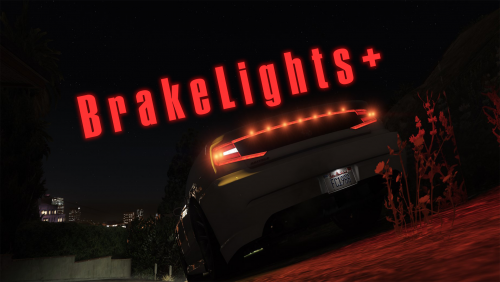 Simple ScriptHookV script that adds various functions relating to vehicle lighting. Currently it adds 2 potential functions, idle brake lights with a blackout mode and turn signals that have controller support. More may be added in the future. NOTE: Made an error in which .ini I included in the download so it isn't set to default bindings! Be sure to check the ini file for current bindings. DEFAULT BINDINGS - As of v1.0.3 some of these may be changed! (Indicated by a * on this list) Brake Lights: Controller Controls; Right Bumper* - Toggle On/Off. DpadLeft - If Blackout mode is on, pressing this will disable it. Keyboard Controls; Backslash(\)* - Toggle On/Off. J / K / L - If blackout mode is on, pressing any of these will disable it. Turn Signals: Controller Controls; X* - Turn Signal Modifier Key Left Bumper* - Left Turn Signal Toggle Right Bumper* - Right Turn Signal Toggle A* - Hazards Modifier Key Left Bumper* - Hazards Toggle Keyboard Controls; Shift* - Turn Signal Modifier Key Q* - Left Turn Signal Toggle E* - Right Turn Signal Toggle Control* - Hazards Modifier Key Q* - Hazards Toggle Requirements; ScriptHookV - http://www.dev-c.com/gtav/scripthookv Installation; Drag and drop BrakeLightsPlus.asi and BrakeLightsPlus.ini into root GTA 5 folder. Known Issues; BrakeLights: If you press the brakelights blackout key while emergency lights are on, it will still toggle brake lights. This will automatically resolve itself when you change emergency lights stage or turn them off. BrakeLights: Any other scripts that add the brake lights being on at idle seem to break this (As in it will have no effect and brake lights will be on). Not sure of a way around it beyond disabling the brake light function / removing the script. Turn Signals: If you have no controller modifier key for indicators and blackout for taillights is the same button as a turn signal, turn signal will not work. Turn Signals: In an ELS Enabled vehicle, if you turn on the right turn signal and your ELS blackout bind is the same as the turn signal, it will activate ELS' blackout mode.
- 43 comments
- 13 reviews
-
-

- 18
-
-
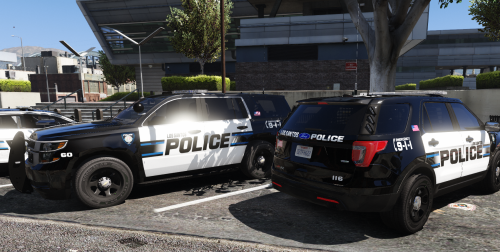 Amazing textures, any chance of getting a skin for the '16 Impala from BradM's pack?
- 41 comments
- 19 reviews
-
 Amazing models, great attention to detail. Excited for more from you in the future (FPIU someday? :o)!
- 89 comments
- 63 reviews
-
-
- 1
-
-
 Any hopes on a fix for the binds being messed up with this? Pretty much makes LSPDFR unplayable with this installed :/
- 125 comments
- 11 reviews
-
Alright, well I'm at the point where I am wanting to punch my monitor so figured I'd make a post... Currently having an issue where if I have any vehicles.meta file in my mods folder my game will crash when trying to get into some cars (Currently happening with sheriff2 and pranger). I thought I screwed up a meta edit so tried to delete the one I had originally edited and redo it... but even with just a vanilla meta copied from the update.rpf it will crash if it's in my mods folder. No edits, no changes, simply drag from non-modded update.rpf > desktop > modded update.rpf. I've verified that it's not any of my mods (Can play the game just fine if I don't have a vehicles.meta in my mods folder) so I am honestly lost as to why it's breaking. Thanks to anyone that can help, I tried searching around for previous posts but couldn't find anything. Hoping it's just something really stupid that I'm overlooking but no idea :/ CrashReport_srich_636352153327377177.rcr
-
.thumb.png.a8f56bdfe4aa7517ee4660233dc163a7.png) K so having an interesting bug, when I try and go into the menu to activate the mod the menu just flickers a lot and I can't interact with it. Any ideas?
K so having an interesting bug, when I try and go into the menu to activate the mod the menu just flickers a lot and I can't interact with it. Any ideas?- 101 comments
- 19 reviews


.thumb.png.a8f56bdfe4aa7517ee4660233dc163a7.png)