.png.ce8ac2202bb70b80a14b16a6a5c748c2.png)
.png.7cf21310aaaf42838742b8dbff5d7ad3.png)
danielorsum
Members
-
Joined
-
Last visited
Everything posted by danielorsum
-
Yeah, I have a pretty good PC. GTX 1050 TI AMD FX-4300 Quad cord 3.8 GHz Don't know exactly everything, but nothing is hot in the computer either.
-
Simple reinstall fixed it, but now there is so little variety in cars. I swear I saw about 12 Surfer vans on Algonquin. What's going on?
-
Alrighty, Will try a reinstall. Thanks!
-
Just curious, is there any way to spawn in the RDE Vehicles? I've tried using the trainer (TrainerV or simple trainer, whatever) and I get "Invalid model." Any help? Thanks!
-
Are your Post FX, Shader Quality and Shadow Quality on high or above?
-
Go into task manager, and while the game is running right click Grand Theft Auto V and click "Go To Details." Right click Grand Theft Auto V from there, set priority to high. You should also close the Grand Theft Auto V Launcher, since the game isn't using it while you're in game. This is what completely fixed it for me, or at least, very much reduced rate of crashes.
-
Since I've installed the Update for RDE and replaced my sheriff cars, my game has been crashing. I readlly don't have any details, it just crashes before the RPH loading screen. Here's my log, any help? Thanks! RagePluginHook.log
-
Did you try going into vehicles.meta and looking at the model? I can do this for you if it sounds too complicated. Just link me the vehicles.meta and tell me the slot that the car is in and i'll try to fix it for you if you want.
-
Yeah, try removing the window tint. You can do this by opening the trainer -> Vehicle Mod Menu -> Window Tint -> None If it's already on none, change it from none to something else and then back. If this works, go into vehicles.meta and change "diffusetint" under that model to 0x00FFFFFF I believe.
-
Did you try removing any window tint that might be on the car using a trainer?
-
If you replaced the visualsettings.dat your emergency lights should be brighter. I'm not sure at this point. Is there any bloom effect or is it just as if you are on low settings?
-
Hmmm, Have you tried to download any other Emergency Lighting Enhancement mods? Do you have ELS?
-
Ok, Let me know how that goes.
-
So when you say your settings are on high or very high, This includes PostFX and Shader Quality, Correct? Also, I recommend you install Radiance V.
-
-
I can completely relate to this
-
Ok, I'm pretty sure everyone knows what's going on right now, but if you don't, I'll sum it up for you (If you haven't heard already) Take-Two Interactive has demanded that OpenIV distribution be discontinued. The OpenIV team decided not to fight it, and just let it go. Not that this is necessarily a bad thing, because I am almost certain that someone will develop a new modding tool very soon in the future, and the modding will continue. Take two claims that OpenIV can " allow third parties to defeat security features of its software and modify that software in violation Take-Two's rights ". Yes, lol, copied that right off of gtaforums. I don't wanna sound stupid here if I misinterpret this, but tell me if I'm wrong. If you live in the United States; Mind telling me where in here it says you can't mod a video game? Look through the amendments if you want. You won't find it there either. No "Technically" or "Maybe". You won't find it there. I'm open to more ideas, but no matter how hard Take-Two tries, they won't make modding officially illegal. I won't believe it until I see it on the news.
-
@Cyan @Sam Y'all please do what you can to keep this website up. Whether or not it's going to be soon I'm not sure, but eventually Take-Twat will find this site. Honsetly, it sounds to me as if it's a violation of Russian Laws, and it doesn't really matter in America. We gotta fight for it guys ;) Someone better get him, Code 5.
-
<3
-
-
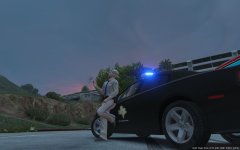
From the album: LSPDFR Insanity
<3 The TX DPS Charger so much ;) -
Ah. Thanks for the info! Sorry for the late response, was out of town.
-
Before you read: I am 100% sure I have installed the vcfs right. Hello! ELS is a great plugin, and I could not afford to play LSPDFR, or even the game normally, without it. Except one problem. I had accepted a call for an Armed Driver, and a shootout started when the suspect crashed. I got out and opened fire. Once he was taken down and I cleared up the crime scene, I started walking back to my car. On my way back, I realized (I believe this is a feature of ELS) that my lights had a larger bloom effect when I am further away. It looks really sick on the cars that it works on, but on this vehicle, the lights were just everywhere. Some in the sky, some even in the interior. I've tried restarting my game, reinstalling els, and nothing has worked. Thanks!
-
Huh. Glad to hear it's working again! ;)
-
I know it sounds like a real pain, but you can take out all of your mods from the GTA directory and do a complete uninstall and reinstall of everything, including your mods. My game runs smoother than ever after doing that.
.thumb.png.3b9c79807e02d2c7af5da818c979f67b.png)