


CrazyKillerDude
Members
-
Joined
-
Last visited
Everything posted by CrazyKillerDude
-
Hey Albo, just want to verify. Updating this file, I won't need to re-download any of your other content again when it is updated? I know you have recently updated a few mods. Just curious if I need to update them as well.
- 124 comments
- 25 reviews
-
 This has done exactly what I feel it needs to do. Any issues I've ran into so far have been an issue on my end. Any issues people mention about keys doing different things or conflicting with different things can all be adjusted and changed either in game or in the configuration file. Thank you for this Mod, and i highly recommend it for anyone looking for a change in control of their lighting.
- 2,698 comments
- 240 reviews
-
Read the included documents, it tells you what the default buttons are. For me it's "G"
- 2,698 comments
- 240 reviews
-
 I'm going to assume it is an extra mod y'all have or just a glitch. My court system is working fine. Have you tried reinstalling the mod?
- 1,178 comments
- 137 reviews
-
-
 Assuming you used your mods folder. Follow the same path to the file not in mods, extract it, go back into mods folder and edit and just drag and drop.
- 337 comments
- 72 reviews
-
RadianceV works great. A little to great🤣 The overhead cab advertisements are literally blinding. How can I adjust that? Thank you for your hard work by the way.
- 337 comments
- 72 reviews
-
Ah okay i see. Is there anything i can do to be proactive in preventing anything from breaking, or is it just a waiting game?
-
Are you sure? I either read, or received and e-mail, from or over rockstar releasing an update on April 26th. I actually think it may have been on my loading screen. Something about tiny cars or some more stupid shit. I actually came here to find out if there will be any issues with this upcoming update? Edit: April 25th. Tiny Racers http://www.rockstargames.com/V/news
-
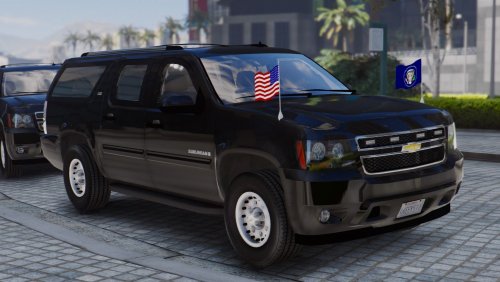 I can't get the car to load. I tried "spawn sspres" in the rage console and i even downloaded ENT and tried in in there. Did i do something wrong?
- 25 comments
- 5 reviews
-
-
Check out your POST FX setting in the game graphics settings.
-
Had this same issue! Changing the POSTFX fixed it and brought the glow back!
-
So, I've been using ELS and up until earlier it has been working like it should.I'm not saying it isn't right now. I'm just not sure what setting has changed, but my overhead lights are just dull and plain now with no glow around them. I'm assuming there's a setting somewhere that got changed. I've installed Radiance, and even though it did increase the brightness, the glow is not there. I do see it on the headlights and brake lights though. If a screenshot is need i can supply one. Edit: Issue fixed. POSTFX setting in game somehow got changed.
-
-
-
 Well, I feel like I followed the directions. Games crashing now though. I did the add-on. Help?
- 501 comments
- 104 reviews
-
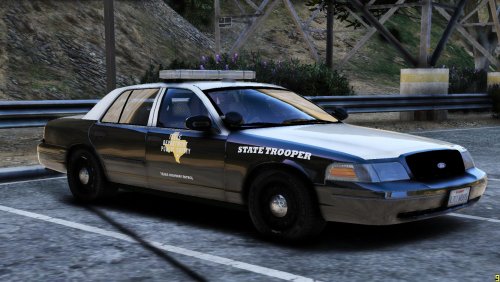 I figured it out. Yes, they worked great! Just not a fan of the charger model. Still buggy. Keep up the great work. Thanks
- 9 comments
- 2 reviews
-
-

- 1
-
-
New guy here, How exactly do I apply this skin? I've tried doing it in openIV but I think I am doing something wrong.
- 9 comments
- 2 reviews
-
-
 I got It fixed a few hours ago, I was missing an AdvanceHookV file, had to go download it. Car works great! What skins fit it? I'd like to start trying to add skins. Being new, I'm not sure if just anyskin will fit. Thank You!
- 427 comments
- 75 reviews
-
-
Well, I've read around and looked up different information and I cannot figure out what I've done wrong. The lights obviously are not working for me and also my ELS buttons are not working. My vehicle horn turns on the lights(right now only headlights minus the lights that stay on constantly) and "J" mutes/unmutes the siren. Any assistance would be appreciated .
- 427 comments
- 75 reviews
-
I installed the 2016 Ford Police Interceptor ELS. It's my first attempt to mod a vehicle. No skins just yet, just trying to get the basics down. I cannot get any of the ELS commands to work however. I used their .meta file and replaced the in game one and placed the car in the most recent patch file. The car looks modified and correct. I've installed ELS properly I believe, but I cannot get the console or any of the buttons for ELS to work. The lights and siren are still the default E and J, and of course do not display properly.
- 2,698 comments
- 240 reviews
-
What do you mean by the simple trainer? Also, is ELS another Mod I need to get, or does it come with the vehicle?


