


Creators: Due to background reprocessing of files, approvals and file security checks may be delayed. Thanks for your patience.


Trp. Keaton
Members
-
Joined
-
Last visited
Everything posted by Trp. Keaton
-
-
-
 Yeah the tires I already know about, But the license plate. If you made the texture, Did you put the plate in the right place?
- 164 comments
- 17 reviews
-
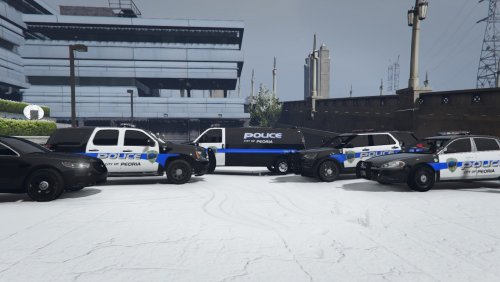 Very nice pack. Reminds me of the good old days in Peoria
 -
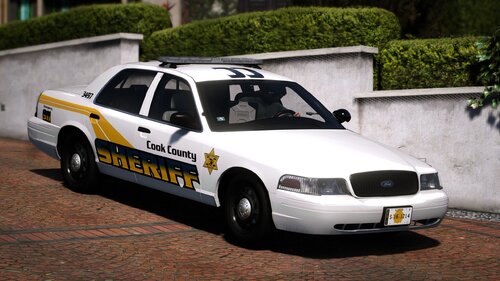 It will be both DLC and Replace so you can use all the cars or only some. but I can tell you now that it has 3 unmarked cars and a special one.
 -
-
You guys sold me, ill start looking for parts for a chicago pack
-
That’s a good question, with all the Chicago PD packs already out there I probably will not be making one, but that doesn’t mean I won’t change my mind in the future.
-
If you have more than one DLC pack installed, download a gameconfig that should fix the problem
- 164 comments
- 17 reviews
-
Yeah im gonna have to update that later
-
Yeah I have always seen cook county on 294, I never seen them on 90 becuase that states area, but yeah none of cook, or really any department in Illinois uses a push bar, its rare
-
Hello everyone! I am finally back with this pack again. It's been a very long time coming for it as well. So I am today releasing a new version, which is going to be in Alpha since not all cars are done yet, and there is a few things that still need to be fixed, but as of right now, it is in a full useable state. At this moment, I will also leave the old version included, but once the new version is fully completed, the old one will be completely removed. This pack is back with new lights, cars, interiors, skins, plates and more. The last time I updated this was back in 2020, and I feel like this poor pack is being left out, after only being my third pack I made when I first started, behind ISP being the first, and CPD being the second, this pack finally need to be remade. I also have news for CPD, and even ISP, that both packs are being rebuilt with CPD going full DLS full absolute full realism with lighting and everything, and ISP may also follow suit with going full DLS, I am still not sure on that though. Anyways, enough talk, please enjoy these new cars, and to report any bugs or issues, please do so in my discord, thank you!
-
-
From the album: {ELS} Cook County Sheriff Pack
© 2020 Trooper Keaton
-
From the album: {ELS} Cook County Sheriff Pack
© 2020 Trooper Keaton
-
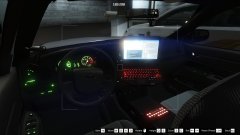
From the album: {ELS} Cook County Sheriff Pack
© 2020 Trooper Keaton
-
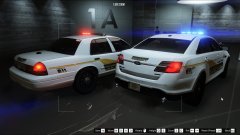
From the album: {ELS} Cook County Sheriff Pack
© 2020 Trooper Keaton
-
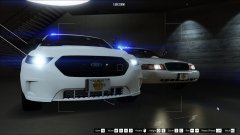
From the album: {ELS} Cook County Sheriff Pack
© 2020 Trooper Keaton
-
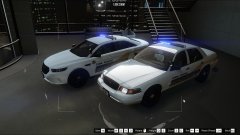
From the album: {ELS} Cook County Sheriff Pack
© 2020 Trooper Keaton
-
-
-
I have heard from some people that it works for most, but for some reason some peoples games just throw a fit. So one last thing for you to try is replace your update > x64 dlc list folder in OpenIV this will remove anything that could cause conflict, also make sure you are puting the included line in the dlclist.xml
- 164 comments
- 17 reviews
-
No its most likely the size of the cars them self, Im working on way to bring this down there is a thing you can try to do and its this Go to Mods > update > update.rpf > common > data > and add this line </Item> <Item type="SExtraTitleUpdateMount"> <deviceName>dlc_statepolice:/</deviceName> <path>update:/dlc_patch/statepolice/</path> </Item> To your extratitleupdatedata.meta file and see if that fixes the problem, if not please do let me know.
- 164 comments
- 17 reviews
-
-
Yeah im going to be redoing the livery on the 16 FPIU, right now I'm working on a update so the new decal will be included with it.
- 164 comments
- 17 reviews




