




SpikeTerm
Members
-
Joined
-
Last visited
Everything posted by SpikeTerm
-
Visual V and realistic radiance
-
Did you originally go to the BIO menu and tell your computer to only use your GPU and not your integrated graphics?I got this off of a youtuber. These mods will make your LSPDFR experience so much better, LSPDFR - https://goo.gl/PbgJH5RagePluginHook - https://goo.gl/hzObC1ScriptHookV - https://goo.gl/1NgjEqScriptHookVDotNet - https://goo.gl/PW2n65Simple Trainer - https://goo.gl/AUrOacAgency Callouts - https://goo.gl/3BXqSOALPR+ - https://goo.gl/O2FZnIArrest Manager - https://goo.gl/koB3QuArrest Warrant Callout - https://goo.gl/ldyX3rAssorted Callouts - https://goo.gl/klmzI6Automatic Roadblocks - https://goo.gl/lTWgDrAuto Pursuit Backup Disabler - https://goo.gl/uZFaJ9Better EMS - https://goo.gl/1Bzpco British Policing Script - https://goo.gl/vhQ8XxCalloutsV - https://goo.gl/fTC9SPCode 3 Callouts - https://goo.gl/kTPaQsCode Red Callouts - https://goo.gl/IuRfDFCop Holster - https://goo.gl/6TjZGvELS - https://goo.gl/XQomZNFoot Pursuit Aid - https://goo.gl/3mxChCHeroCop - https://goo.gl/cpuiuqKTFDO - https://goo.gl/xI3w4eLaw Callouts - https://goo.gl/EOoIA5LPCallouts - https://goo.gl/rxLfKgLSPDFR+ - https://goo.gl/gWjO0xLSPDFR Computer+ - https://goo.gl/2QatkqMoreControlV - https://goo.gl/WbqYbL PeterUCallouts - https://goo.gl/WTM6mXPlayer Location Display - https://goo.gl/UlTvXCPolice SmartRadio - https://goo.gl/eYNir5Police Partner - https://goo.gl/30oMHbRealistic Speed Radar - https://goo.gl/bu3tVZSearch Warrant - https://goo.gl/Qldo9sSpike Strips V - https://goo.gl/5mwCj3Spotlight - https://goo.gl/4zS6bMStickyWheels - https://goo.gl/8n7NZMS.W.A.T. Callouts - https://goo.gl/FS8RDoTacco Highway Callouts - https://goo.gl/tYBgYWTraffic Control - https://goo.gl/L8vQS7Traffic Policer - https://goo.gl/CNJtDDVocalDispatch - https://goo.gl/LqweuaWilderness Callouts - https://goo.gl/oVrYSBEmergency Uniform Pack - https://goo.gl/08OxRt VisualV - https://goo.gl/Z1nN3N Radiance V -The game is unmuted, and it is set to team only. The little audio comes up when I talk, but people I play with can't hear me. little audio imageToday when I was playing battleground, people could hear me but I couldn't hear them. My headphones do work of course, and my microphone does too. I've checked playback and recording devices and they are all connected properly.I know you requested a laptop, but you should really consider a desktop computer. I currently have a good gaming desktop and monitor. I spent around $400 exactly. The only part I bought new is my GPU. It works really well, I normally play LSPDFR and battlegrounds.After you download and install cars. (I assume you know how with OPEN IV) I would suggest these graphic mods, they will make emergency lights realistically bright and GTA V beautiful. Also for a realistic glock https://www.gta5-mods.com/weapons/max-payne-3-glock-for-v-animated If you have any other questions, let me know.1. It doesn't matter if it is steam or not 2. Most vehicles are replaced, not added. But they both can be done perfectly and work perfectly in your game.
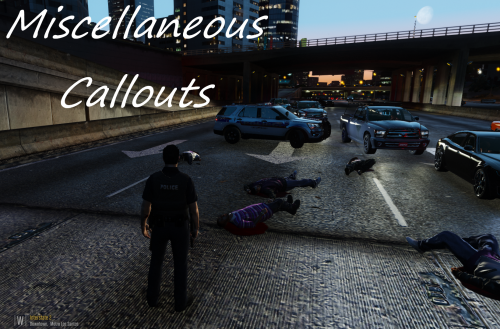 Well made, entertaining, and unique call-outs. I can't wait for more to come out, It would be really cool if you can add these scenarios. A vehicle crashed, and the driver is now fleeing the scene walking down the street intoxicated. Also a subject is trespassing at a gas station, you soon realize that he has a warrant. After you try to arrest him, he runs and pulls a gun on you. (Sometimes he complies)
- 68 comments
- 21 reviews
-
-

- 1
-
I am having the same issues.Headset, sades gaming headset. Creators update... I can hear fine in my headset but under recording devices it says "Not plugged in"
 I uninstalled, and re-installed. I also restarted my computer and checked for driver updates. It says that all drivers are installed correctly...
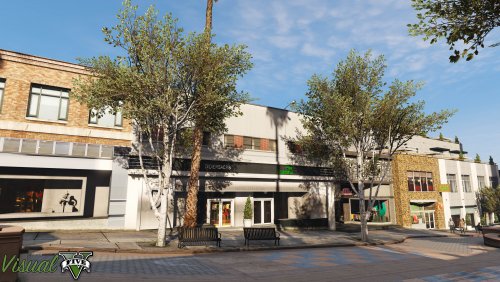 Unlike other graphic mods, Visual V has relatively no performance loss and looks better in my opinion.
- 42 comments
- 19 reviews
-
-
- 2
-
There are only few vehicle models that can be installed with Open IV package installer. Most likely you will have to install yourself. I only know of a few vehicle packs with Open IV package installer which takes only seconds. They are not CHP though...I'm having the same problem toohttps://www.gta5-mods.com/misc/visualv and Make visuals great again has greater performance loss than visual V. I also think visual V looks betterAll you have to do is: In 'OpenIV', go to the 'x64' folder, then audio > sfx > resident.rpf Drag and drop this It will automatically open 'open formats' and change the siren file Sorry didn't realize he already updated them. I haven't been playing latelyYou need the latest version of Script Hook V. http://www.dev-c.com/gtav/scripthookv/Albo needs to update all of his mods to work with the newest version of rage hook. He should be updating his common file soon...mods>update>update.rpf>common>data visual settings filethanksWhat's the cheapest gaming monitor which has high refresh rates?




