


Abraxas
Members
-
Joined
Everything posted by Abraxas
-
Damn, it's hard to understand you. If you're asking where to set mouse sensitivity it's in GTA controls menu.
-
First of all this is wrong forum sections, so expect this thread to be closed soon. Second. Are you 100% sure that your mouse works in LCPDFR police computer? Usually it's an ENB problem. Maybe try to set forceResolution settings in PoliceHelper's INI file.
-
1. Try to change your mouse sensitivity setting 2. Your ENB may be not compatible with mods that use forms. Does your LCPDFR computer works?
-
Make a path with pen and then write on it with text tool.
-
-
Looks like there are some bugs in bomb section. I'll try to work on it after releasing next PoliceHelper.
- 80 comments
- 22 reviews
-
It is correct... for a game without installed PoliceHelper. If you have Teamviewer send me your detail via PM and I'll try to help. You clearly haven't installed PH correctly. Good to hear that it works.
-
Do you have any error messages when you start the game? Paste here (in spoiler tags) your ScriptHookDotNet.log and vdH_Errors.log files. They should be in your main GTA directory.
-
We need more details. Do you have LCPDFR installed and running without problems? Do you have policehelper DLL and INI files in your scripts folder?
-
You can send me your logs *Scripthookdotnet.log and vdH_Errors.logs that should be in your main GTA directory).
- 316 comments
- 152 reviews
-
-
-
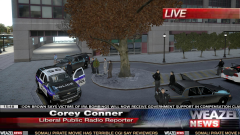 Love these "news". Anyone know where to get that Somali pirate movie? :D
 -
I don't know where fonts are stored (if they are stored outside of bigger library), but you could reinstall language filesfrom backup (your own or google it). Language files are .gxt ones.
-
My guess is broken font file or language mod without proper font (for example Chinese language in game without Chinese characters)
-
-
You have right to be impatient. It should be released already weeks ago. Problem is I have less time for modding because of real life projects. Also believe it or not but Policehelper ir in development too and is growing almost every day. I will show something really soon. Then I'll try to finish this project.
-
-
-
-
commandline.txt in main GTA directory, but as you don't know what is it I doubt you have that file,
-
Maybe you have custom resolution set in your commandline file?
-
-
Are you sure it's cj_ld_mission? I get only texture with that name. Did you try with other barrier models available in PH? "CJ_BARRIER_2", "CJ_BARRIER_8", "CJ_BARRIER_8_LIGHT", "CJ_BARRIER_1" I'd prefer to add the one model that is working for you (if it will be compatible) that adding that detailed options.
-
Wow, that's unusual. Something is totally wrong with your resolution. As you can see LCPDFR version text is in wrong place too. Hell, even radar is too narrow. I guess that if you turn on policehelper and click somewhere around bottom right corner of the screen you will trigger one of buttons. Unfortunately I have no idea what causes this. Maybe other users had similar problem and could help you.


