




Shockie
Friends of LSPDFR
-
Joined
-
Last visited
Everything posted by Shockie
-
Guess i'll start with the easy ones.. Which force are you in and whats the workload like there?
-
It is recommended to prevent crashes related to other plugins not being compatible
-
The automatic installer has an option to uninstall 0.3
-
@Colde It is recommended you have a clean install, and remove plugins that interact with LSPDFR. This is just to ensure smooth running of the mod as it has been tested under vanilla conditions and some plugins may not be compatible straight away.
-
They have a reputation
-
With it being 03:25 in the UK, its a good job im not doing anything tomorrow...
-
🤔 Im doing great!
-
You say it like any of the management team expected over 2,000 comments and nearly 300,000 on this release post... rest assured i dont think that was the case. In other news, if Sam had said "It will be released by Feb 28th", it would have been exactly the same as saying it'll be released in Feb 2019.
-
I think it is extremely negative of you to think that the staff are rubbing their hands together laughing at everyone getting frustrated, or for more traffic to be created. Instead the devs are hard at work trying to polish off this amazing update, so that when it is released it will be almost perfect, with extremely rare crashes or major bugs. This requires many hours from us testers, then from the devs to iron out any kinks that may be within the mod. Things are being implemented that have not even been mentioned within any of the release posts that Sam has made. These features need to be thoroughly checked. LMS, Sam and Cyan do not do things half-arsed and only release something once it has been tested, checked and re-checked to ensure that you, the player base, have the best enjoyment from the mod. There is no fixed release date as (if you ask many developers) anything can crop up at anytime, but trust me. Everyone is working their asses off this update to be released... I hope this allows people to chill their beans
-
How did you know ?Depends on the individual plugin or script. There has been work to try make as much as possible compatible but since there are many new features and re-working of existing features, wide-scale compatibility cannot be guaranteed.I found this as well, which is why i decided to try plugins such as removing the reticle, meaning when shooting it is alittle harder. Additionally to this there was one (cant remember the specific name) i used to use that made gunshots take more damage, therefore i was unable to take as many shots which led to me taking cover more, call for backup and me dying a lot more often. Dont take my for it but whilst testing, i have found the hostile AI in general more challenging whether it be within pursuits or within shoot-outs than previous. I know the AI has been dramatically improved so hopefully your concerns will be soon-to-go.Scripthook is not needed for default LSPDFR to run, only the mod and RagePluginHook.If only.... 🤔February 2019, February 2019, February 2019Well, whether you class this as being "liberally-minded" or not, he was later sectioned under the Mental Health Act after an assessment by medical staff. Therefore, I am personally glad officers with tazer were there to aprehend the suspect without leathal consequences.
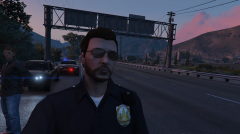
From the album: Coppin'
One male arrested: Speeding - 85mph in a 70mph zone Arrest Warrent for the offender Driving with an expired licence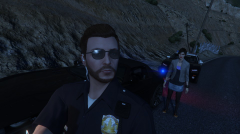
From the album: Coppin'
One female arrested: Reckless driving Speeding - 79mph in a 70mph zoneIs there an official change log. Or what is featured. Like differences from RC2 and 1.0?.



