




Empire
Members
-
Joined
-
Last visited
Everything posted by Empire
-
I brought my parts 3 years ago (getting to 4 years old), an yes it an gaming PC and still kicks the games out and runs at high settings. if you check the site out it will have prices listed and you can pick any parts you want for your price range. once you have picked your hardware post the information here is that we can say you with this and out or don'y go with that cpu
-
-
HAHAHA very so not so funny
-
It's an nice Computer.. but I would build my own, I use http://pcpartpicker.com If you build your own it would be more higher specs then the one from newegg. -end of the day it's your choice.. and it's and very nice machine
-
I'm watching the news about it from oz down under.. as i'm typing this out. he is to young and needs help to get back on track. I like to say more but most information from other members have already been said
-
DAmn.. that's one cool good looking car. I bet they keep it nice and clean every day to drive off into the public to show off there cool dodge
-
I thought it might be that.. I leave it false
-
What's Firststart? should I make it true or false
-
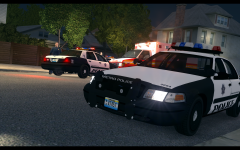 it's always at the same location
 -
build an desktop or buy an gaming Laptop.. Have you really thought about updating your PC
-
thanks for helping people out with your tips and tricks and of course your jokes that makes live and funny place to be.
-
1. they have not improved (made things worst) 2. They are only doing it to get more money out of people 3. That's Ballsh*t about High-risk behaviors drivers.. I don't see that in the north west and south of Tasmania, I do see more in, big city's like Sydney. 4. they try to improve less accident and make it more safer.. it does not, It increase the major roads accident (s). 5. That's it can't think of anymore to say....
-
one crazy word for that imdb
-
I see them all the time (the trailer) in Burnie and Penguin. on the Tasman highway and old bass highway. I thought it many times to drive and pick it up and tow it away my self..... -The stupid part that the Government can't afford more officers and even more police cars.. but they just brought $600.000 worth of speed cameras, so that they can get money at of people that do speed
-
the Man in pink.. that Does very good videos. I subbed you
-
That's Australia and always will be . most of the time the police are tying to get money out of people as they can't afford. Like police speeding boxes... The ten new mobile laser cameras were built by a Victorian company at a cost of $600,000, with funding by the State Government. Eight cameras will be allocated across the Districts and the two Tasman Bridge cameras will be replaced.
-
Just request your your following model, under Development Support & Requests
-
Can you take an screenshot, or a file listing of your GTA IV directory? -Install this http://www.microsoft...s.aspx?id=30679 that's if you already have it Can you attach the following files... -AdvancedHook -AdvancedHookInit -LCPDFR
-
it only happens when you see and drunk person.. and you are tying to arrest him or she
-
I just say good luck again.... and feel free to tell us your first day...
-
That's an really cool idea... this should be made up and inputted into the system of GTAIV
-
Nice video dude...and do you like pink?
-
Can you attach the following files... -AdvancedHook -AdvancedHookInit -LCPDFR
-
Thanks for the information.. I'll try your steps out and if it works.
-
good luck.. and enjoy your time with them


