




Empire
Members
-
Joined
-
Last visited
Everything posted by Empire
-
This has properly been posted over 100s and 1000s of times before so I'm sorry for posting another thread about this god damn same topic before . we all know that Sp and MP have different controls, and I don't know why they have set it like that. But I want to set my MP key controls so that way it's the same as the controls on Sp mod. Yes I have read the PDF that came with the pack, and it's not very helpful to me at all. so I just need an simple help witch I feel very dump about it thanks, Your Sweet Empire
-
I love you to (LOL) Glad to help
-
I'm happy to, I made this up for this user https://www.youtube.com/channel/UCL_sisK4ltdF3J3su6oQihA and this is my own banner https://www.youtube.com/channel/UCtQtbO8weWWuLz8jWiDi_dQ -It's easy once you have the Layout banner and starterd it
-
It's easy, Here is an video, I was going to type it down, but video is an better place to learn https://www.youtube.com/watch?v=SjY2m3CYM_0 hope this helps
-
I don't use Windows moive maker, I use sony vegas or power director 9. My settings when rendering are WMV format at high settings. and it depands on what your PC is, the specs. here is an video that might help you https://www.youtube.com/watch?v=qvUe7s660gUthankssearch around, Give you some tips--- It's right on front of your noise... *cough* signatureThanks, Yeah I might have some questions regarding some things.. but I'll work on the other things at the moment and maybe PM you tomorrowYeah I'm going to code it myself, I have been leaning it for the past day and It's FUNThanks for the tipHey LCPDFR Do any of you know about HTML and CSS? someone gotto know all about it, many people have created sites for a living (well Build it). I just want someone to build an basic layout witch will only take you around 10 minutes of your time. I want you to creat (in Notepad) and basic "div" layout, I'm doing this kind of work and never use or how to use div with CSS.. this very simple request. If you take the request then read and look at the images below for some examples of what I want. I just wanted to look like how Enjin sites are.. Where the heading and the links with the footer located Another sample.. Images http://www.java2s.co...top-section.PNG http://priorityonepo...vens-legacy.png And this is what I don't want.. http://www.w3.org/TR...-order-page.svg Thanks......I hope that this will be the last for a long time; I don't have any problems with the new updated versionYeah, Just updated and it's working as good as before, maybe even better.Just have to wait till GTAV is out on PC, and Wait even longer for the mods to be made up for Pc versionIt does not work for me, Maybe upload your ini for me Fixed Open the vehicles.ide file in your, find the line beginning with "police" and at the end of that line, add "+livery" (without the quotations).There are an total of 4 liveries for each of the vehicles that I have installed and I want it to random appear, It works great for ELS V6, but I can't get it to work for V7. I'm trying to work out that the following 4 skins will random appear so that way it's just not one skin will show.Just yes? Have you updated then?Can't believe of what people are posting, I keep reading the same answer. Members READ THE MANUAL, end of story.. problems sovledMost of you should already know about this, that's if you played GTA IV online recently. anyway Just to confirm you all there is an new update witch I have NOT updated yet as I'm not sure if it's an good idea to do it or not. If I do update it, the Scripts/mods might not work then, but maybe it will. I known for the fact that there is an new patch soon and I gotta say that I think the team of LCPDFR knows about it. so my Question is- Should I update or not?
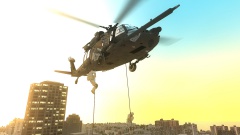 Damn. I WANT IT. links please, even an link to the modelAnswer the following 1. Read the installation manual. 2. Reinstallerl LCPDFR 1.0b. 4. What are your specs 5. Do you have any other mods installed 6. Do you run as AdminYou just need an better desktop/laptop. Have you thought about getting another new PC, maybe build oneI loved it, I have done it many times in a helicopter. but I think I'll stay on the roadI'm very good at getting parts and building Desktops, I have built two Desktops and repair 2 laptops and three very old Desktops. To help you please post your answer as the above members posts said.

