Empire
Members
-
Joined
-
Last visited
Everything posted by Empire
-
I really liked this bus, and wanted to add it to my pack that I'm doing up for EFLC. Anyway I have found skins for this model but can't find an download link for this model -_-
-
I do put allot of effort into my videos, and that I just finished editing one 35mins video that has taking me over 3 hours to edit. I made an very good intro for an user months ago and at that time he had 28 subs, now he has over 500 subs-_- and that I'm still at 51 subs,
-
Hello all LCPDFR members and YouTube creativity users, I just need an helping hand of having an very good heading that will make my videos to be out there.. My current heading is GTA IV LCPDFR 1.0 "BaySide" MP#14 "HD" So should I change it or keep it as is. I don't have allot of subs/comments and so on…. and I need tips to improve my headings. Thanks and Yeah I'm not advertising my channel (google nazis)
-
I'm adding Vest to the main cops, and fat cops as known as Females cops--- The files that I'm using are theses and I'm replacing it with these skin vest '?do=embed' frameborder='0' data-embedContent>> The problem is that it does not show up when I toggle vest with "Special 1" category. so I replaced on of the upper-diff and it does show but does not look like an vest at all. So what am I doing wrong?
-
I thought that might be, I have the full finished pack (I made it up) and other players still got the old pack so they have different things to I have. so if we all have the same pack then,I should not see this happening again
-
It's not showing up.. eve when i
- 22 comments
- 15 reviews
-
- LCPD
- Traffic
- Officer
- Traffic Officer
-
Tagged with:
-
I thought it was an bug that can't be fixed.. even that it can me -_-
-
I'm Seeing random skins appearing on cars in MP and MP only. when we are in any code 3 or what not, other players turn on there ELS and I see all liverys from that car change from 1 to 4 and repeat till they turn off ELS or got out of there car and it stops. Here is an video of what I'm talking about as most members don't "understated" my English. It's Outtake 3 at 6mins and 44secs into the video https://www.youtube.com/watch?v=mk5dC47PzqU not advertising -Your only one empire lol
-
This happens with ELS V7 when I turn it on, this does not happen all the time and so when it does it happens with textures lose and it always happends with another player in the car. well here is an image of what I'm saying and I do have icenhancer 2.1 (ENB)
-
Happy birthday man!
-
LOL
-
Maybe more information might help......
-
You are talking about only on MP? Right? Yeah I get that problem on MP to, it does not happen on SP. I don't really no way it does that
-
the old version of the diagnostic tool does not work with LCPDFR 1.0. I suggest that you do an clean install of EFLC, then install the LCPDFR 1.0b Automatic Install. if you still get problems then attach the following LCPDFR.log AdvancedHook.log
-
https://www.youtube.com/watch?v=ANFyDMeZ0SE
-
I think it's about time that you upgraded to windows 8. Have you thought about getting an new laptop/desktop? I would build an gaming desktop, but then you might just be happy by getting another laptop that can run GTAIV and even GTAV when it comes out on PC
-
should wait till the PC version comes out
-
that's really funny,
-
Seems legit
-
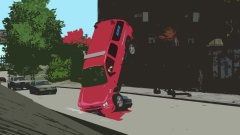
From the album: Bay Side Virtual Emergency Services
I think I killed someone -
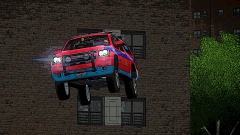
From the album: Bay Side Virtual Emergency Services
Maybe -
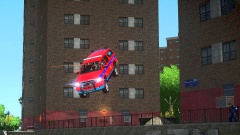
From the album: Bay Side Virtual Emergency Services
I'm just being artistic -
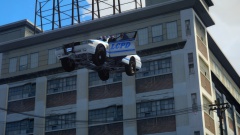 Radio: 3.. 2... 1.... Officer: we are off take off to space
 -
-
believe believe believe who to believe YES PEOPLE IT"S FOR REAL THAT V* IS FOR REAL.... For the past week I keep hearing about the new V8