



TheMonotoneScone
Members
-
Joined
-
Last visited
Everything posted by TheMonotoneScone
-
From the album: MonotoneScone's Screenshots
-
From the album: MonotoneScone's Screenshots
-
 I've been waiting for so long for this mod. I love the added realism. Although, I wish it worked with MakePedsCalmAgain and StopThePed. Those are two of my must have plugins and it's disappointing they don't work correctly with this.
- 1,005 comments
- 68 reviews
-
I'd prefer to see some bodycam, dashcam or security footage before I judge this event. There are always several things that need to be taken into account and the article doesn't mention many of them. Also, most media tries to make the police the bad guy, and I want to make sure they actually are before I say they are.
-
1123
-
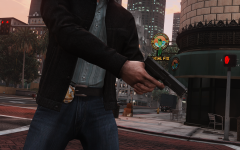 Whose glock is that?
 -
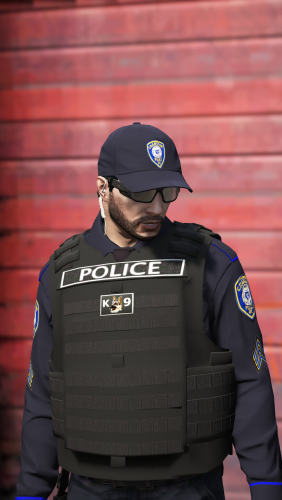 Do these replace textures or add textures? Also, where did you get those earpieces from?
- 158 comments
- 21 reviews
-
 I got the moneytruck robbery and the suspect vehicle ended up being an addon police vehicle. I couldn't pull them over so I forced the callout to end and the yellow search circle still stayed on the map
- 136 comments
- 42 reviews
-
It uses a livery from this car with the car's color changed, I'm not sure what the model is though
-
With all the coroner vehicles that have been coming out recently, how about adding the ability to have different models and/or liveries for different regions of the map instead of the single model for the whole map
-
Those are the coronas, w/o them lights wouldn't be visible from far away and rotators wouldn't be visible at all, but if you wish to remove them there are several mods out there
-
There's a plugin for LSPDFR called More Radio Chatter if you're looking for something like that. But if you're looking for a new dispatcher then check out Better Dispatch Audio.
-
Check the FAQ
-
From the album: MonotoneScone's Screenshots
-
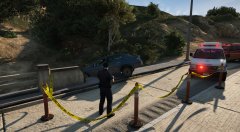
From the album: MonotoneScone's Screenshots
Shout out to Fenton for the ambulance and PNWParks for the Police Tape mod -
RDE is outdated. However, there is an unofficial patch for it on the RDE discord.
-
 I love it so far. Traffic likes to try and get around stopped cars but that's a problem w/ any plugin that deals with stopping traffic. I've found that using trainerv I can disable wind and the tape will stop blowing but still sag a little bit.
- 299 comments
- 25 reviews
-
There's a plugin that's call ScenariOh by PeterU, it doesn't add any purpose to the animations but it utilizes ones that are the most relevant to policing and puts it into an easy to use menu. It's also fully configurable so that new scenarios can be added. I like to use it when I'm on scene and I'm waiting for medics, tow, coroner, etc. and I have nothing better to do than just stand around.
-
 I think it's due to one of the scripts I'm using, I'll see if removing it fixes it
- 135 comments
- 22 reviews
-
Every once in awhile I'll put my armor into the vehicle while outside the vehicle and it takes some of my health away and not my armor. It sometimes causes me to die if I have low health.
- 135 comments
- 22 reviews
-
This is usually caused by lack of memory. I'd suggest keeping your mods folder as small as possible, download free GTA memory by Bejoljo (it's not in the scripts as he hasn't officially released it, but it should be somewhere on the forums) and, downloading heap limit adjuster from GTA-mods. If you've already done all this then there's probably nothing else you can do (at least, that I know of) besides increase your computer's ram.
-
Shep has posted an oiv on the RDE discord that fixes RDE for the latest GTA patch
-
.png.e560fa71cefcbda0336c1965036cc238.png) A helicopter is just something I rarely see someone ever include in their pack
A helicopter is just something I rarely see someone ever include in their pack -
All vanilla cruisers? Does it include the often neglected transport, ranger suv and, maverick?
-
I think they're holding the release until it's ready, if they were done I'm sure they'd release it


.png.e560fa71cefcbda0336c1965036cc238.png)