RescueGuy
Members
-
Joined
-
Last visited
Everything posted by RescueGuy
-
 I was looking for a Pittsburgh skin for a while but I didn't find any, but when the shooting happened it gave me more inspiration to make one, so partly yes.
 -
I forgot to do that, I was in a hurry, I'm doing that right now actually.
-
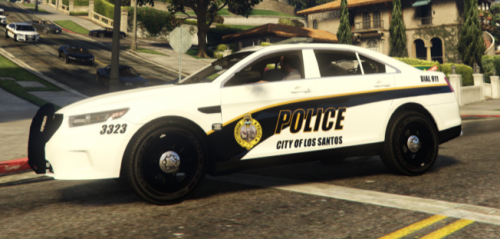
My first anything for GTA V, I was actually surprised that it turned out so well. Any suggestions/criticism is welcome. I may add a few more skins later, but for now it's about done. Recommended to be used for: FPIU: FPIS: Impala: Freightliner Ambulance: I know this pack takes some space and effort, but it is the only sufficient ambulance I could find for this. Use ambulance3 and rename it to any model of your choice, and then continue with the usual steps. Remember, if you don't wish to use the SWAT vehicle, then you don't have to download the fire & EMS pack. The same goes with all other skins in this pack. I didn't test any other models, so I don't know if it would work or not. Directory to put the models: GTA V directory/mods/update/x64/dlcpacks/latest patchday/dlc.rpf/x64/levels/gta5/vehicles.rpf You need OpenIV or a program like it to do this.
-
So, the mod works completely but it NEVER properly recognizes my voice. For instance, when I say "Requesting SWAT" it says "gossage slotting." I tried to say the SAME exact thing in the SAME exact tone in Google search, and it picked it up fine.
-